Add or change an outlet
For: HR
Whole guide as PDF (723 KB)- Open Outlets in the menu on the left.
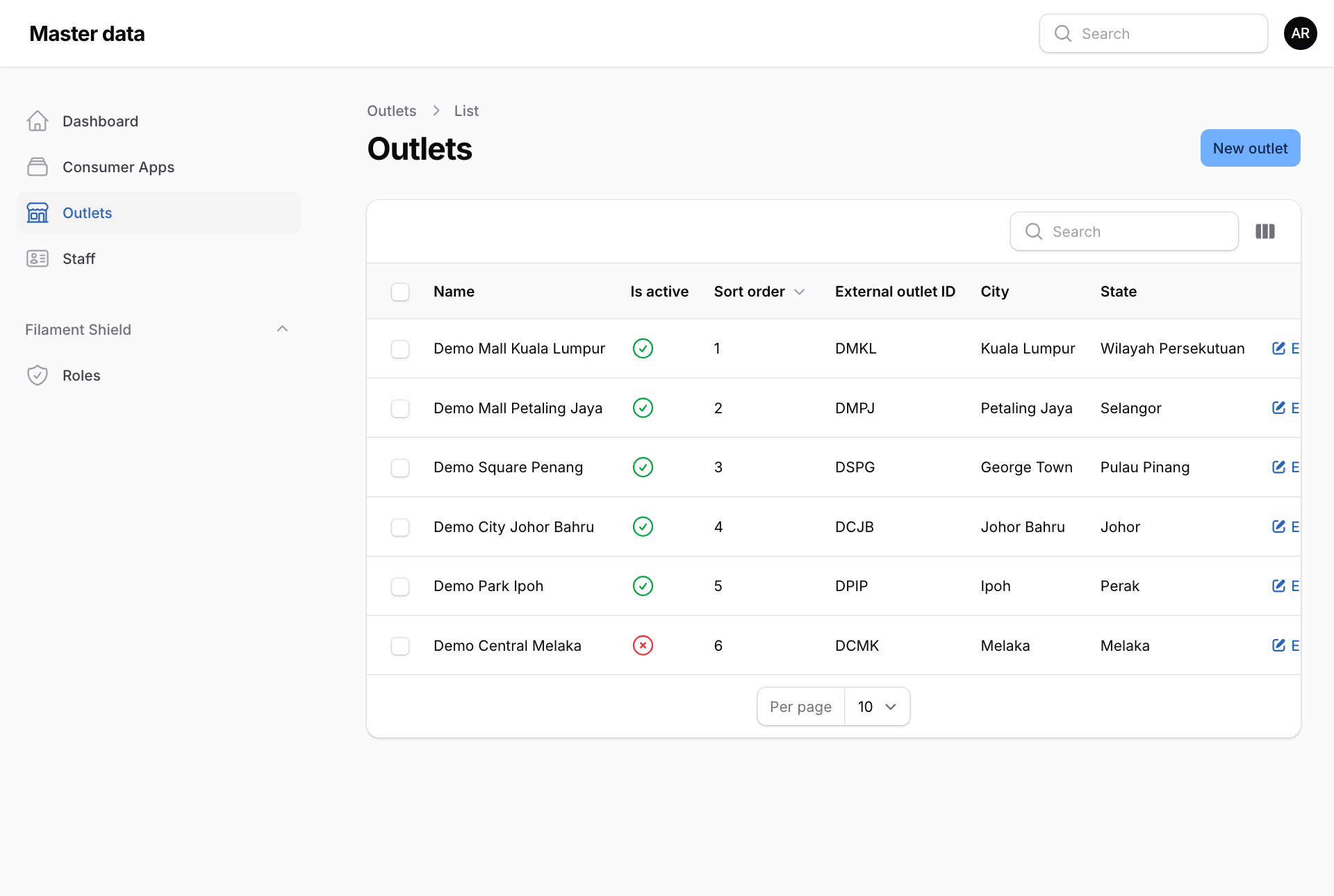
- Press New outlet, or Edit at the end of an outlet's row.
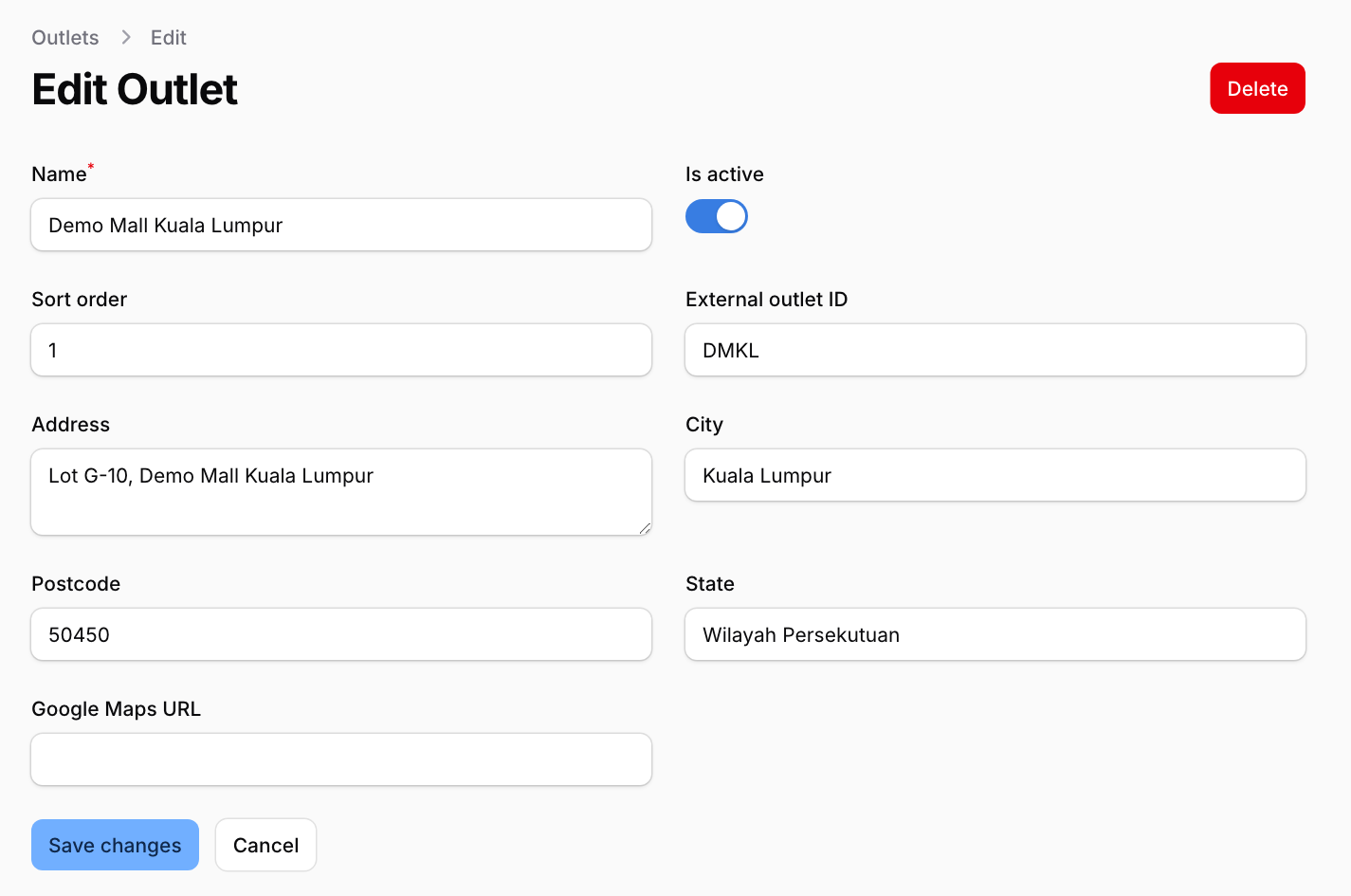
- Type the Name. This is the name every module shows.
- Sort order decides where the outlet appears in lists in the other modules. Lower numbers come first.
- External outlet ID is the outlet's code in your till system. Fill it in when the outlet has one, so the till, inventory and payment records line up.
- Add the Address, City, Postcode and State. Google Maps URL is optional: paste the link from Google Maps' Share button.
- Press Create or Save changes.
When an outlet closes
Switch off Is active and save, rather than deleting it. Staff and old records in other modules still point at it.