Find a staff member
For: HR
Whole guide as PDF (723 KB)- Open Staff in the menu on the left.
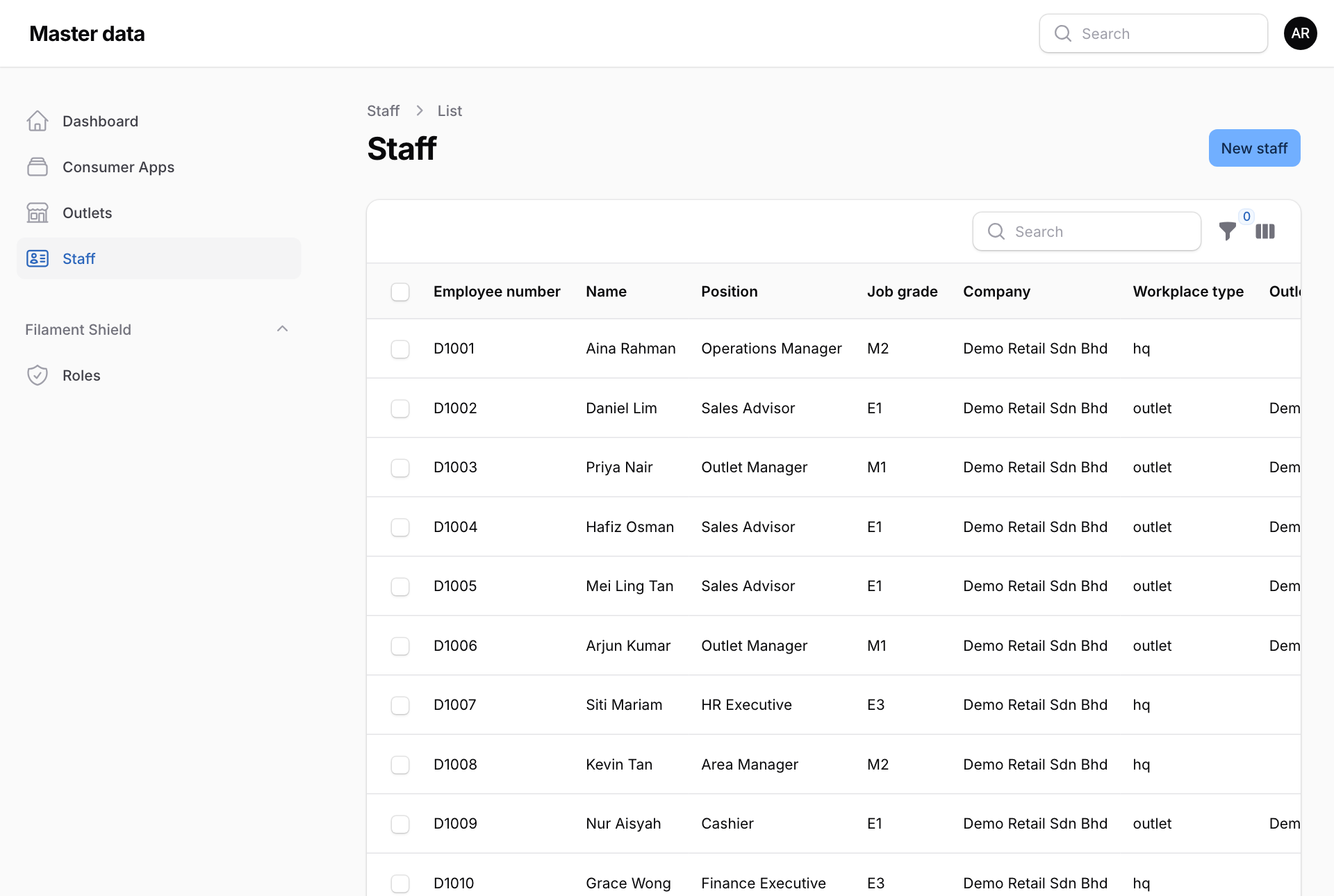
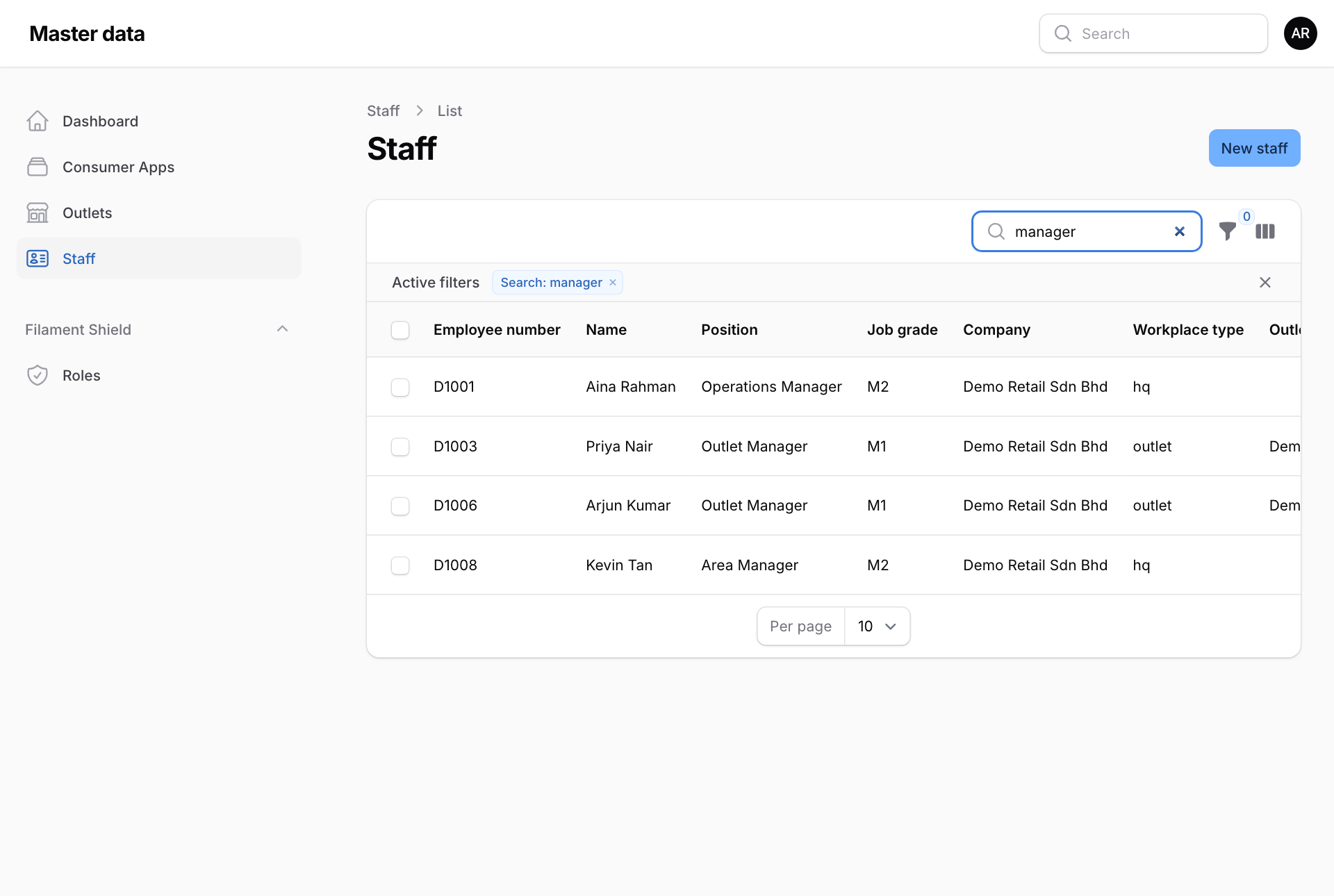
- Type in Search above the table. It looks in the employee number, name, position, job grade, company, workplace type, outlet, department and phone number.
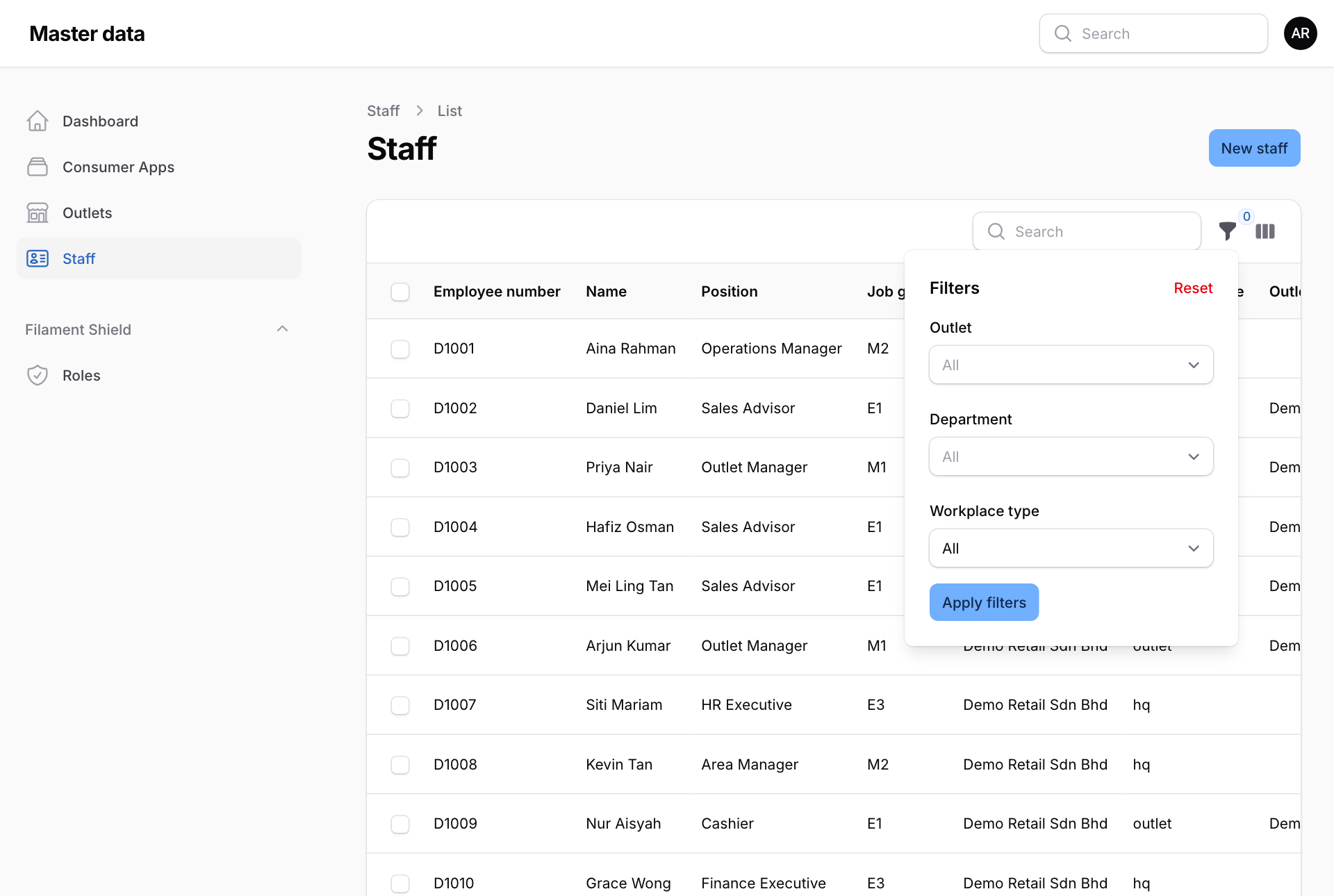
- To narrow the list, press the funnel button next to Search. Pick an Outlet, a Department or a Workplace type, then press Apply filters. Reset clears them.
The list is wider than most screens. Scroll the table sideways to see Outlet, Department, Phone no and Is active. The button with three bars, next to the funnel, chooses which columns to show.