Connect another module
For: Administrators
Whole guide as PDF (723 KB)A module can only read the staff and outlet lists if it is listed under Consumer Apps. Each one has its own short name and secret, a password the module uses to prove who it is.
- Open Consumer Apps in the menu on the left.
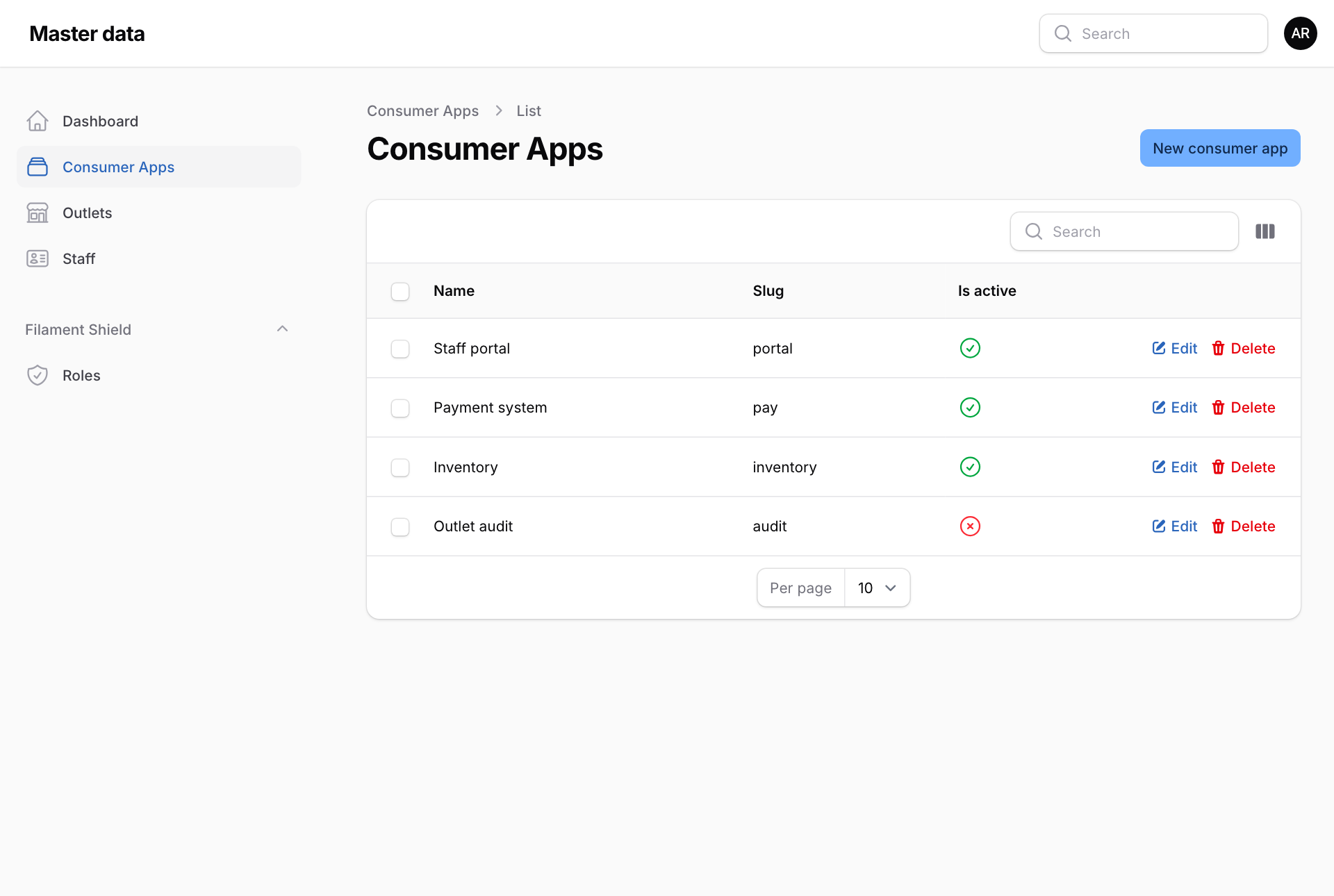
- Press New consumer app.
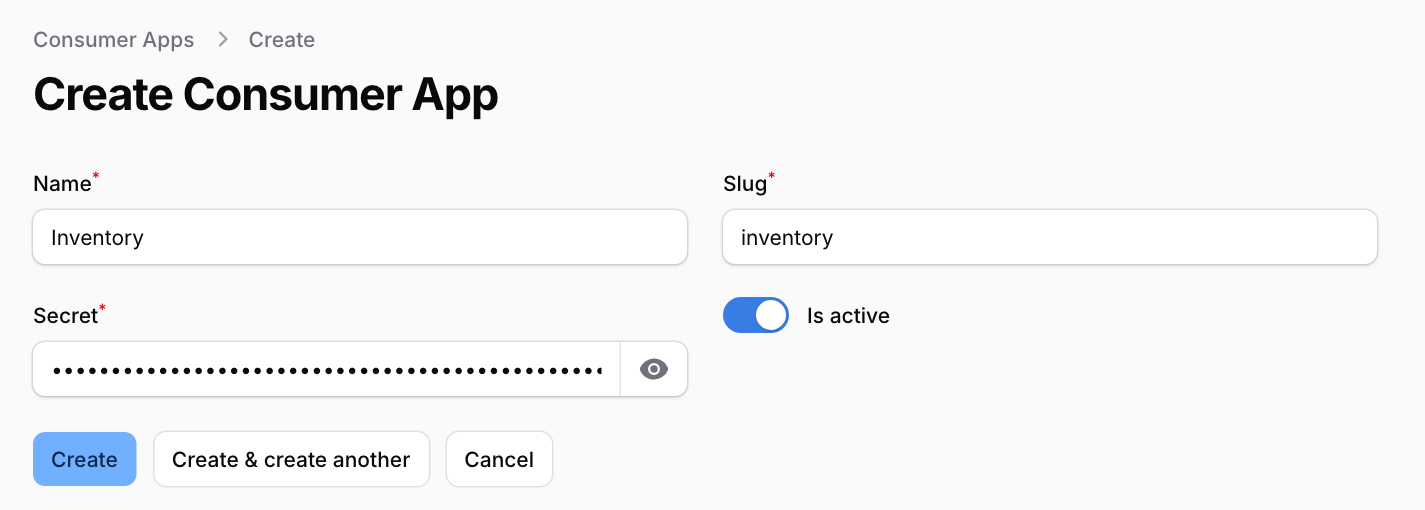
- Type the Name, for example Inventory. The Slug, the module's short name, fills in by itself. Change it only if the person setting up the module asks for a different one.
- A Secret is made for you. Press the eye button to show it, and copy it.
- Leave Is active switched on, and press Create.
Give the slug and the secret to the person setting up that module. They enter both in the module's own settings.
Stop a module reading the lists
- Switch off Is active to pause it. Switch it back on to resume.
- Delete stops it at once: its slug and secret stop working straight away. It cannot be undone.