Who can do what
For: Administrators
Whole guide as PDF (723 KB)A role is a set of permissions. Two roles exist at the start:
- super_admin can do everything.
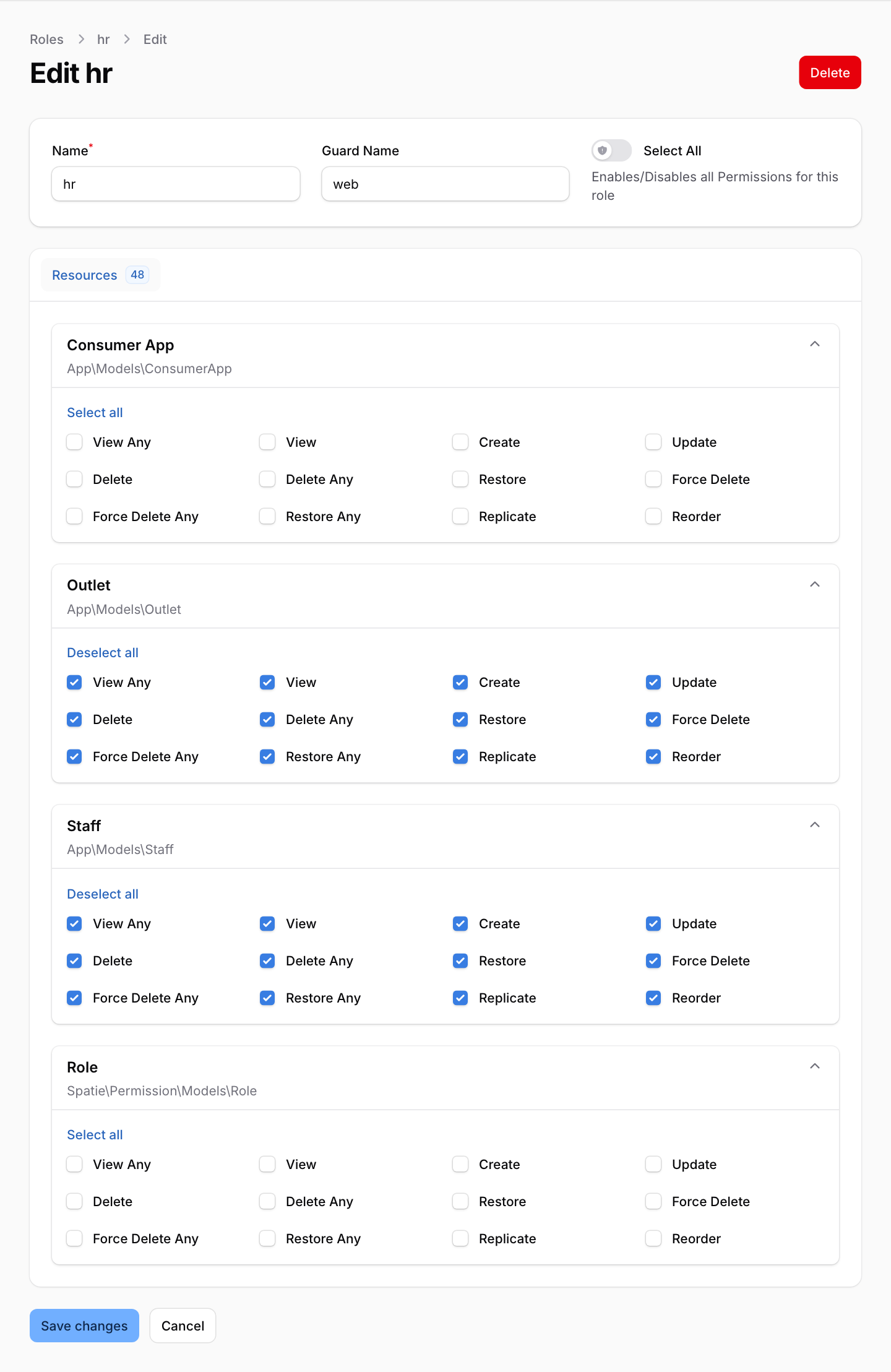
- hr can see, add, change and delete Staff and Outlets, and nothing under Consumer Apps.
- Open Roles under Filament Shield in the menu.
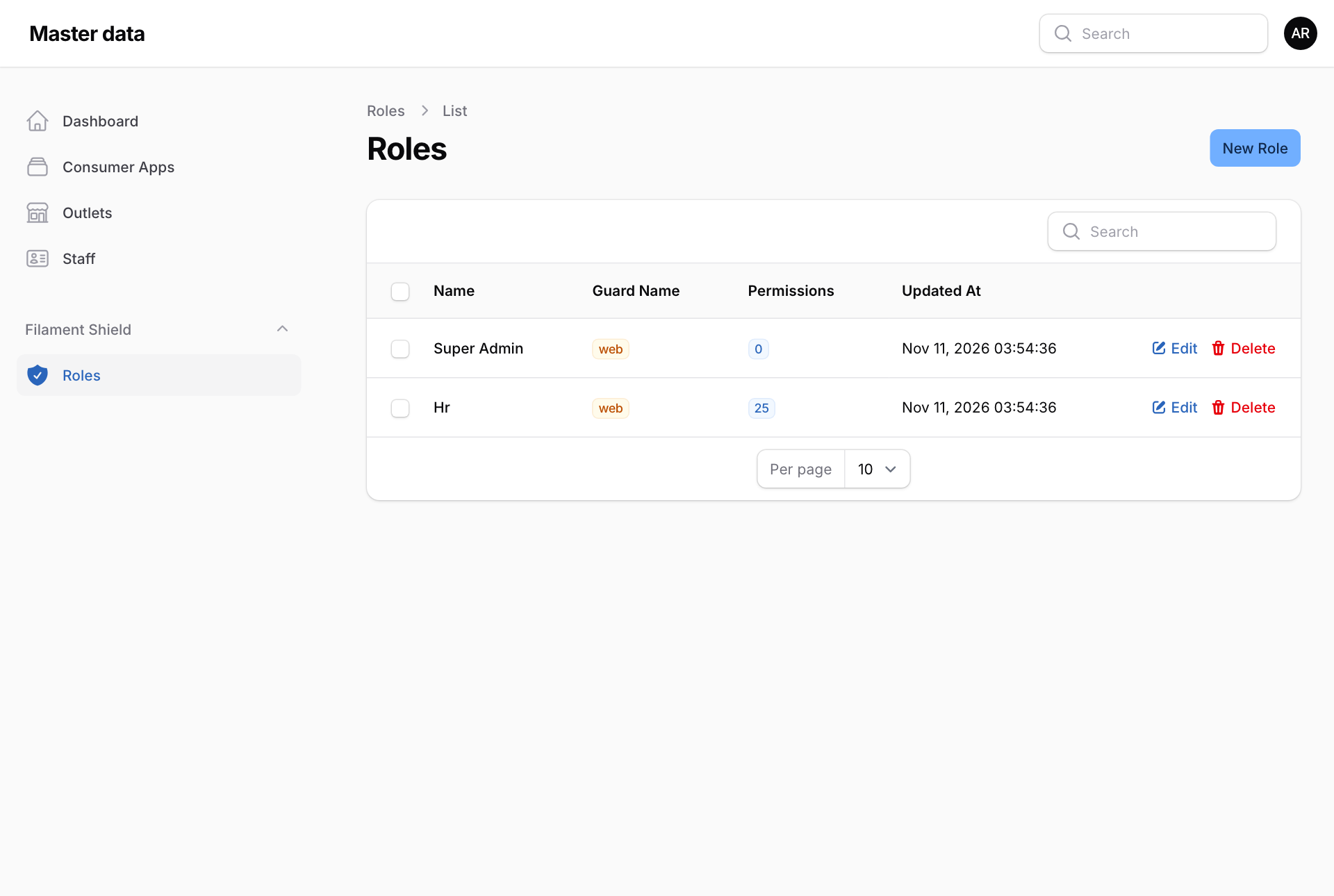
- Press Edit next to a role.
- Each screen has its own group of tick boxes. View Any lets the person open the list, View opens one record, Create adds, Update changes and Delete removes. Select all ticks a whole group.
- Press Save changes.
Not on this screen yet
- A role made here cannot open Master data at all: the permission to enter has no tick box. Use hr or super_admin, or ask your system supplier to add a new role properly.
- Giving a role to a person is done by your system supplier.
- Today the hr role can also open Roles and change them, although its Role boxes are not ticked. Keep this in mind until it is fixed.