What it is for
For: Everyone
Whole guide as PDF (1 MB)Broadcast sends WhatsApp messages to your customers in bulk: a promotion, a new outlet opening, a reminder about their points. You upload a customer list as a spreadsheet (a CSV file), pick a message, check it, and it goes out. Afterwards you see how many messages were delivered, read or failed.
The same sending service also carries the single messages other modules send, such as one-time codes. Those show up here under Logs and Reports.
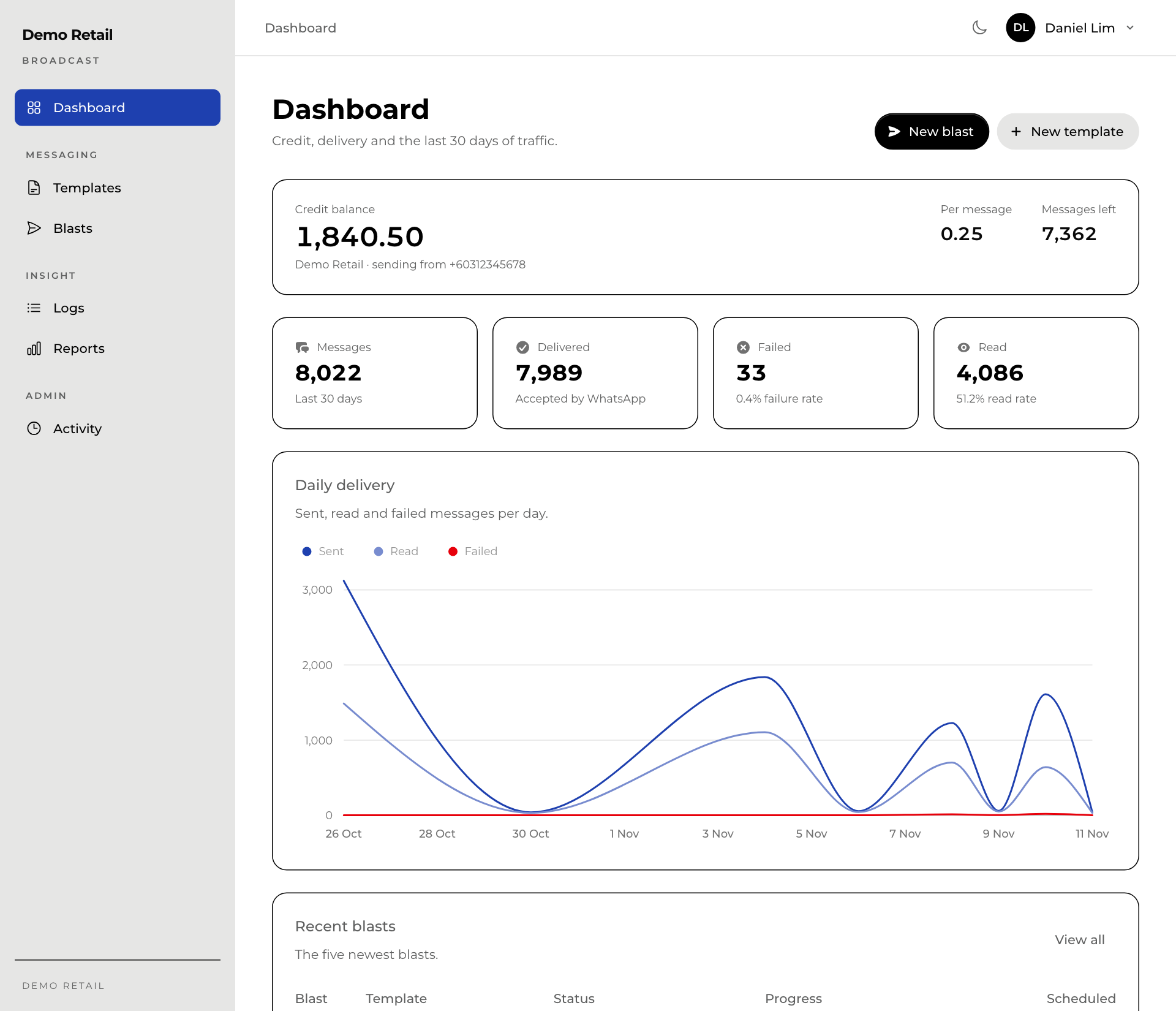
A few words used on the screens
- Template: a message whose wording WhatsApp has approved in advance. WhatsApp only lets a business start a conversation with an approved template.
- Placeholder: a blank in a template, written like {{1}}, that each customer's own value fills (their name, their points).
- Blast: one sending of one template to a whole list of customers.
- Meta: the company that runs WhatsApp. It reviews every template.
- Credit: what the sending service charges. Every message uses a little credit (Per message on the Dashboard). Messages left is how many more messages the credit pays for.
Who uses it
| Role | Can |
|---|---|
| Viewer | See templates, blasts, logs and reports. Cannot send or change anything. |
| Manager | Everything a viewer can, plus write templates, send and cancel blasts, resend failed messages, and see Activity. |
| Super admin | Everything, plus add people under Users and change Branding. |
Signing in
Open Broadcast from the Portal home page, or sign in with your phone number. Only people a super admin has added under Users can sign in.
What it needs
- An account with the outside WhatsApp sending service, with credit on it. Credit is topped up with that service, not in Broadcast. If the Dashboard says Credit is running low, ask whoever manages that account to top it up.
- If the Dashboard says Sending is switched off, no WhatsApp number is connected to your account at the sending service and nothing can go out. Ask your technical team.