Follow a blast and resend failures
For: Managers and viewers
Whole guide as PDF (1 MB)Open Blasts to see every blast, newest first, with how many messages were sent, failed and are still pending.
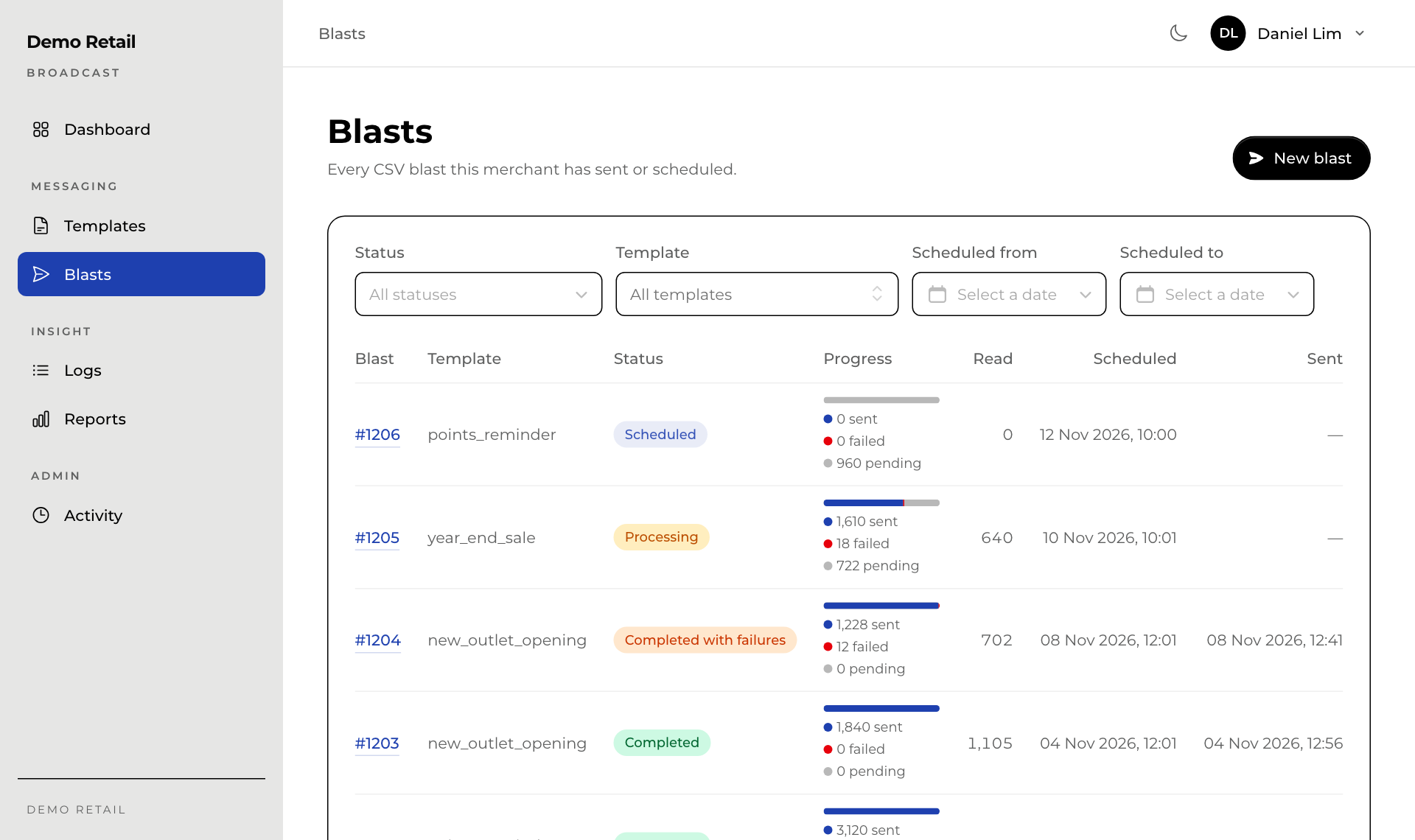
The Status of a blast:
| Status | Meaning |
|---|---|
| Scheduled | Waiting for its time. It can still be cancelled. |
| Processing | Sending now. The page updates by itself every few seconds. |
| Completed | Every message went out. |
| Completed with failures | Finished, but some messages could not be delivered. |
| Cancelled | Stopped before it started. |
Press a blast's number to open it.
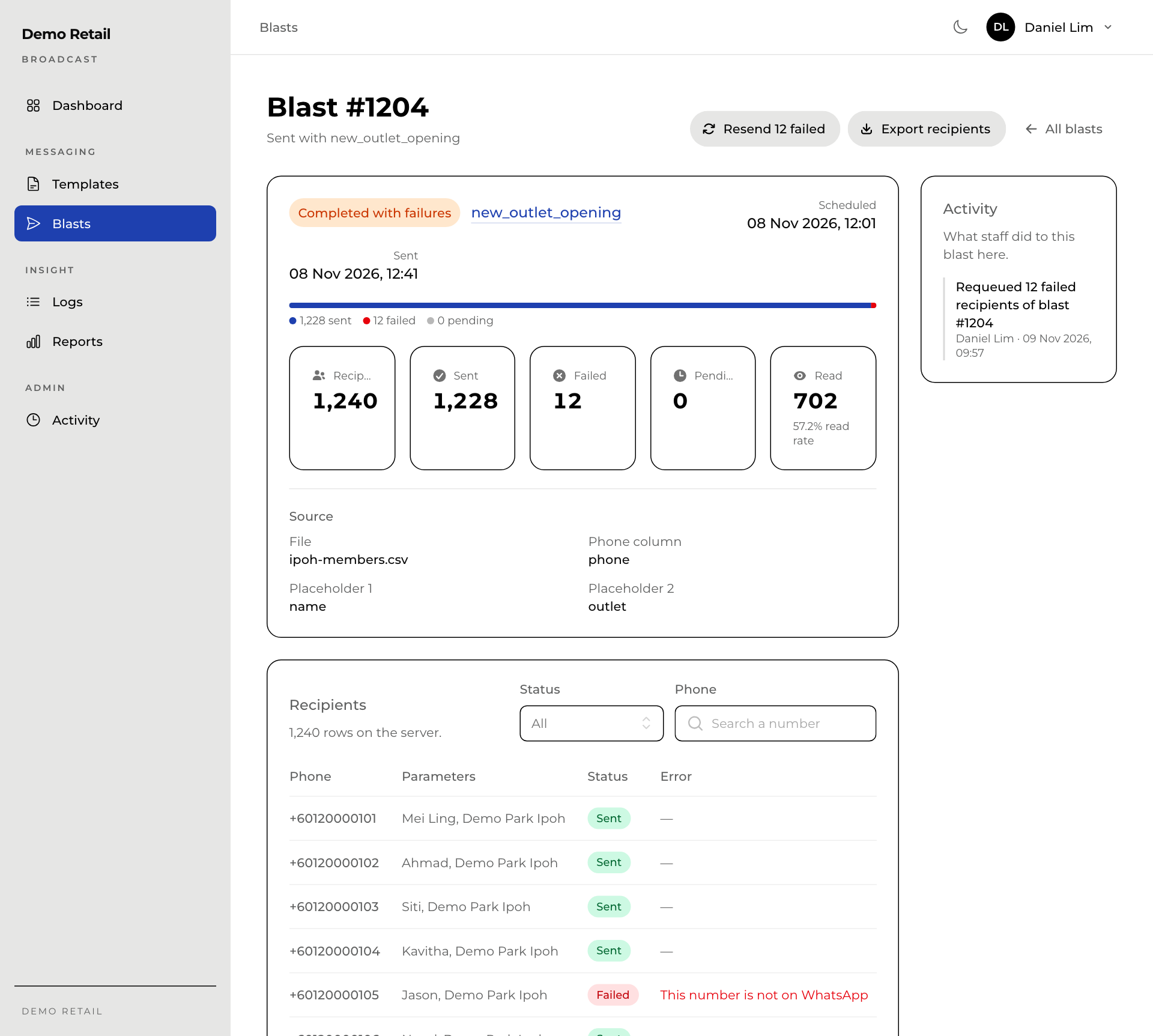
- The Recipients list shows each phone number, the values that filled the blanks, and the Error for any that failed, such as a number that is not on WhatsApp. Pick Failed under Status to see only those.
- Resend … failed tries the failed messages again. It is shown when some messages failed and the blast is not sending at that moment. It helps when the reason was temporary; a number that is not on WhatsApp will fail again.
- Export recipients downloads the list as a CSV file.
- Cancel blast is shown only while the blast is Scheduled. Press it and confirm; press Keep it scheduled to change your mind. A blast that has started cannot be stopped.
- Activity on the right shows what staff did to this blast.
Only managers and super admins see the resend and cancel buttons.