Check one customer's messages
For: Managers and viewers
Whole guide as PDF (1 MB)Logs lists every WhatsApp message sent for your company: blast messages, and single messages from other modules such as one-time codes (shown as Single send).
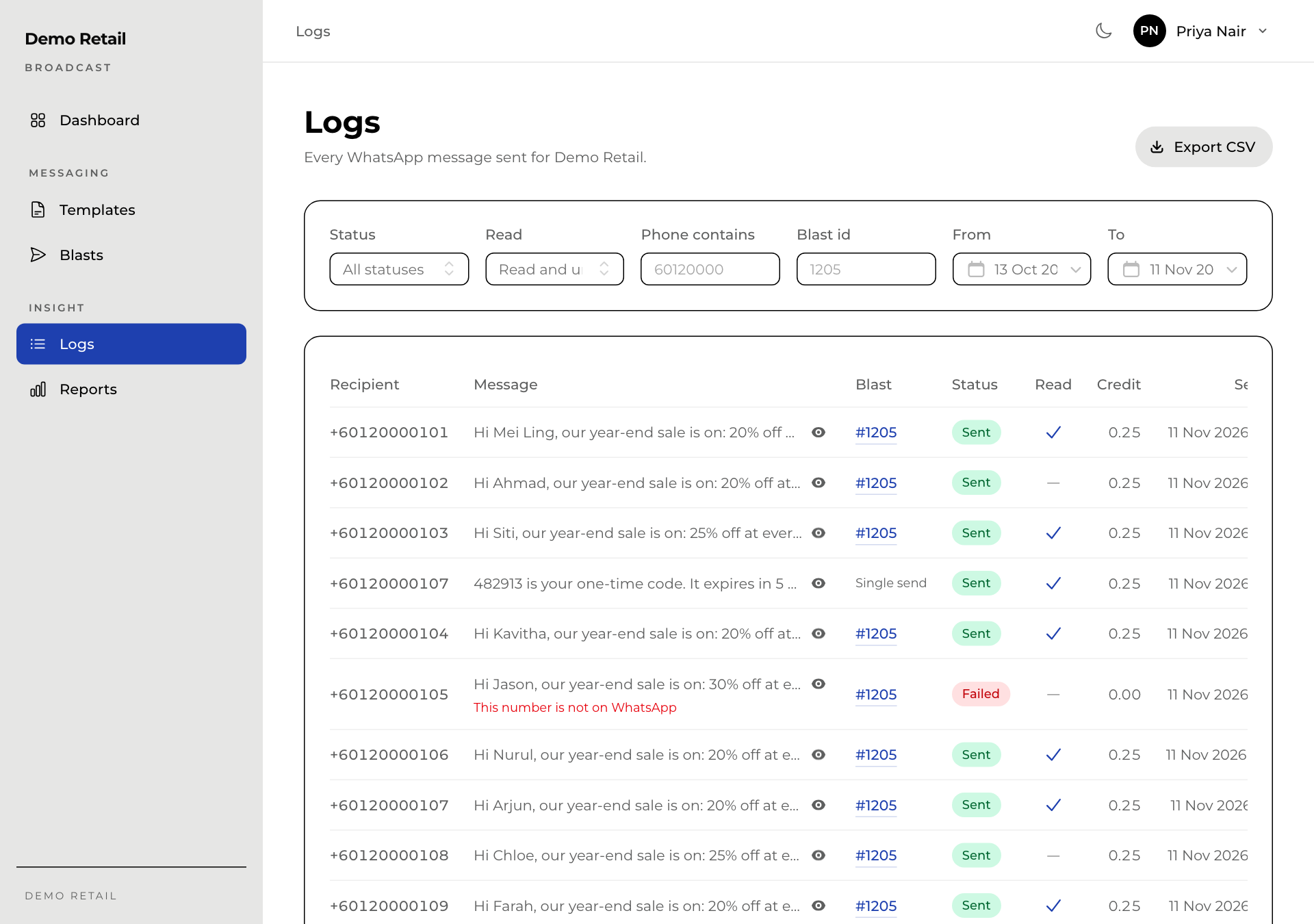
To answer "Did this customer get our message?":
- Open Logs.
- Type part of their number in Phone contains. Set From and To if you know roughly when.
- Read the row: Sent with a tick under Read means they opened it. Failed shows the reason in red under the message.
- Press the eye icon next to a message to see it exactly as the customer saw it.
Other filters: Status, Read, and Blast id (the blast number). Clear filters resets them. Export CSV downloads what the filters show.