Find a message template
For: Managers and viewers
Whole guide as PDF (1 MB)Open Templates in the menu on the left.
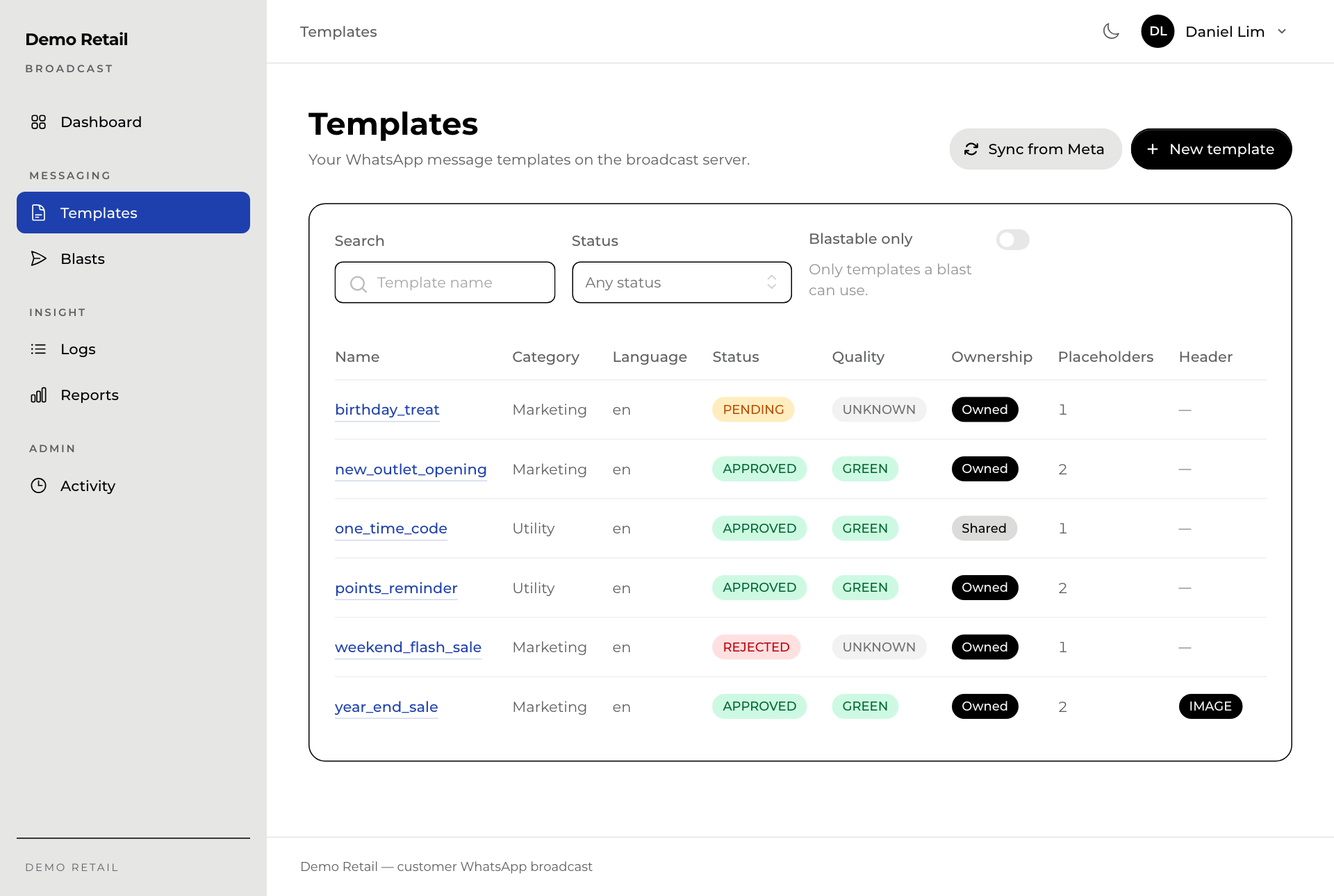
- Status is Meta's answer: APPROVED (ready to use), PENDING (still being reviewed) or REJECTED (not allowed; write a new one).
- Quality is how customers react to it. GREEN is good. Templates that many people block or report lose quality, and Meta can stop them.
- Ownership: Owned templates are your company's own. Shared ones are set up by the sending service for you to use; you cannot edit or delete them.
- Switch on Blastable only to see only the templates you can send in a blast.
Press a template's name to open it. The Preview on the right shows the message as a customer would see it, with example values in the blanks.
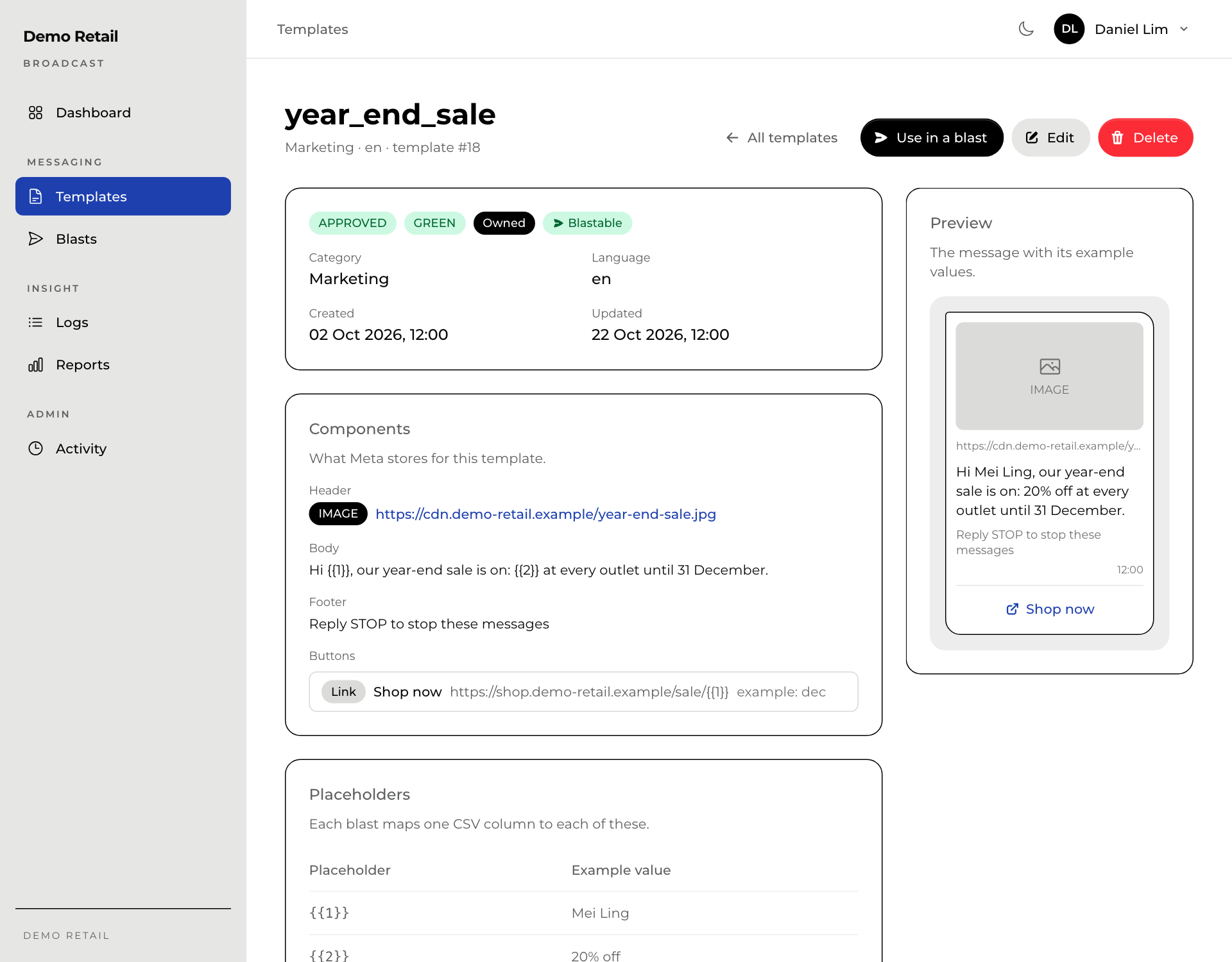
From here, Use in a blast starts a new blast with this template already chosen.
Sync from Meta (on the Templates list) fetches the latest status of every template from Meta. Use it when a template has been PENDING for a while.