Check, change or answer your appraisal
For: Staff
Whole guide as PDF (2 MB)After you submit, your appraisal moves to Submitted on My Appraisals. The grey label shows where it is:
- Pending Appraiser: waiting for your appraiser.
- Appraiser Locked: your appraiser has rated you.
- Completed: HR has signed it off.
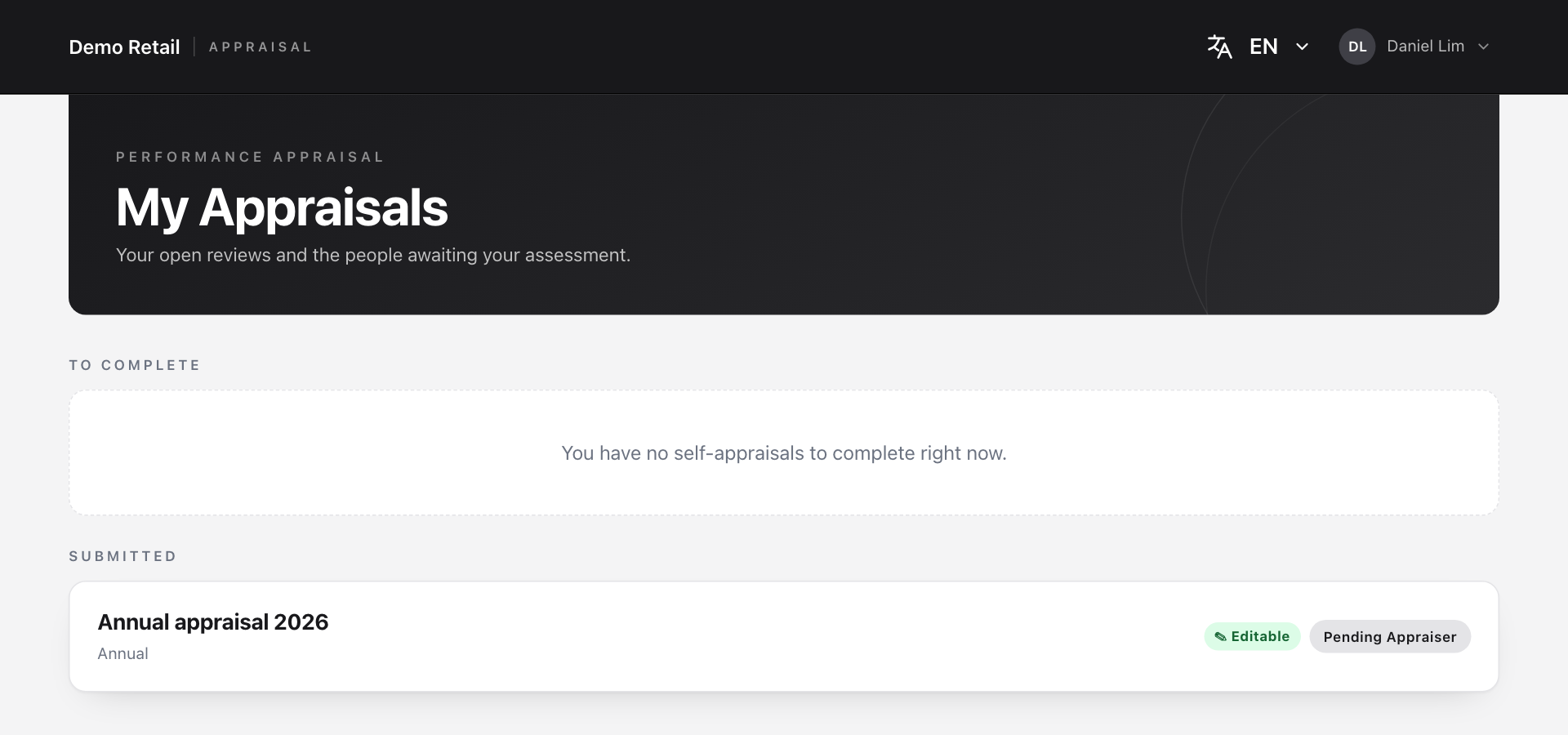
Press the appraisal to read what you sent.
Change it before your appraiser reviews it
While the green Editable label shows, you can still make changes.
- Open the appraisal and press Edit submission.
- Confirm. Your appraisal is taken back from your appraiser and opens as a form again.
- Make your changes and press Submit appraisal again.

Once your appraiser has submitted their ratings, you can no longer change yours.
Say whether you agree
When your appraiser has finished, open the appraisal again. You now see their score next to yours for every item, and their comment.
- At the bottom, under Your response, answer Do you agree with your appraiser's assessment? from 1 Strongly Disagree to 5 Strongly Agree.
- Add Comments (optional) if you want HR to know why.
- Press Submit response. Your response is then locked.
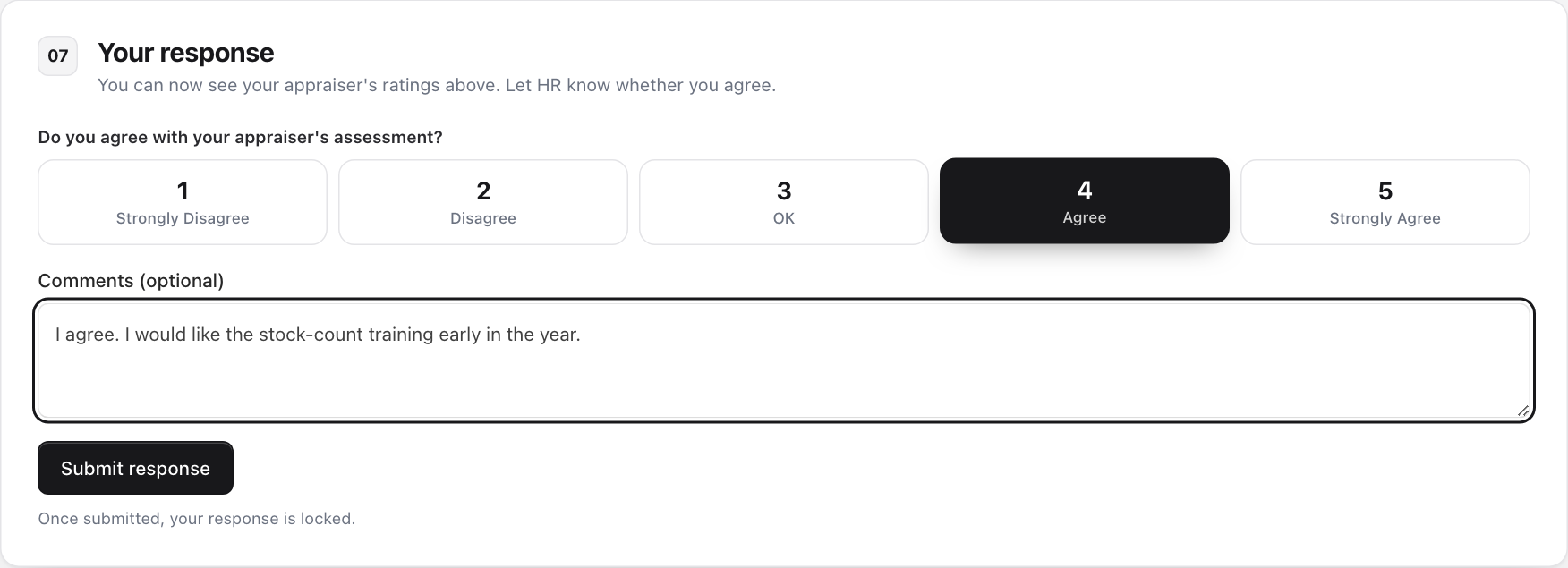
HR can see your answer straight away.