Fill in your self-appraisal
For: Staff
Whole guide as PDF (2 MB)Your answers save by themselves every time you change something. You can close the page and come back later; you will see "We restored your saved draft — pick up where you left off."
The list on the left, Your progress, ticks each part as you finish it.
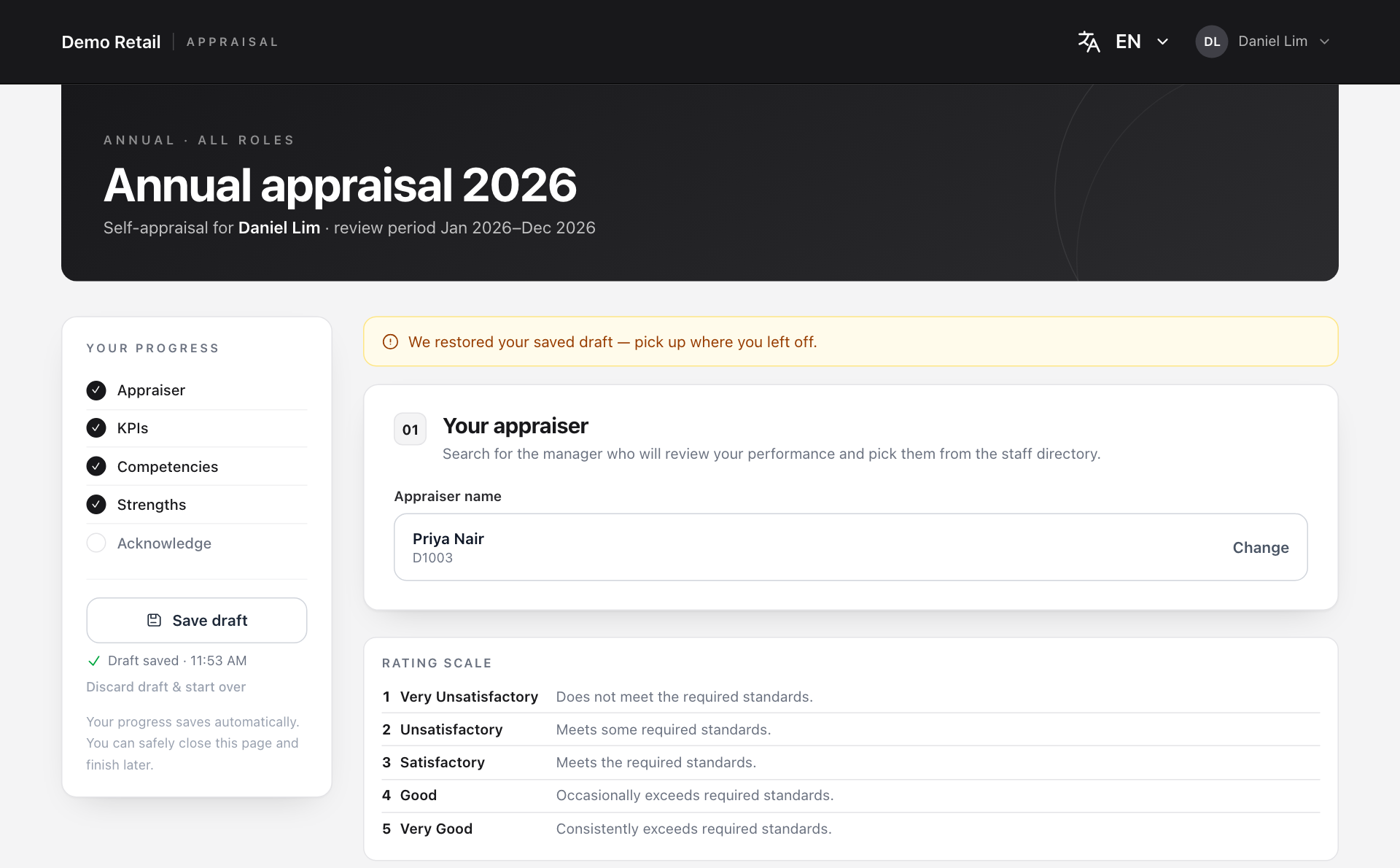
1. Your appraiser
Type your manager's name or employee number in the search box and press their name. To pick someone else, press Change. You cannot pick yourself.
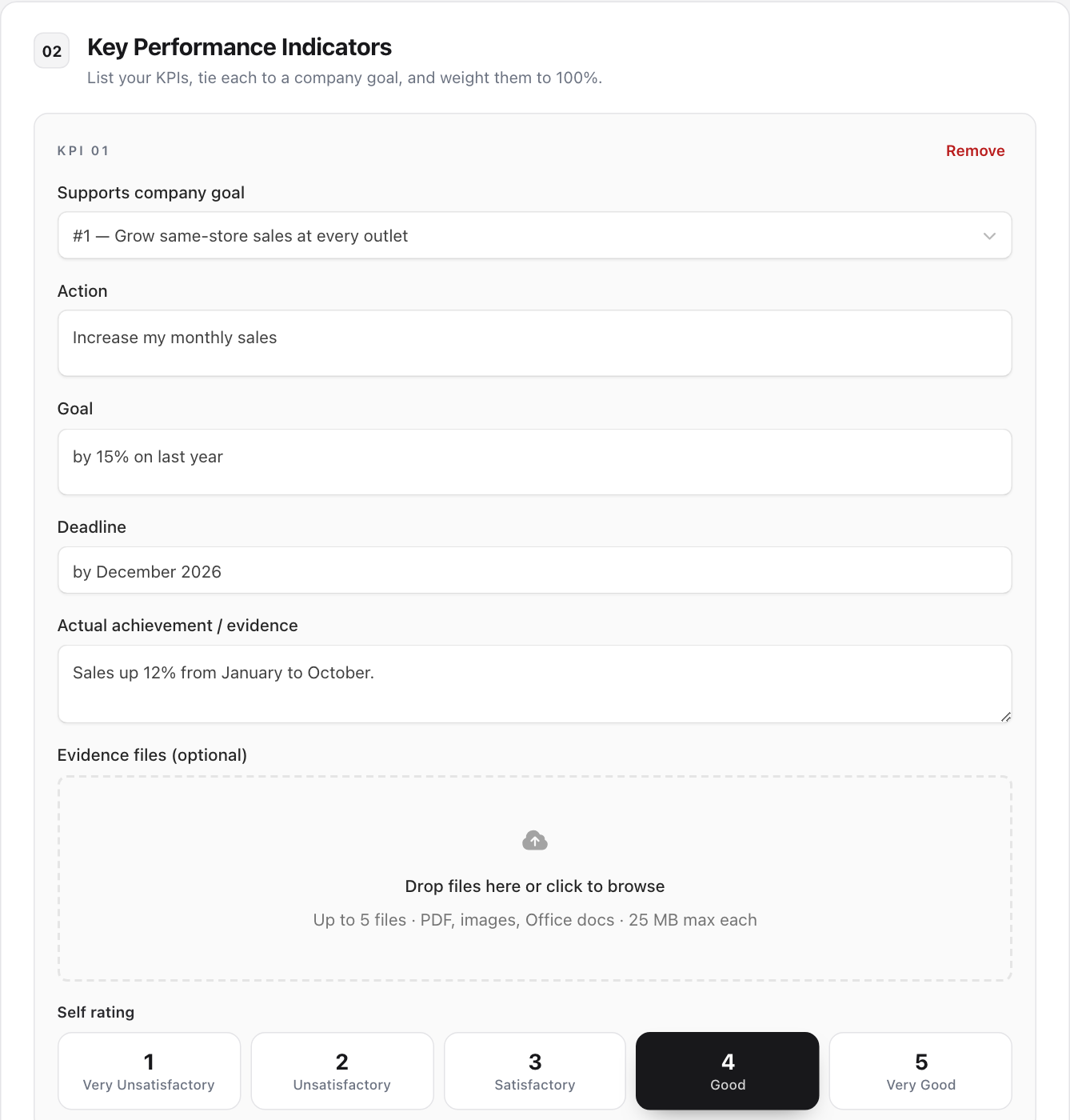
2. Key Performance Indicators
A KPI, or key performance indicator, is one thing you were expected to deliver this period. For each one:
- Under Supports company goal, pick the company goal it helps. HR sets this list.
- Action: what you set out to do ("Increase my monthly sales").
- Goal: how much ("by 15% on last year").
- Deadline: by when.
- Actual achievement / evidence: what actually happened, in numbers where you can.
- Evidence files (optional): drop in up to 5 files (PDF, pictures or Office files, 25 MB each).
- Under Self rating, press the score from 1 to 5 that fits.
Press + Add KPI for another one, or Remove to delete one.
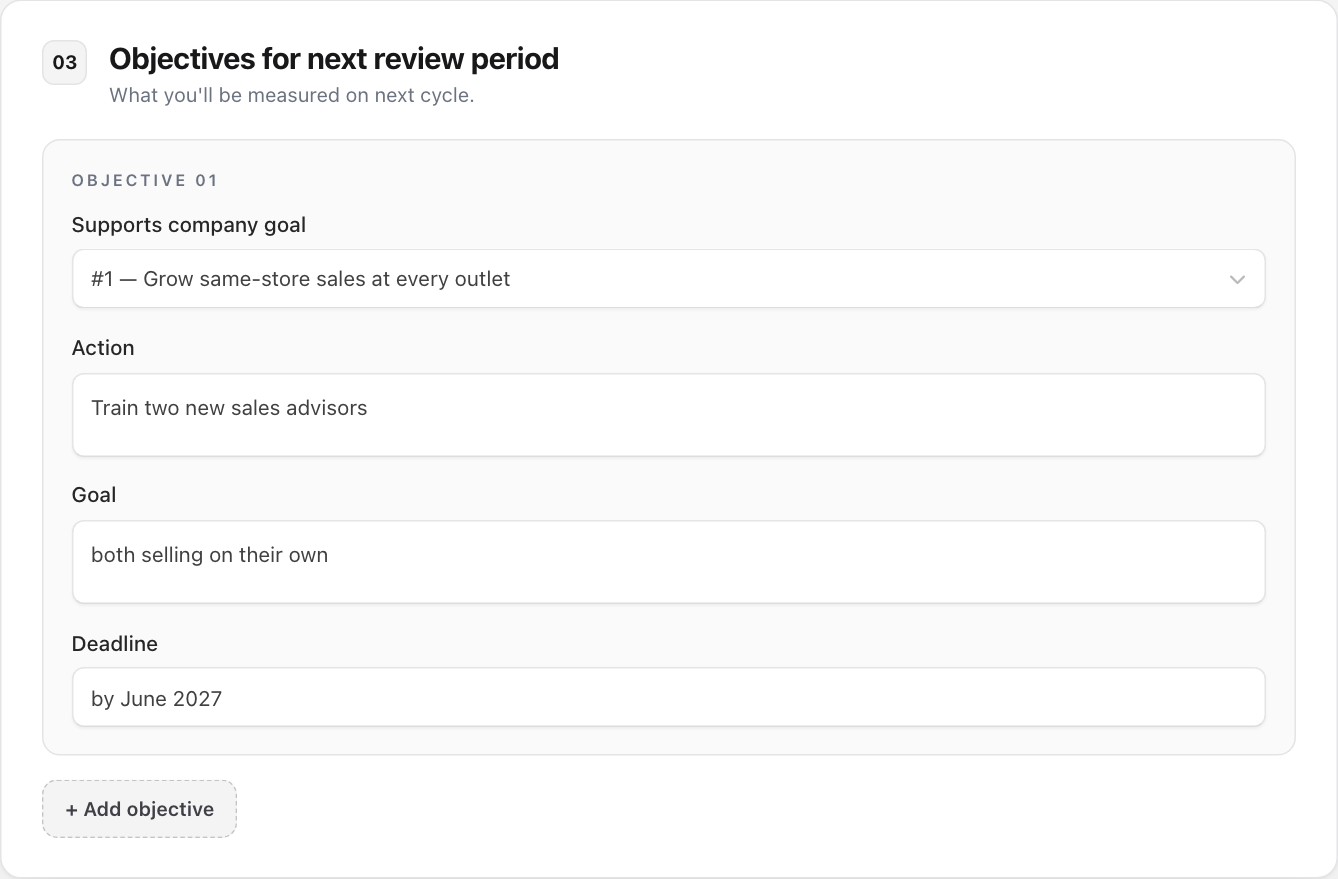
3. Objectives for next review period
Write at least one thing you want to be measured on next time, in the same way: company goal, Action, Goal and Deadline. Press + Add objective for more. Your appraiser can change these.
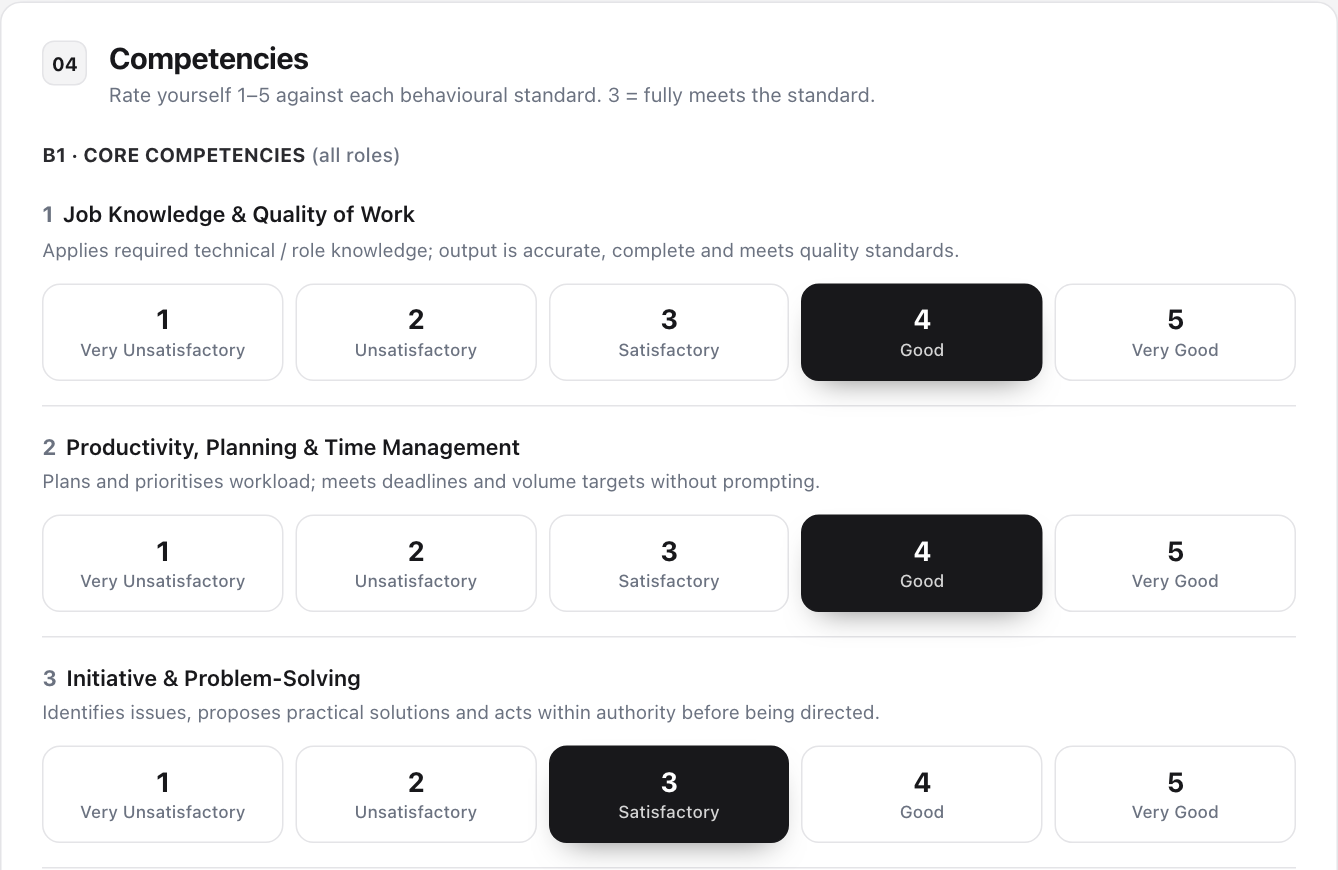
4. Competencies
Rate yourself from 1 to 5 on each behaviour listed. 3 means you fully meet the standard. Everyone rates the 7 Core Competencies. Managers also rate 5 Leadership Competencies; whether you see them depends on your staff grade.
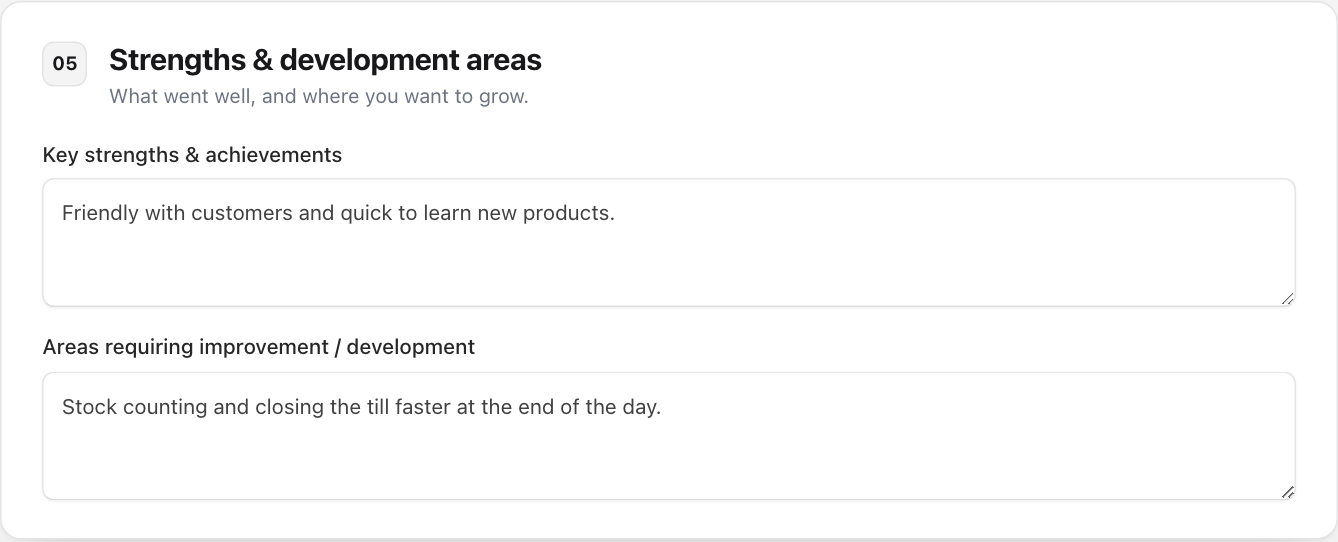
5. Strengths & development areas
Write what went well under Key strengths & achievements and where you want to grow under Areas requiring improvement / development.
Submit
Press Submit appraisal at the bottom. By submitting you confirm the appraisal is accurate and agree it will be reviewed by your appraiser and HR.
If something is missing, the page shows what to fix. Once it is accepted, your appraiser is sent a WhatsApp message with a link to your review.
To throw away your draft and begin again, press Discard draft & start over on the left. This cannot be undone.