Set up an appraisal round
For: HR
Whole guide as PDF (2 MB)An appraisal round is one review period for a group of staff, for example "Annual appraisal 2026". You set it up in the admin screens: open the Appraisal web address with /admin at the end and sign in with your company account. You need the HR or super admin role.
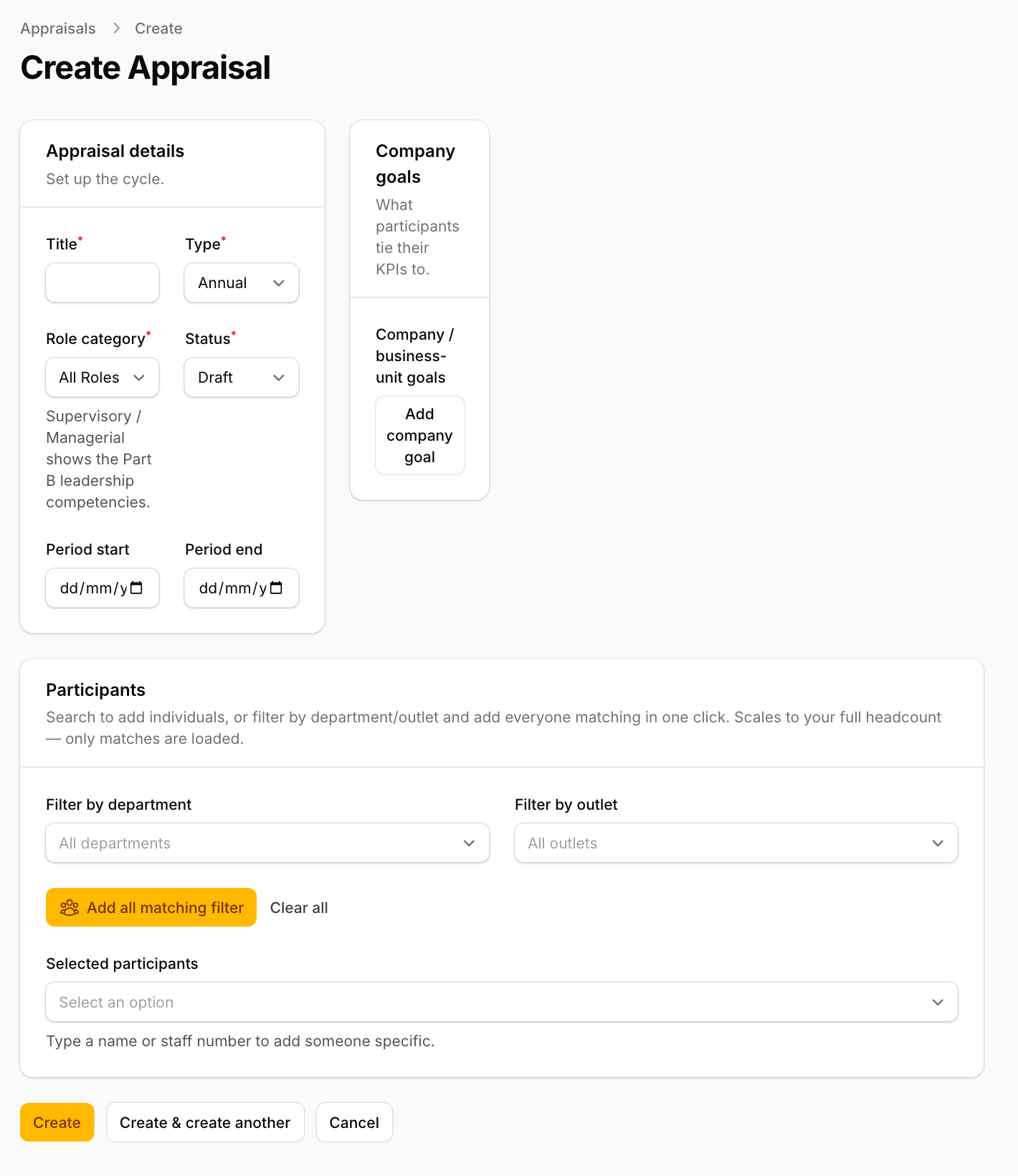
- In the menu on the left, under Appraisal, press Appraisals, then New appraisal at the top right.
- Under Appraisal details:
- Title: the name staff will see.
- Type: Annual, Mid-Year, Quarterly, Probation / Confirmation or Other.
- Role category: All Roles or Supervisory / Managerial Roles. Today this only groups results in the Variance Report. Whether a person also rates the leadership behaviours is decided by their staff grade (see "Staff grades, departments and outlets").
- Status: leave it on Draft while you prepare. Staff see the round only when it is Active.
- Period start and Period end: the months being reviewed.
- Under Company goals, press Add company goal for each goal staff can link their KPIs to. Give each a Ref # (1, 2, 3…) and the Objective (English). Open Translations to add the same goal in other languages; leave them blank to show the English.
- Under Participants, choose who takes part:
- Pick a department or outlet in Filter by department or Filter by outlet, then press Add all matching filter.
- Or type a name or staff number in Selected participants to add one person.
- If you add nobody, everyone takes part: each staff member is added the first time they open the Appraisal page.
- Press Create.
When you are ready, open the round again (Edit), set Status to Active and press Save changes. Then tell staff to open their appraisal.
To add someone later, open the round and press Add participant in the Participants list at the bottom.
Setting Status to Closed stops new self-appraisals and reviews from appearing on staff screens. What has already been submitted stays.