Review a team member
For: Appraisers
Whole guide as PDF (2 MB)When someone picks you as their appraiser and submits, you get a WhatsApp message with a link. The link opens their review directly. You can also open the Appraisal page yourself (see "Open your appraisal"); people waiting for you are listed under Awaiting your review · as appraiser.
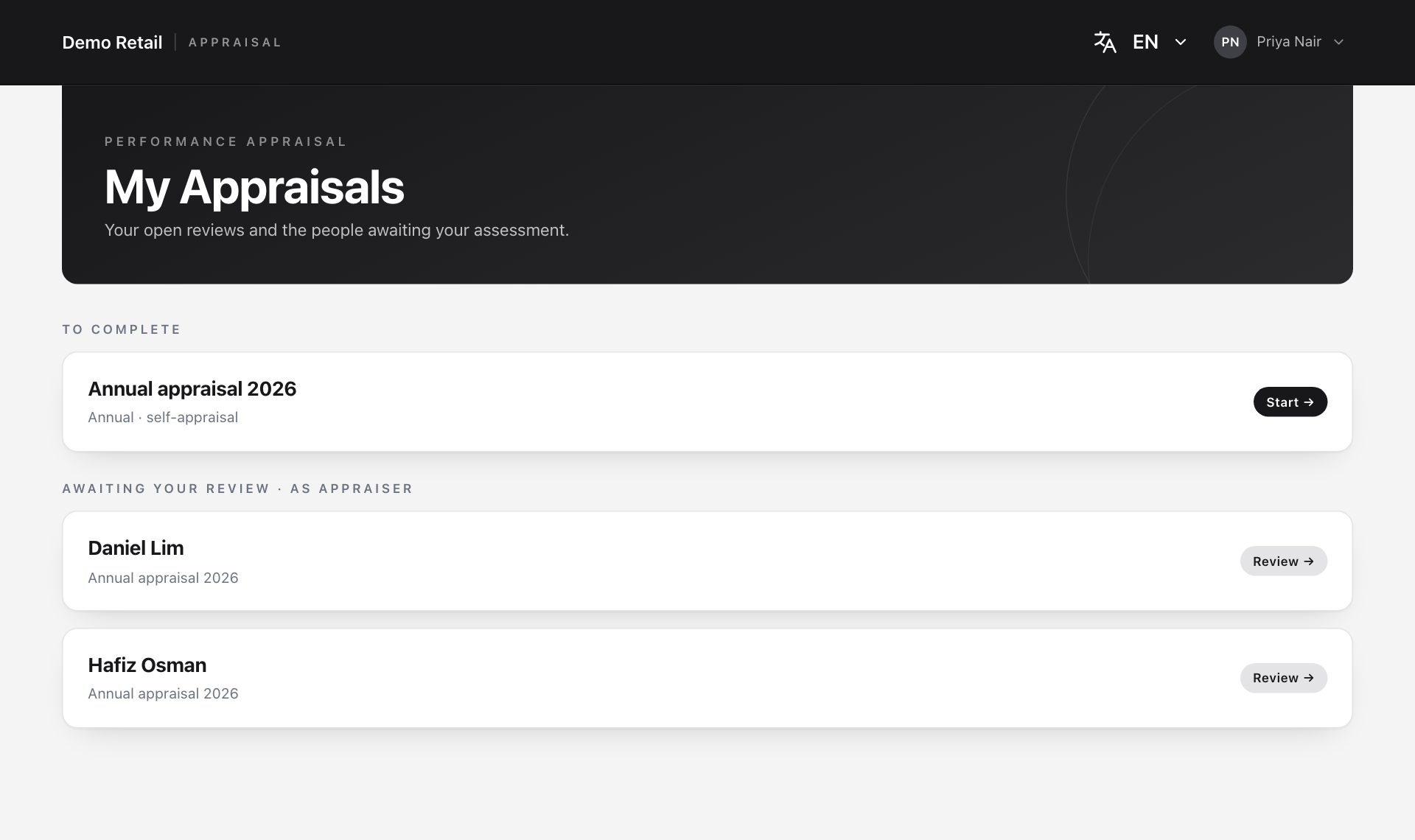
Press Review next to the person.
Rate without seeing their scores
This is a blind review: the staff member's own scores stay hidden until you submit yours. You see everything else they wrote.
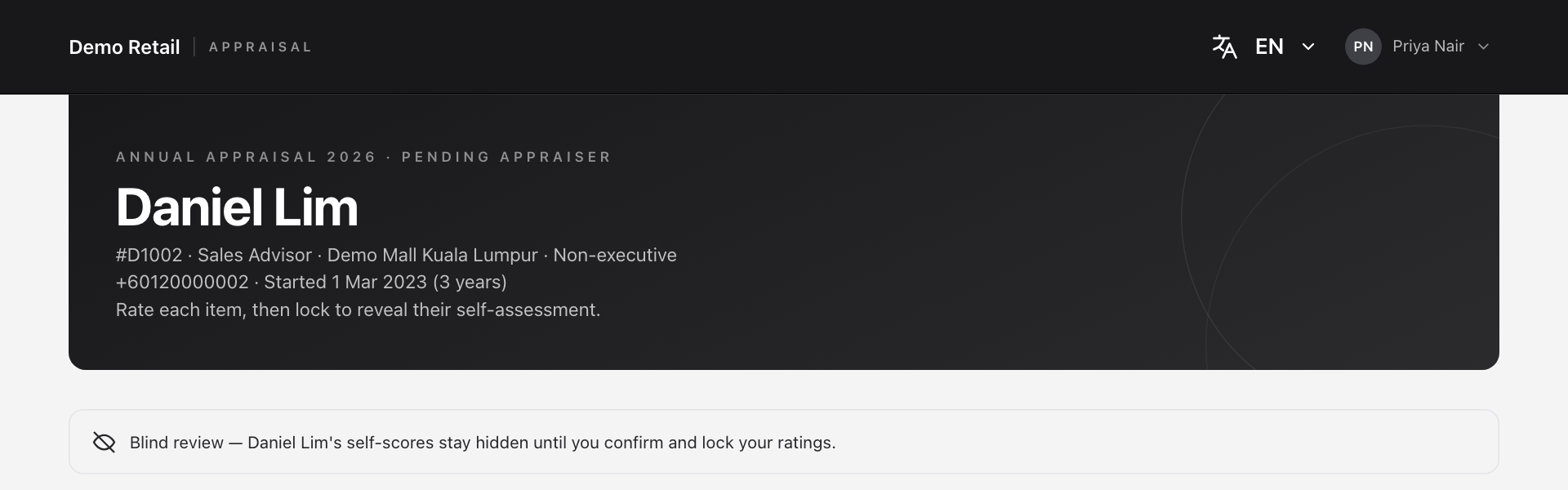
-
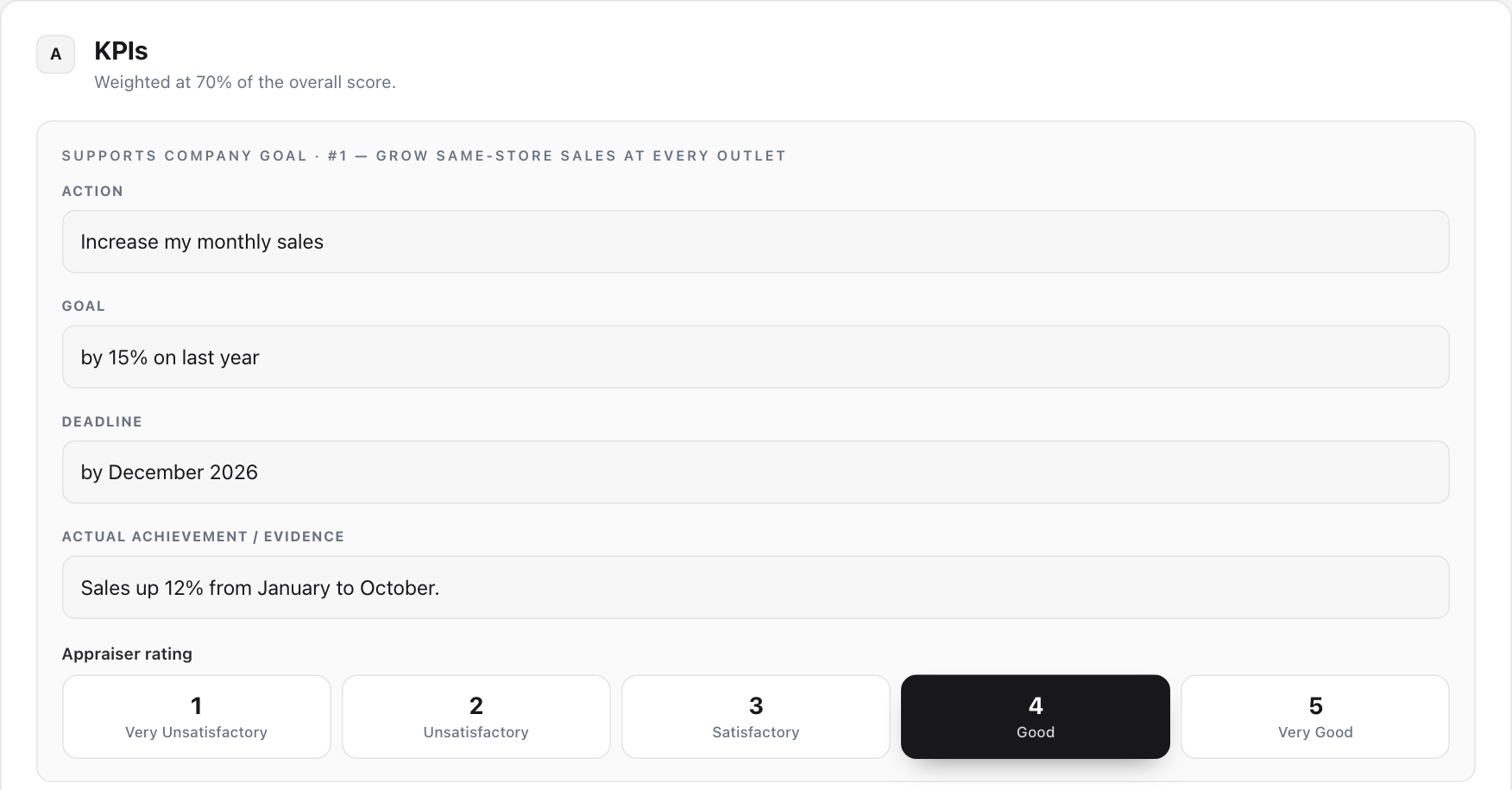
A · KPIs: read each KPI and press a score from 1 to 5 under Appraiser rating.
-
B · Competencies: score each behaviour the same way.
-
Objectives for next review period: the objectives the staff member proposed. Change them, delete them or press + Add objective. This list becomes final when you submit. At least one is needed.
-
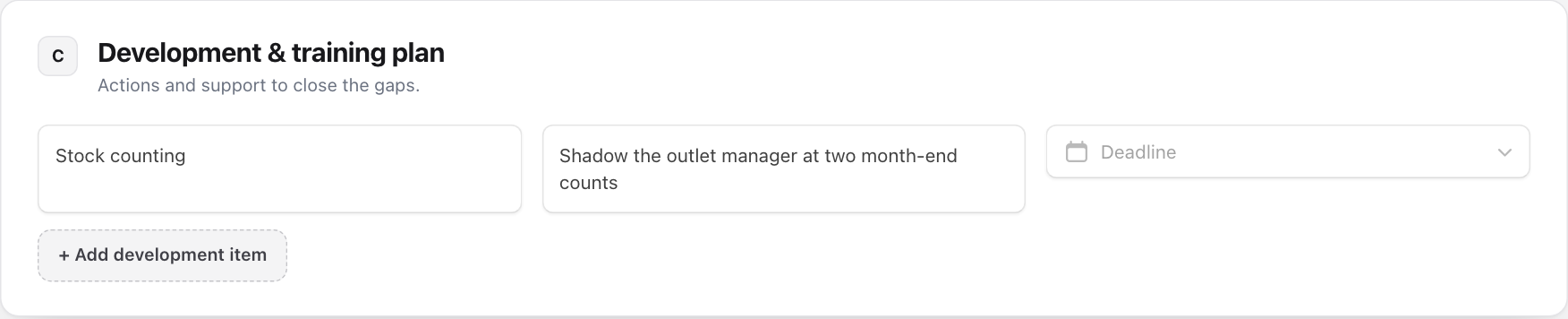
C · Development & training plan: press + Add development item, then write the gap, the agreed action and pick a Deadline.
-
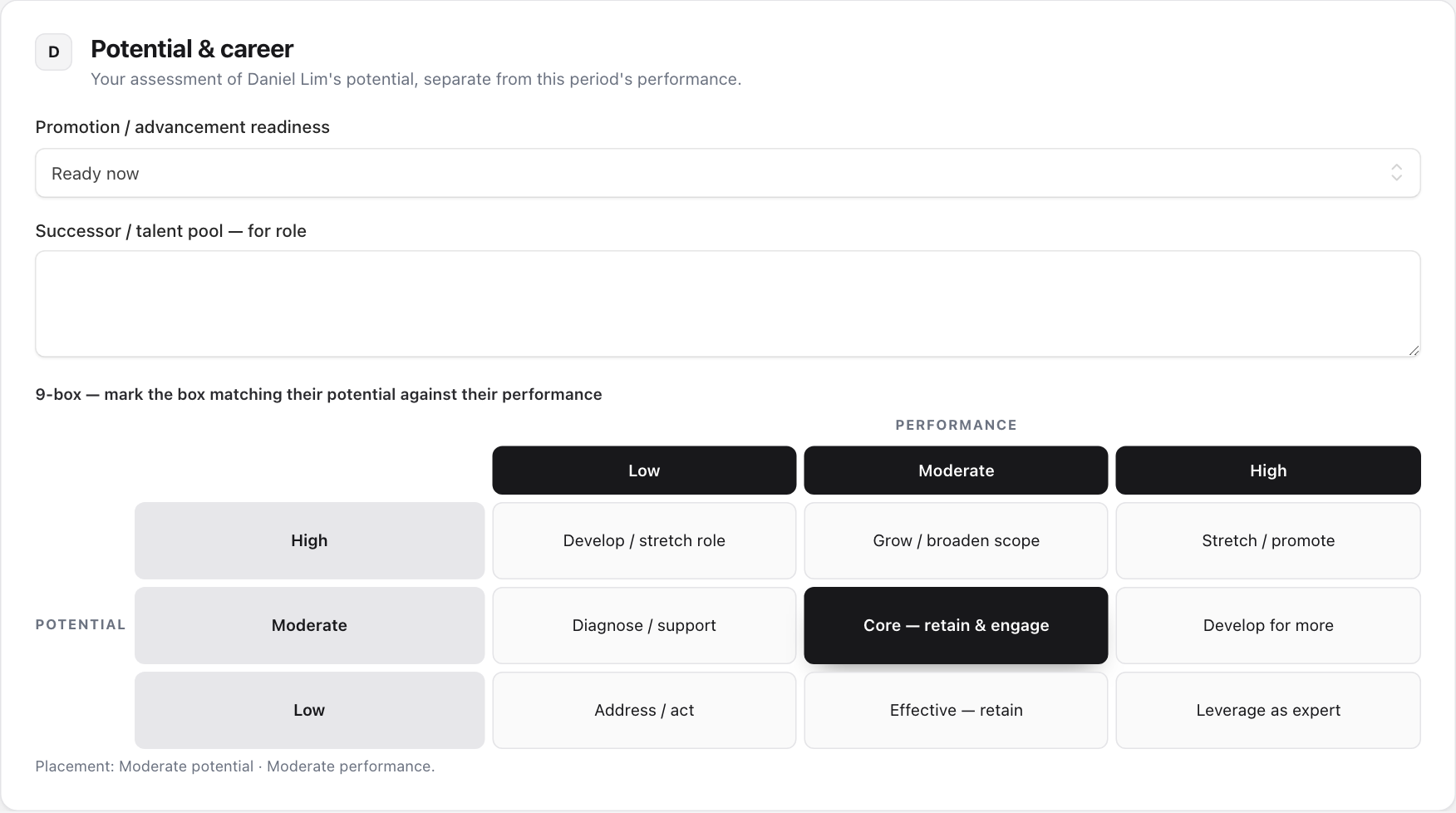
D · Potential & career: choose Promotion / advancement readiness, name a role they could step into if any, and press the box in the 9-box grid that matches their potential (rows) against their performance (columns).
-
E · Reviewer comment: your overall feedback. The staff member sees it after you submit.
-
Press Submit assessment and confirm.

Compare your scores with theirs
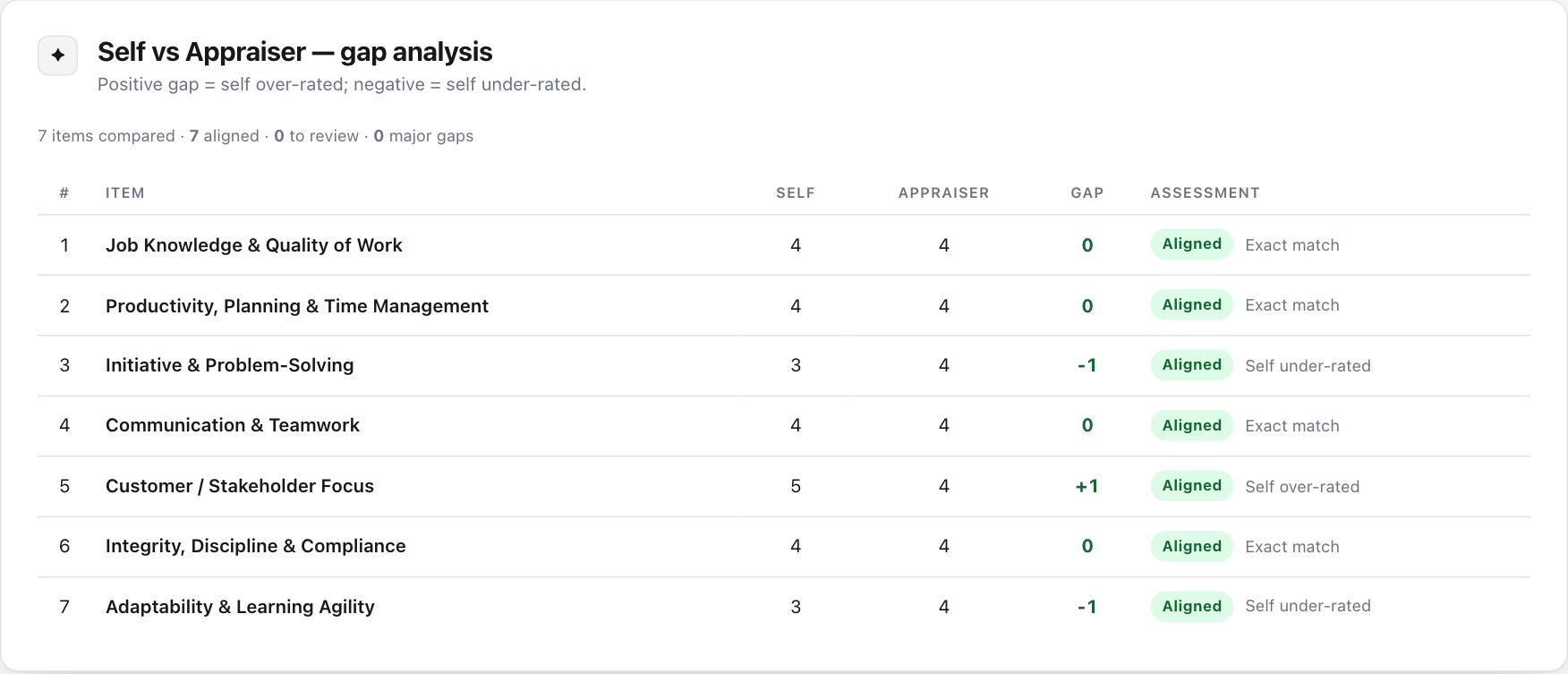
After you submit, the page shows Self vs Appraiser — gap analysis: their score, yours, and the difference for each item.
- A positive gap means they rated themselves higher than you did. A negative gap means lower.
- Aligned: 1 point apart or less. Review: 2 apart. Major gap: 3 or more apart.
Until the staff member responds, and before HR signs it off, you can still change your ratings: make the changes and press Update assessment. After that, the review is closed for you.