Set the name, colours and front page
For: Administrators
Whole guide as PDF (1 MB)Open Branding in the menu on the left. Only an Admin sees it.
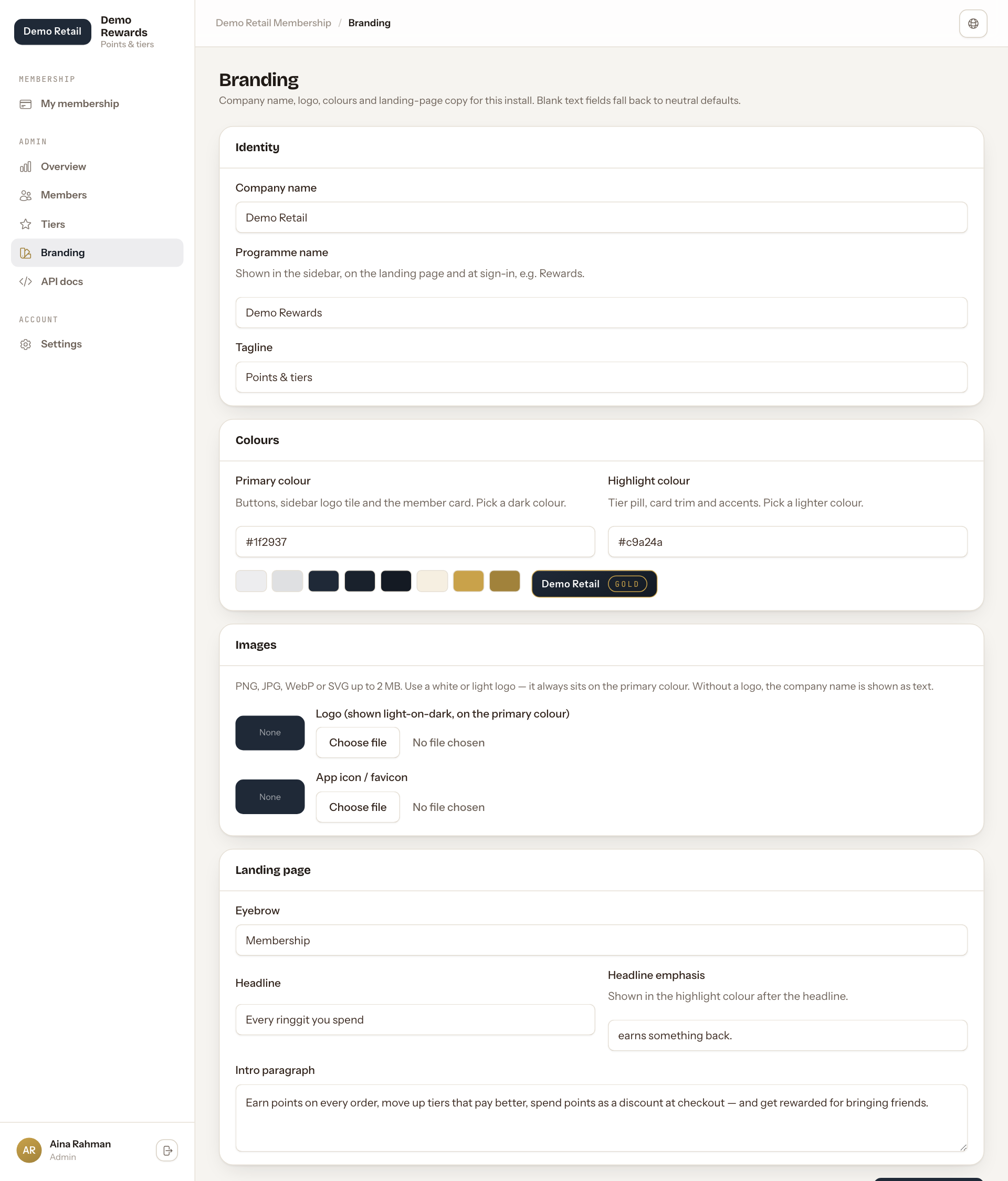
- Identity: the Company name (shown on the member card), the Programme name (shown in the menu, on the front page and at sign-in) and a short Tagline.
- Colours: the Primary colour for buttons and the member card (pick a dark colour), and the Highlight colour for the tier label and trims (pick a lighter one). Type the colour code (for example #1f2937). The row of samples below shows the shades made from your two colours, and a small preview of the member card.
- Images: a Logo and an App icon / favicon (the small picture in the browser tab). PNG, JPG, WebP or SVG, up to 2 MB. Use a white or light logo, because it always sits on the primary colour. Without a logo, the company name is shown as text.
- Landing page: the words on the public front page. The Headline emphasis is shown in the highlight colour after the Headline.
Press Save branding at the bottom. A text box left empty goes back to the plain starting wording.