Join and sign in
For: Members
Whole guide as PDF (1 MB)Join
- Open the programme's front page and press Join free.
- Type your Full Name, your Phone Number, and a Password twice. The password needs an uppercase letter, a lowercase letter, a number, a symbol and at least 11 characters.
- Press Register.
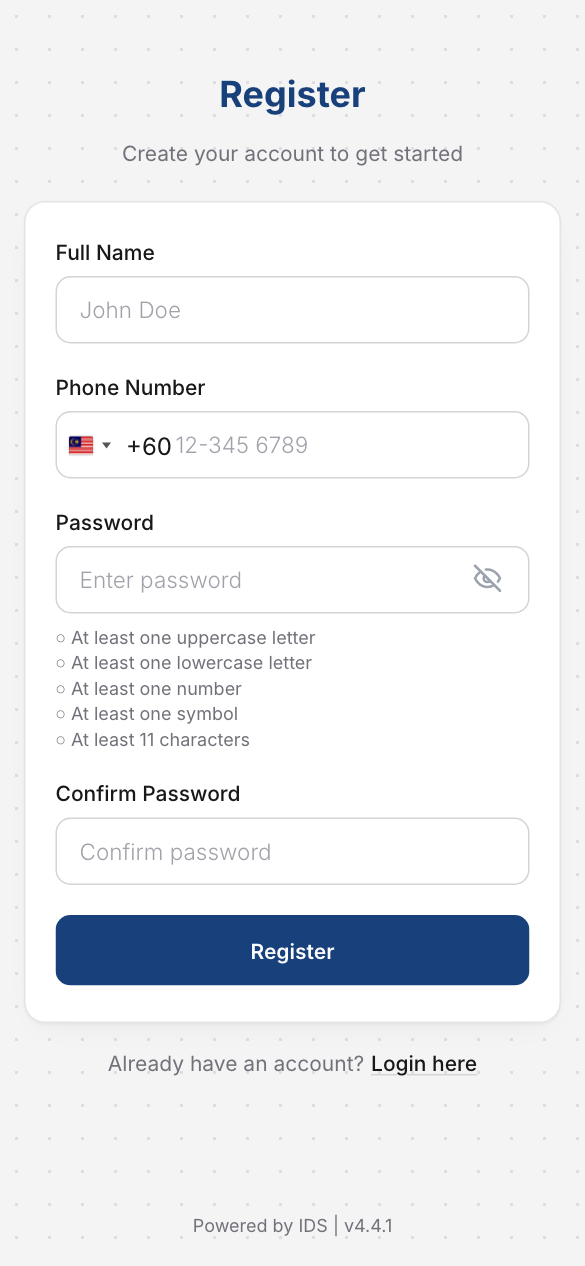
Your phone number is your membership. Your card and member number appear the first time you open My membership.
Sign in
- Press Sign in (or I'm already a member) on the front page.
- Type your Phone Number and Password, then press Login.
You can also sign in with a one-time code sent to your phone (One-Time Password (OTP)), or by scanning a QR Code with the mobile app.
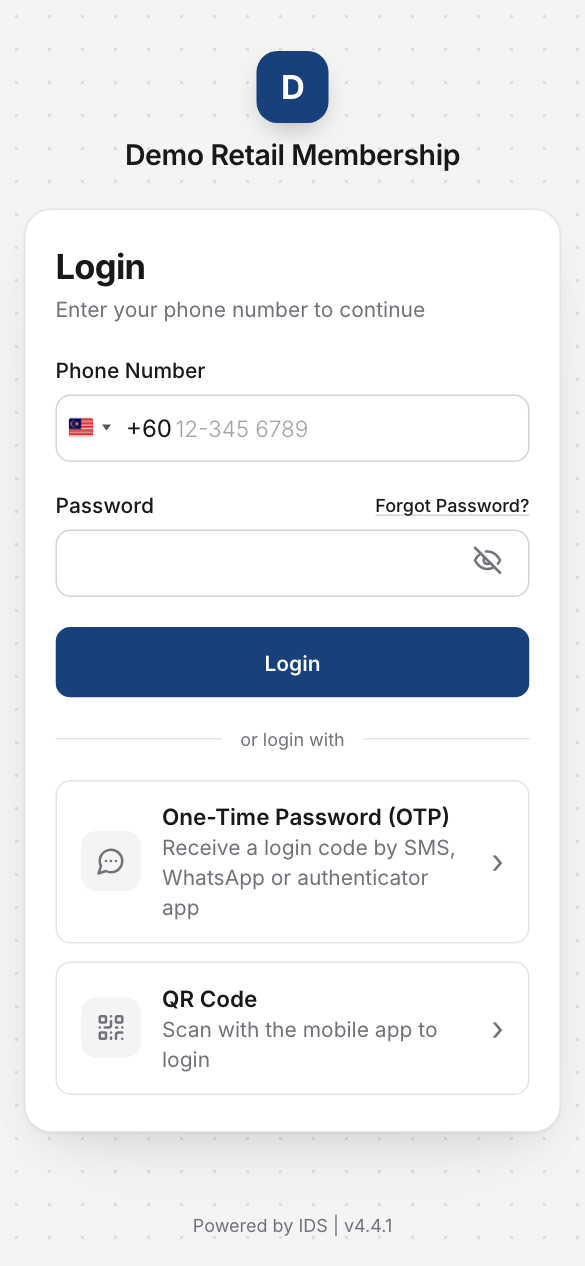
If you forget your password, press Forgot Password? on the same page.
Staff sign in the same way, or open the module from the Portal home page.