Change the tiers
For: Administrators
Whole guide as PDF (1 MB)Open Tiers in the menu on the left. Staff can see this page. Only an Admin sees the Edit buttons.
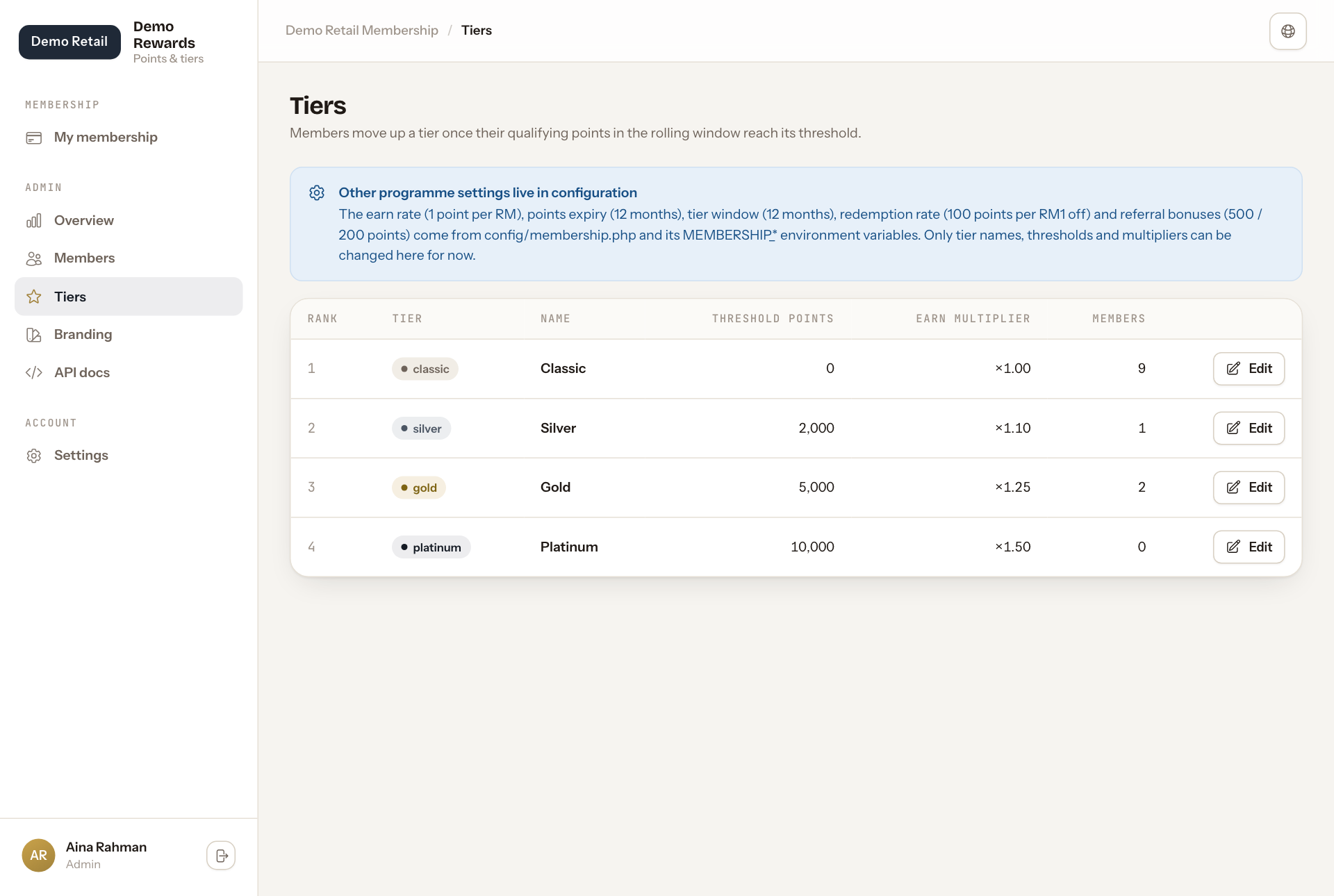
- Press Edit on the tier you want to change.
- Change the Name, the Threshold points (the points needed to reach this tier) or the Earn multiplier (between 0.5 and 5; 1.25 means 25% more points).
- Press Save changes.
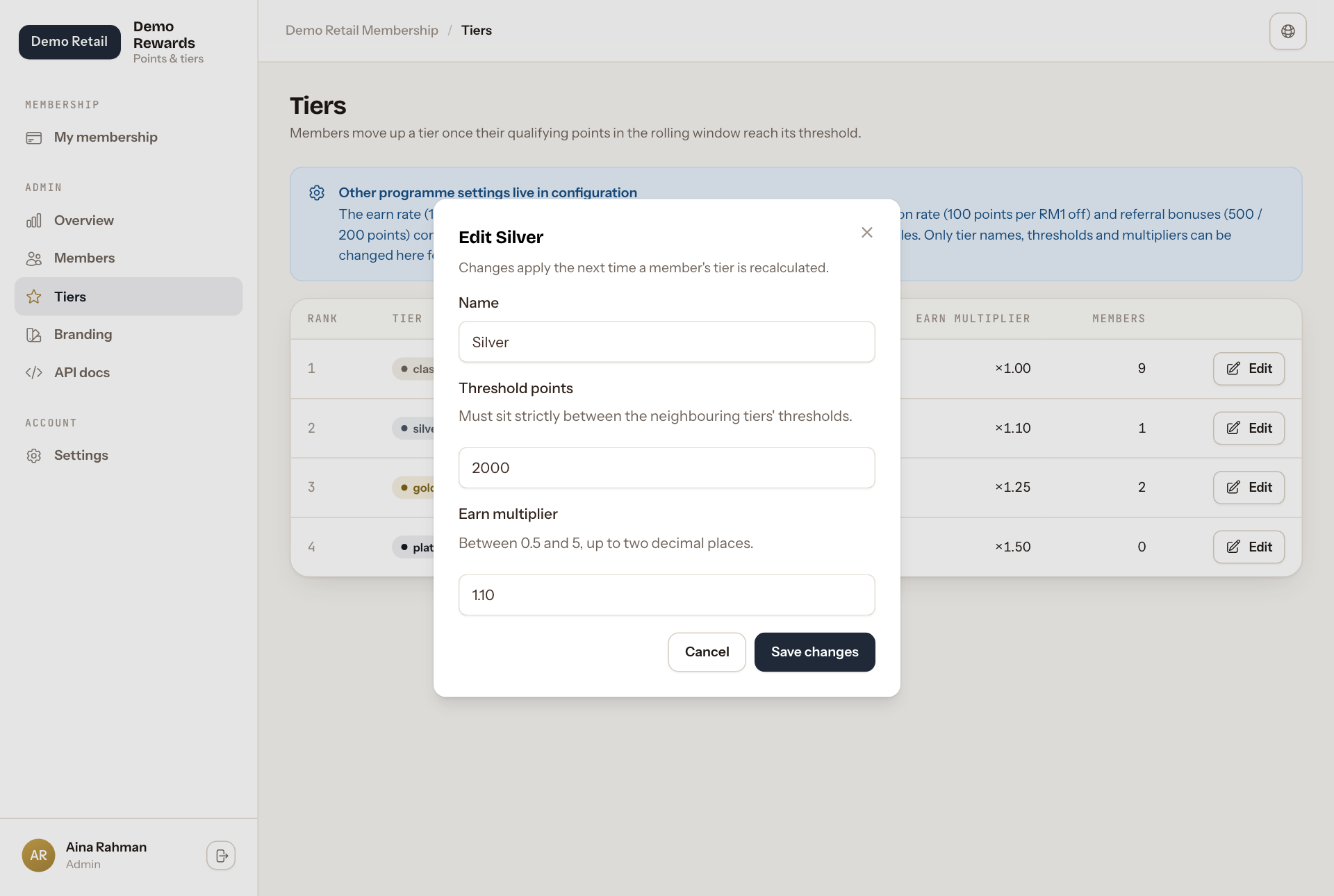
- Each tier's threshold must be higher than the tier below it and lower than the tier above it.
- The first tier always starts at 0 points.
- You cannot add or remove a tier here.
- Members do not move straight away. Each member is moved on their next paid order, or when staff press Recalculate tier on their page.
The blue notice at the top lists the settings this page cannot change: the earn rate, how long points last, the 12-month tier window, the 100-points-per-RM1 rate and the referral bonuses. Ask your technical team to change those.