Check a payout
For: Finance
Whole guide as PDF (1 MB)Payout Report lists every payout: the daily merchant payouts (Merchant Payout) and any sent by another system (API), for example a refund.
- Open Payout Report under Reports in the menu.
- Use Search, or the funnel button to filter by merchant, terminal or date.
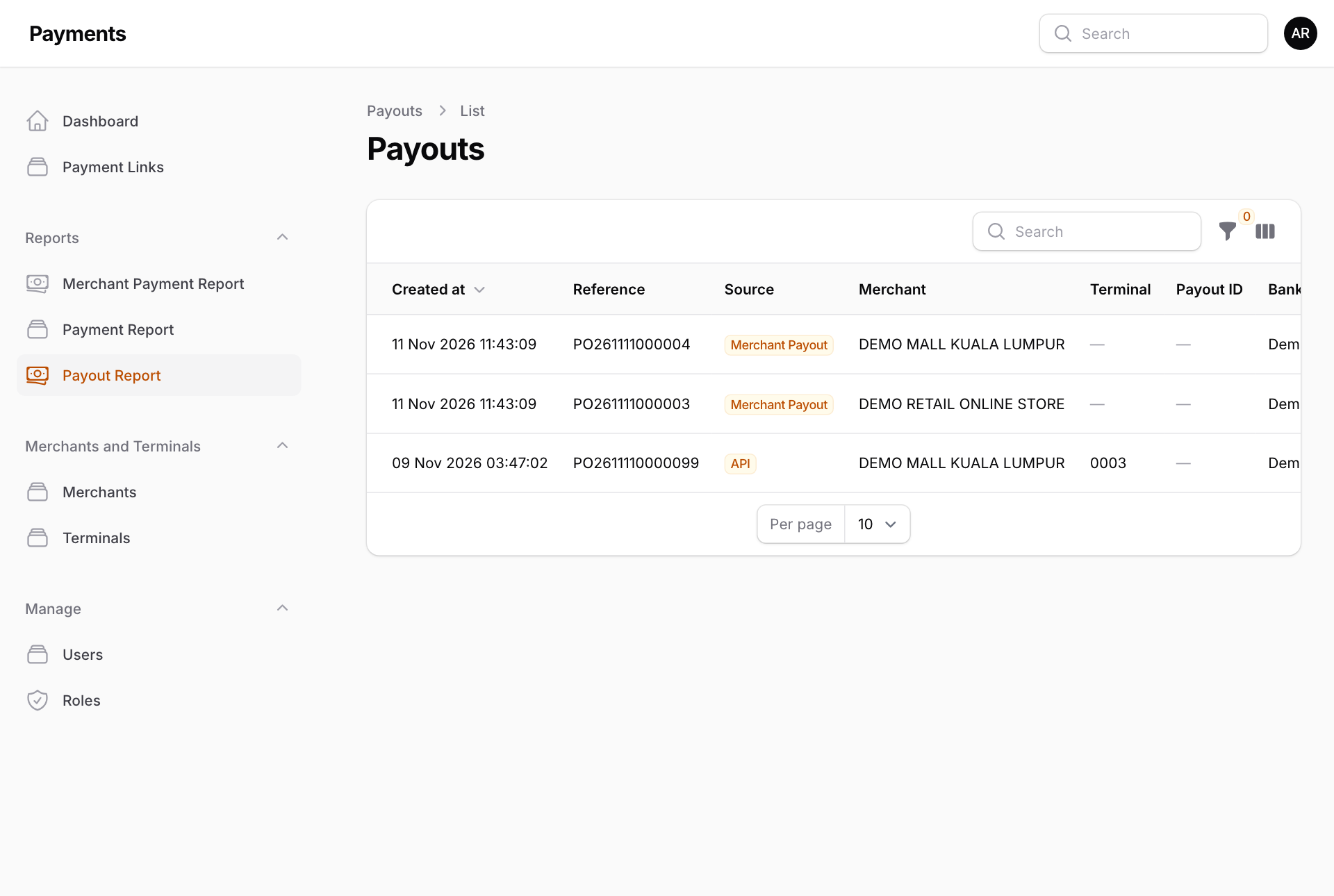
- Press a row to see the payout: amount, merchant, who submitted it, and the receiving bank account under Beneficiary. If the bank refused it, the reason is under Error message.
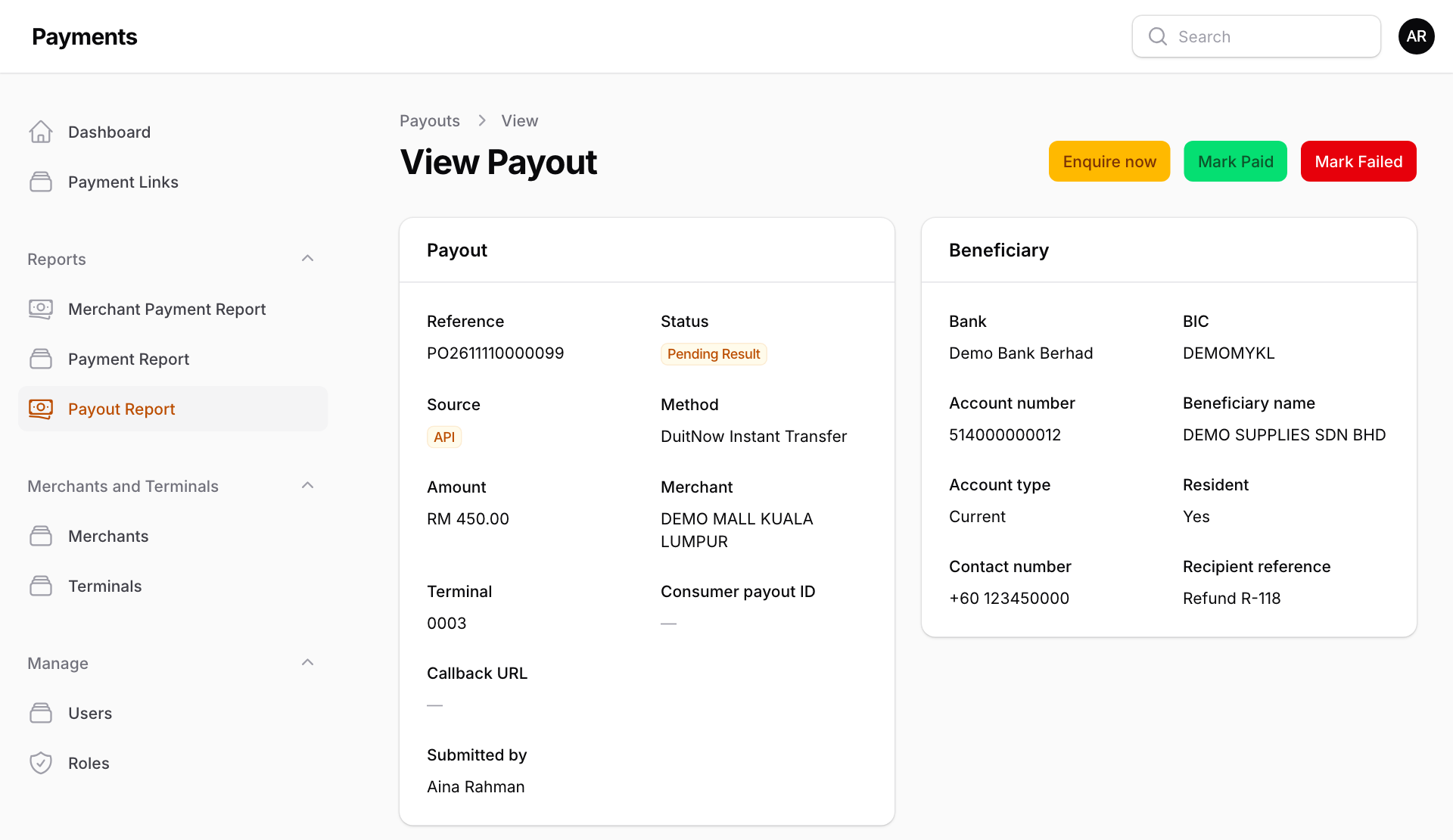
When a payout stays on Pending Result
The Payment system asks the bank every five minutes. If the bank still has not answered:
- Press Enquire now to ask again straight away. This needs the live payout account.
- If you confirmed the result with the bank yourself, press Mark Paid or Mark Failed. You must write how you confirmed it. Only do this after checking with the bank.