Set up a merchant
For: Administrators
Whole guide as PDF (1 MB)Add a merchant for each business that should receive money, and give it the bank account its payouts go to.
- Open Merchants under Merchants and Terminals in the menu. The list shows each merchant and how many terminals it has.
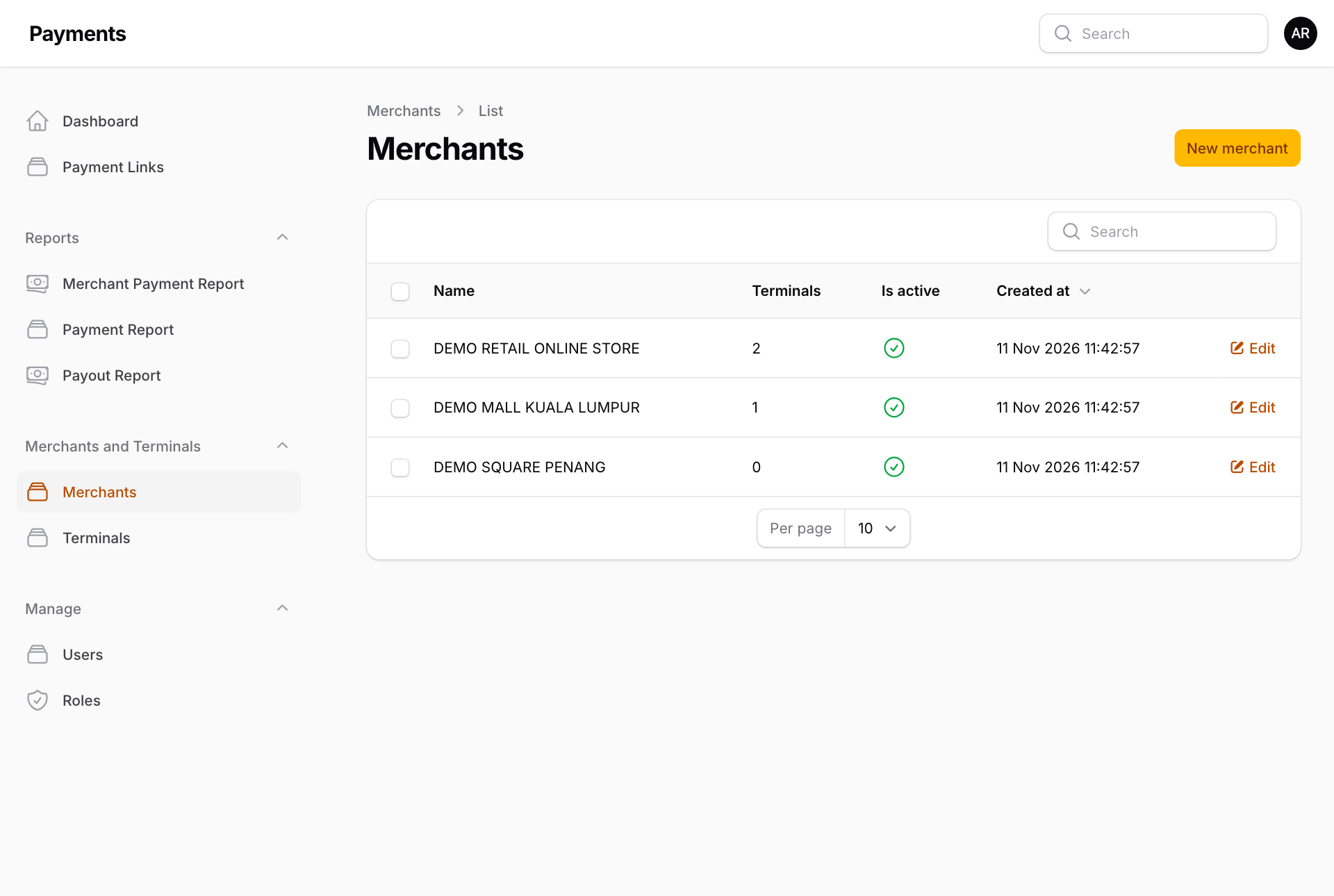
- Press New merchant, or Edit on an existing one.
- Under Merchant, type the Name. It is saved in capital letters. Switch off Active to stop using it.
- Under Bank Account, pick the Bank, then type the Account number, the Name in bank exactly as the bank holds it, and the Account Type.
- Type the Contact Number Prefix (60 for Malaysia) and Contact Number. The screen tells you when the contact number is required for the chosen bank.
- Press Save changes.
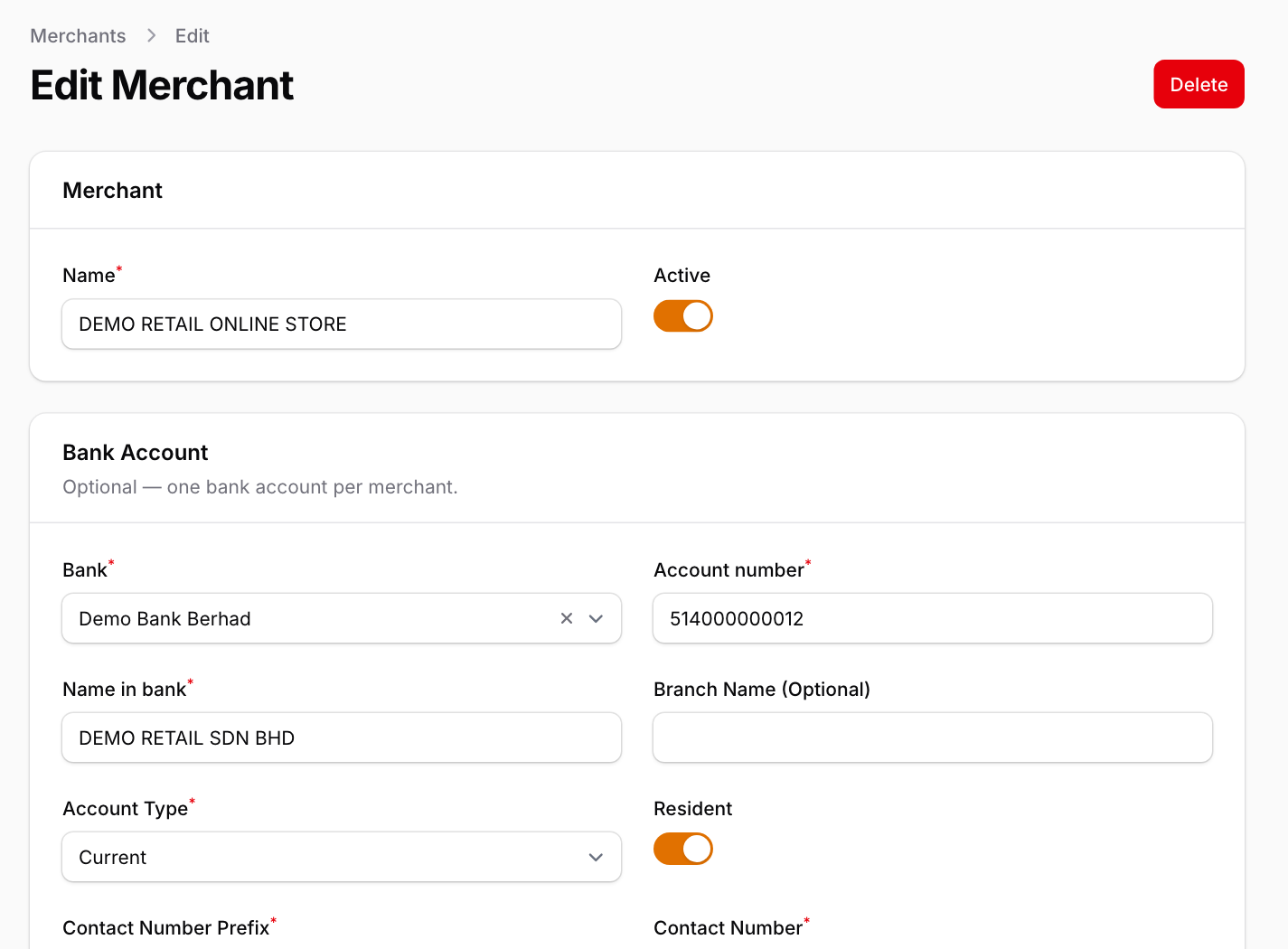
The bank account is optional, but a merchant without one cannot be paid out.