Connect the online store and the tills
For: Administrators
Whole guide as PDF (2 MB)The online store and the till system each need a login, called an API client, to read transfer notes and the product list and to confirm what arrived.
- Open API clients under Integrations in the menu.
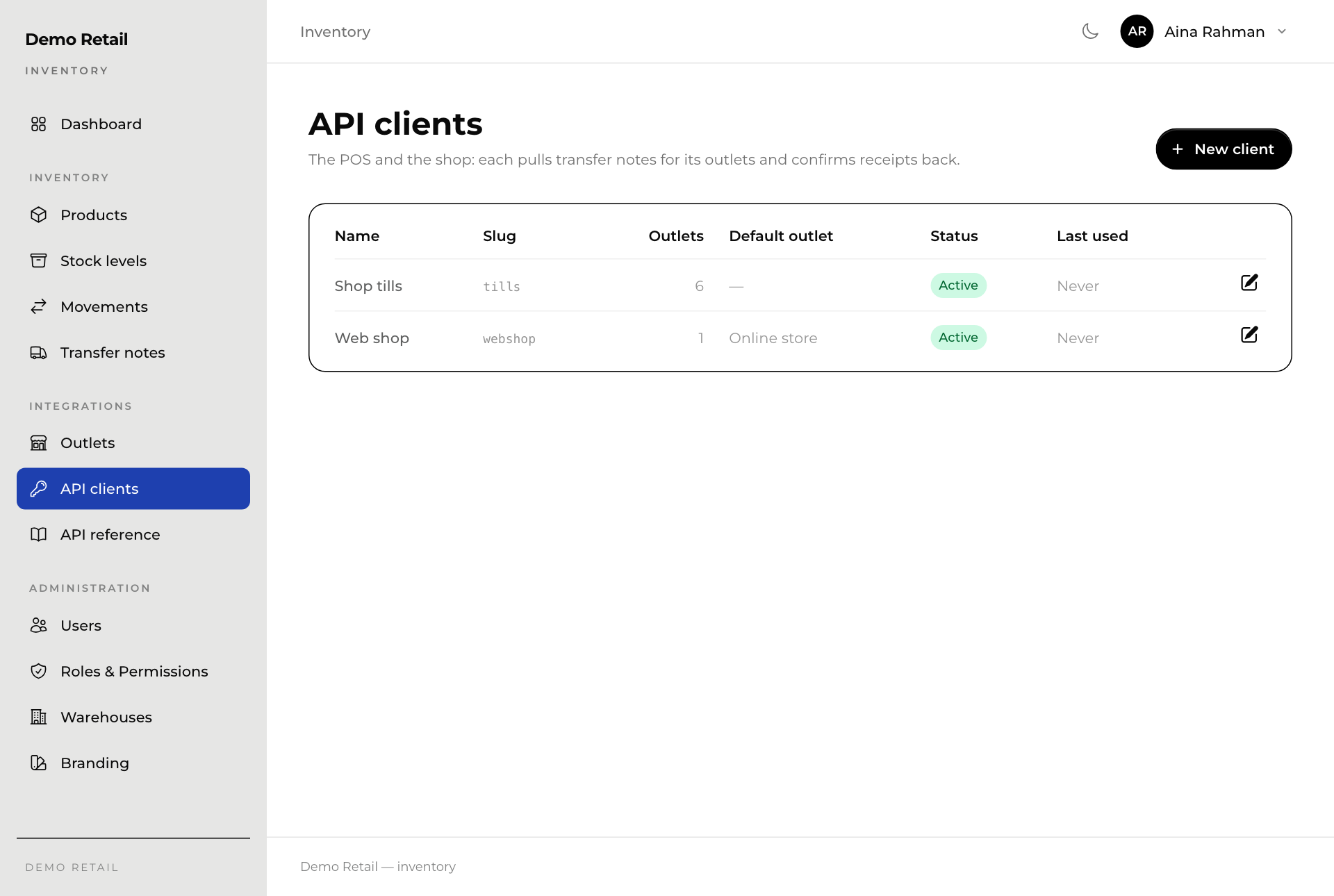
- Press New client, or the pencil button at the end of a client's row to change it.
- Type a Name and a Slug, the short name the other system uses (lowercase letters, numbers and dashes).
- Press Generate to make a Secret, a password the other system uses. Copy it straight away: it is stored locked and cannot be shown again later.
- Under Outlets, tick the outlets this system may receive stock for. The online store gets the online store outlet; the tills get the shops.
- Pick a Default outlet if the system serves only one outlet.
- Leave Active on, and press Create client or Save changes.
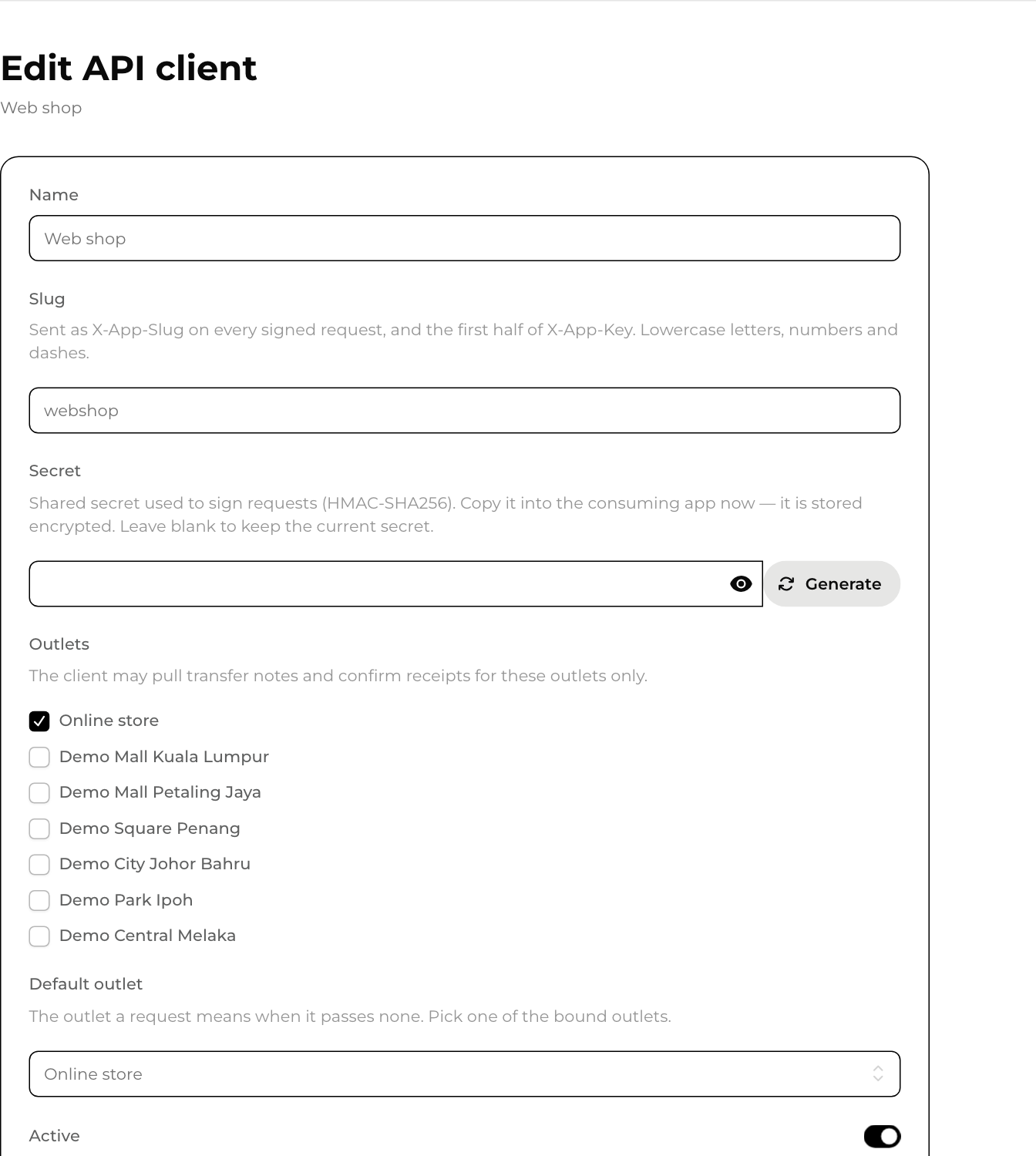
Give the slug and secret to the person setting up the other system. API reference in the menu opens the technical instructions for them.
Switching off Active cuts that system off at once.
Outlets
The outlet list comes from Master data on its own. The Outlets screen, meant to show that list and a Sync now button, shows an error in the current version.