Receive and correct stock
For: Stock clerks
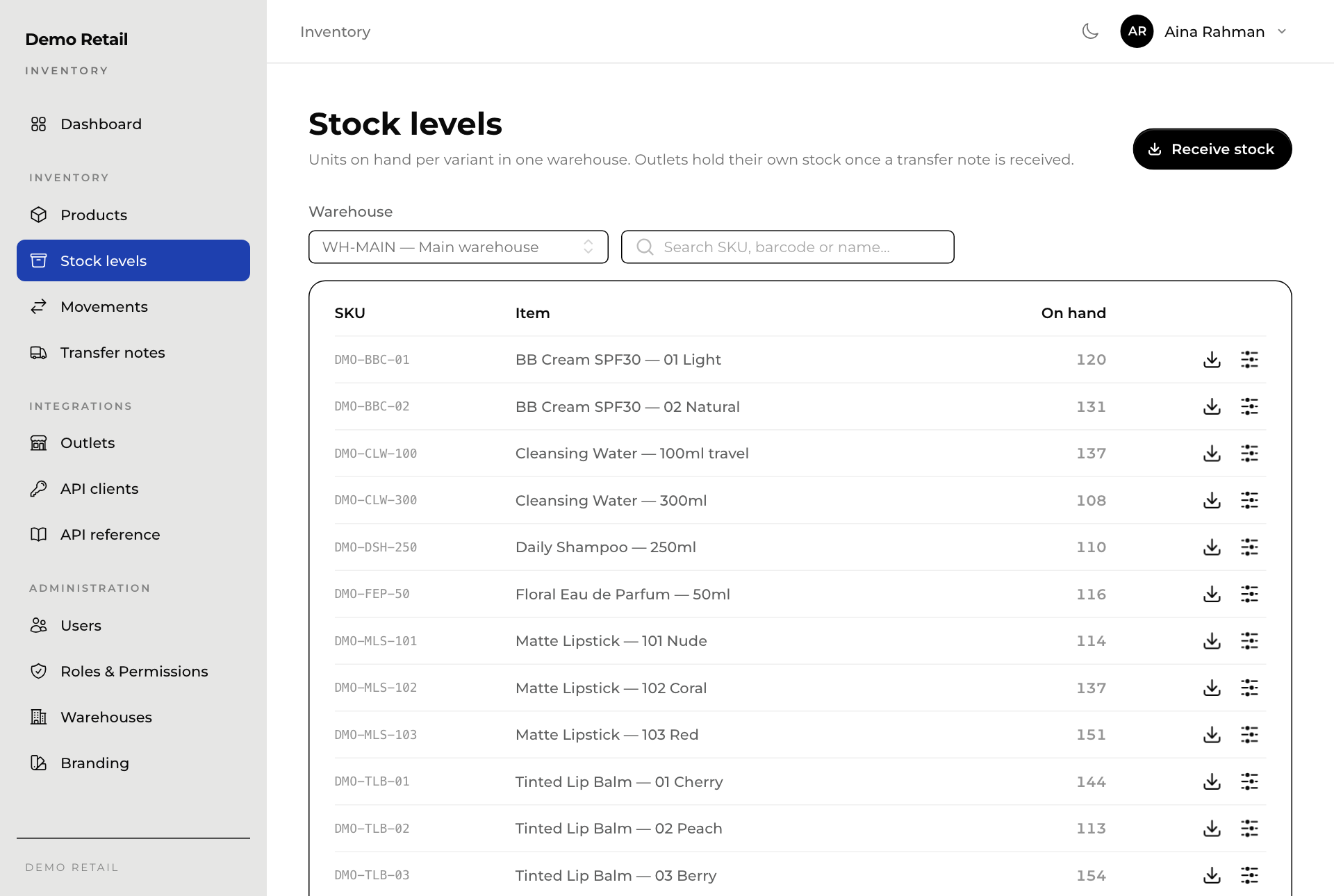
Whole guide as PDF (2 MB)Stock levels shows how many of each variant one warehouse holds.
- Open Stock levels in the menu on the left.
- Pick the Warehouse at the top. Type in the search box to find an SKU, barcode or name.
Receive a delivery
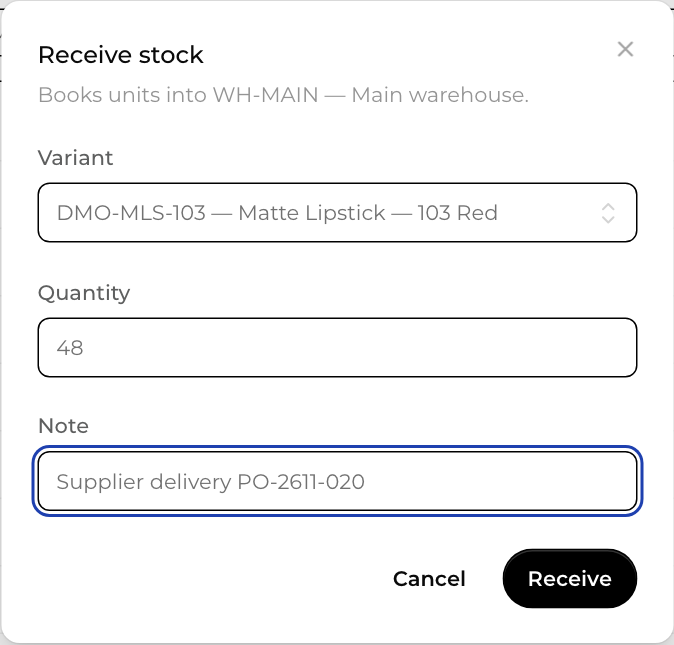
- Press Receive stock at the top right, or the download-arrow button on the variant's row.
- Pick the Variant, type the Quantity, and add a Note, for example the supplier's delivery number.
- Press Receive.
Correct a count
Use this after a stock count, or when something is damaged or used as a tester.
- Press the button with sliders on the variant's row.
- In Quantity (signed), type a plus number to add or a minus number to remove, for example -2.
- Write the Reason.
- Press Adjust.
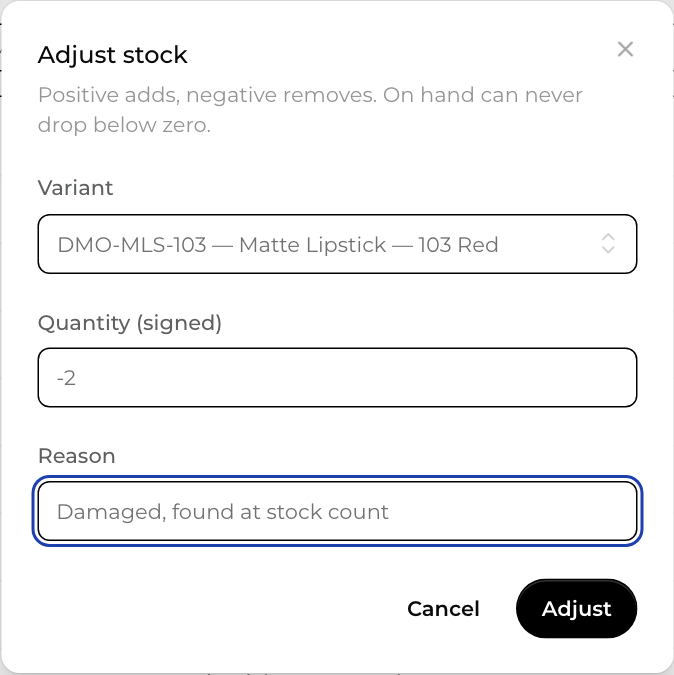
Stock can never go below zero. Every receipt and correction is recorded, and Latest movements on the dashboard shows who made it (see also See every stock movement).