Send stock to an outlet
For: Stock clerks
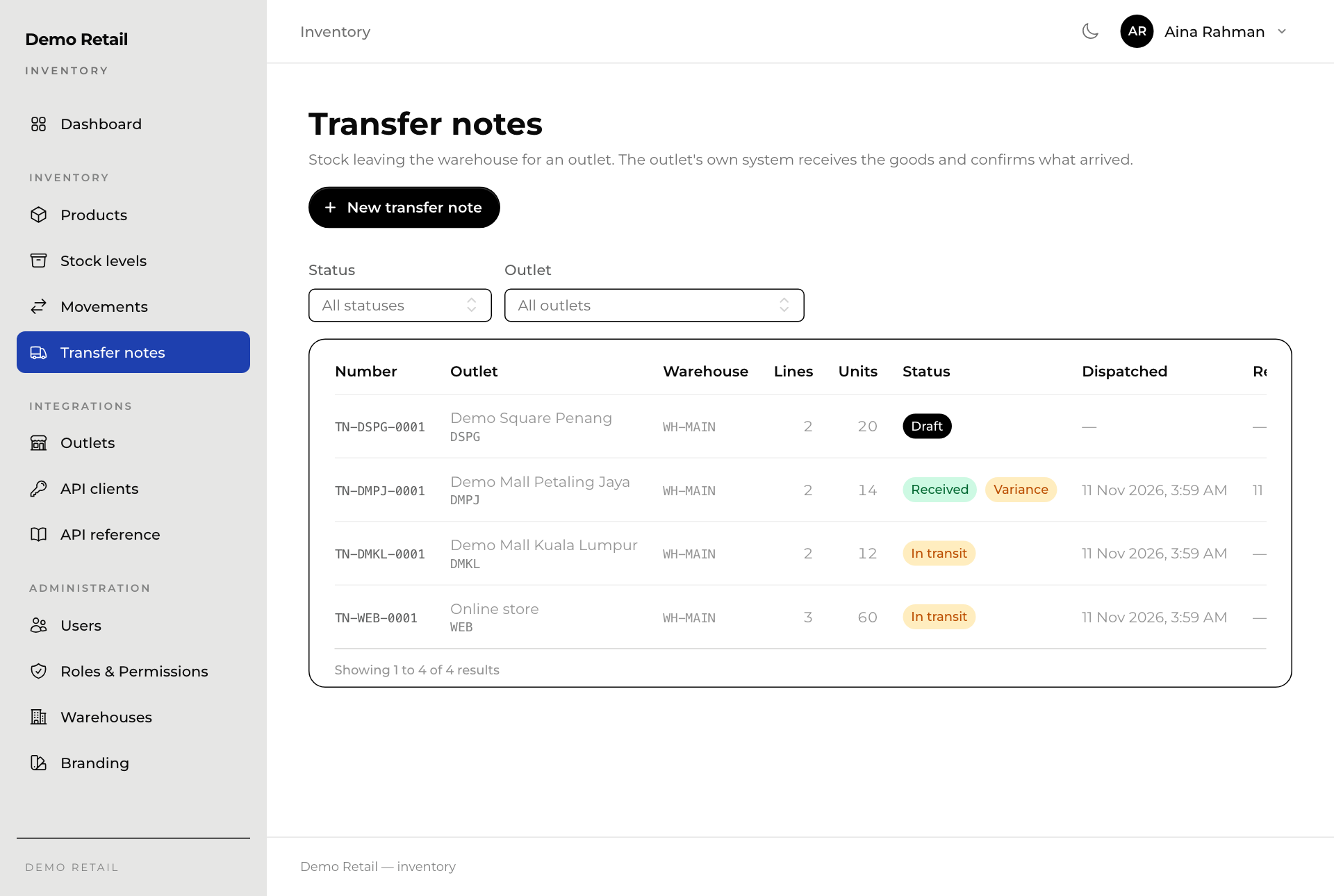
Whole guide as PDF (2 MB)- Open Transfer notes in the menu on the left. Filter by Status or Outlet to find a note.
- Press New transfer note.
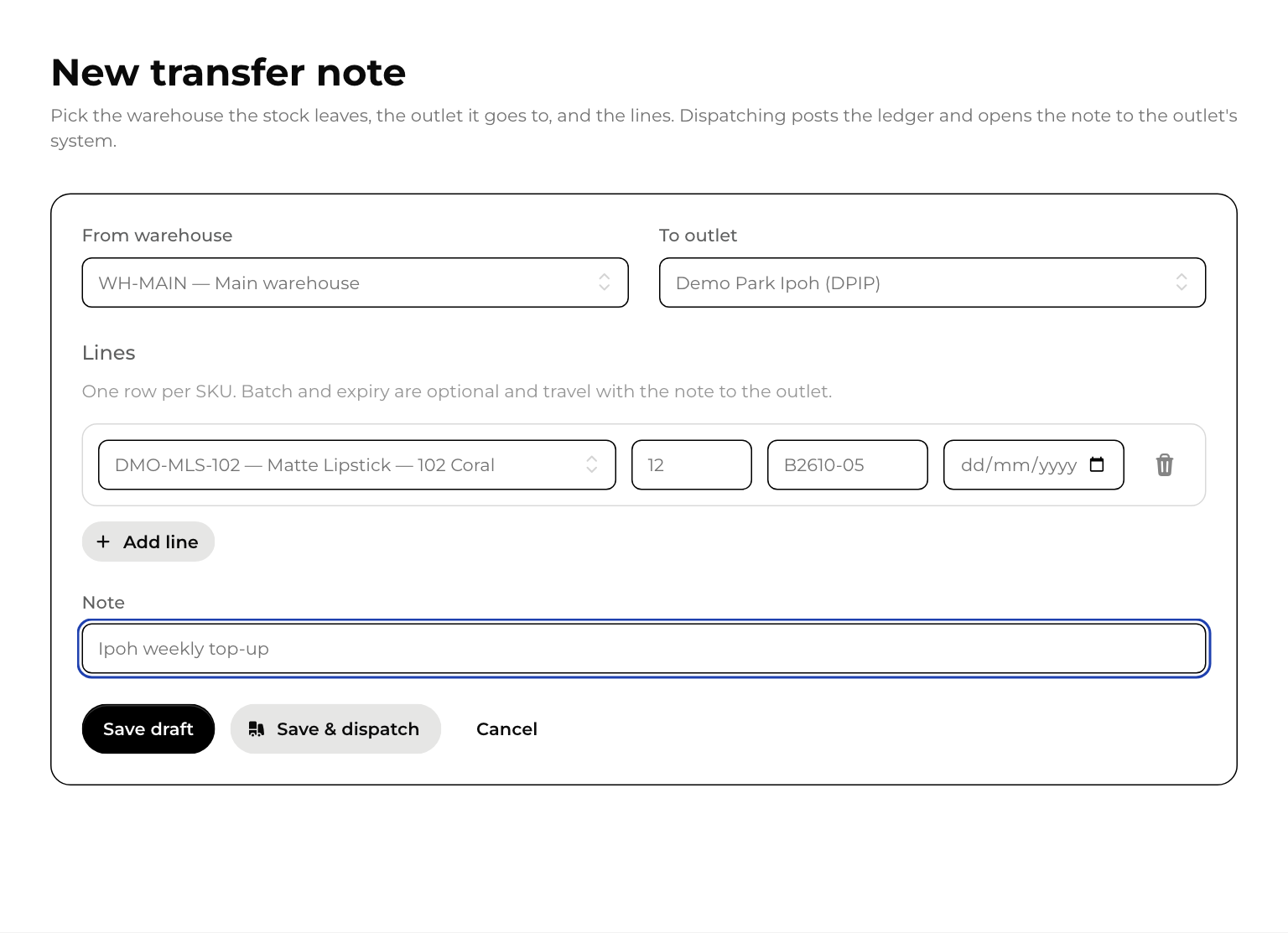
- Pick From warehouse and To outlet.
- Under Lines, pick a variant and type how many to send. The batch number and expiry date are optional; they travel with the note to the outlet. Press Add line for more.
- Add a Note if it helps the outlet.
- Press Save draft to finish later, or Save & dispatch if the goods are leaving now.
Dispatch a draft
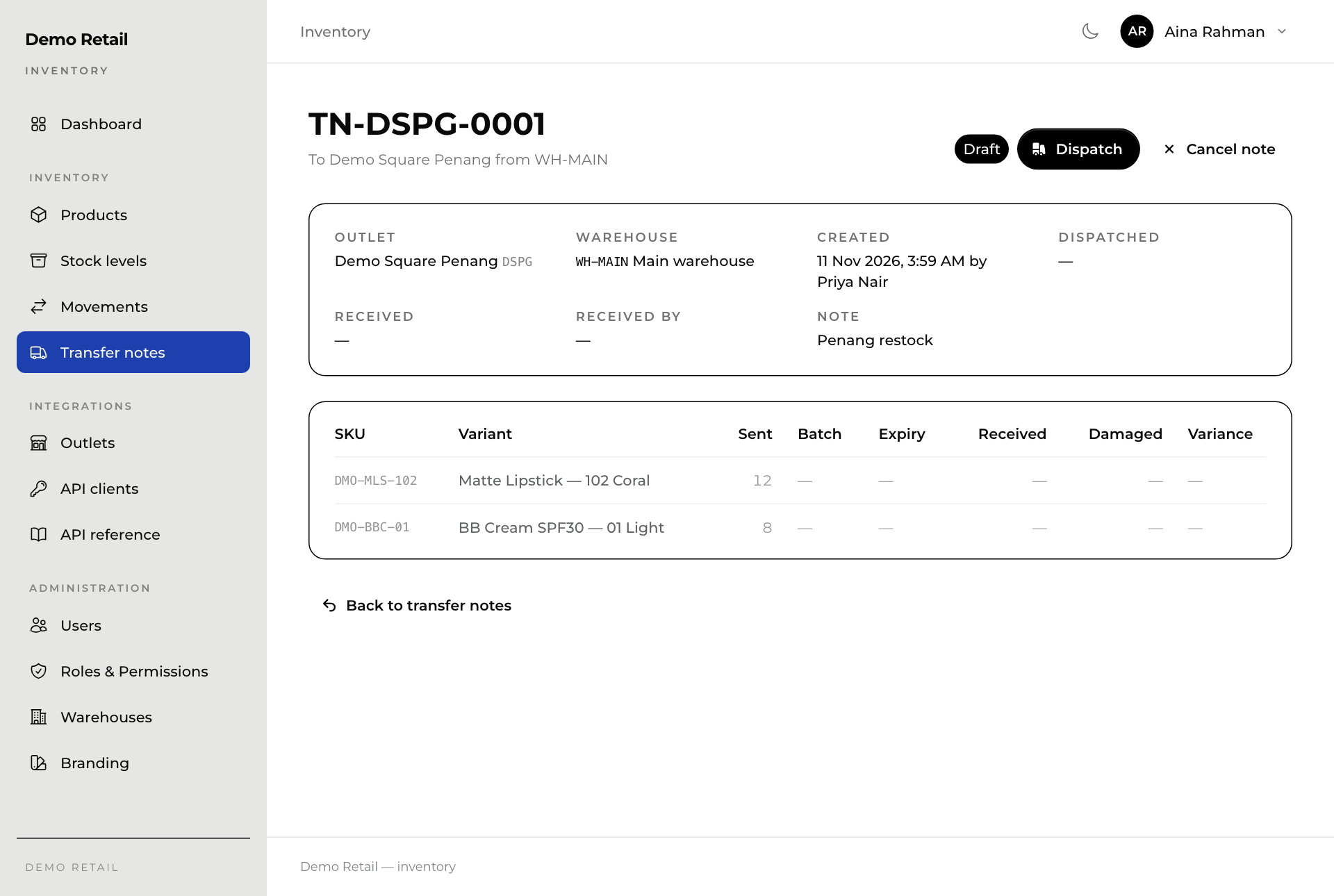
Open the draft and press Dispatch, then confirm. The stock is taken off the warehouse at that moment, and the outlet's system can now see the note. If the warehouse does not hold enough, Inventory refuses and nothing is sent.
Cancel note throws away a draft. A dispatched note cannot be cancelled.
While the goods are on the way
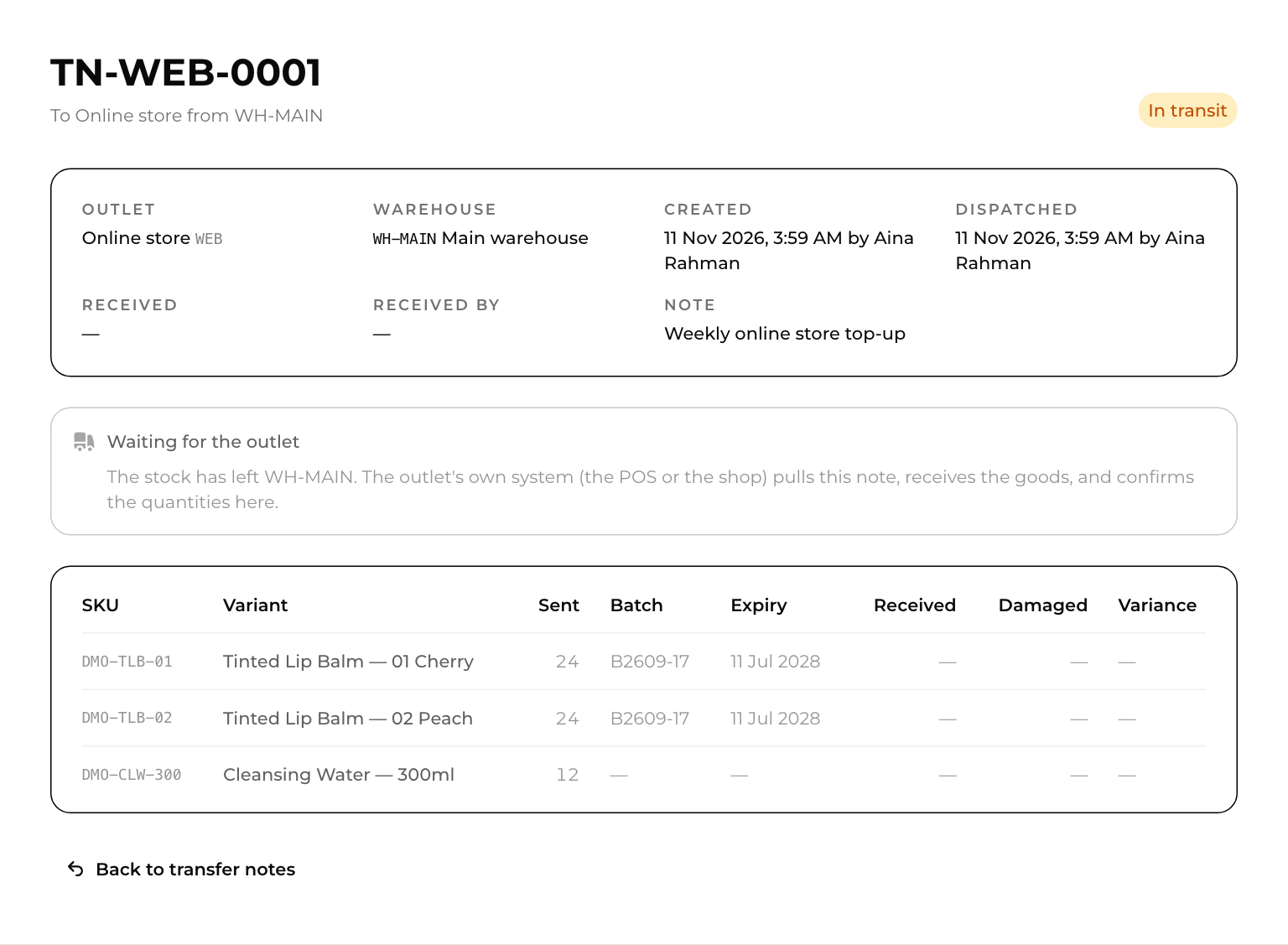
The note shows In transit and "Waiting for the outlet". Nobody confirms it in Inventory: the outlet's till system or the online store receives the goods in its own screens and reports back.