Warehouses and branding
For: Administrators
Whole guide as PDF (2 MB)Warehouses
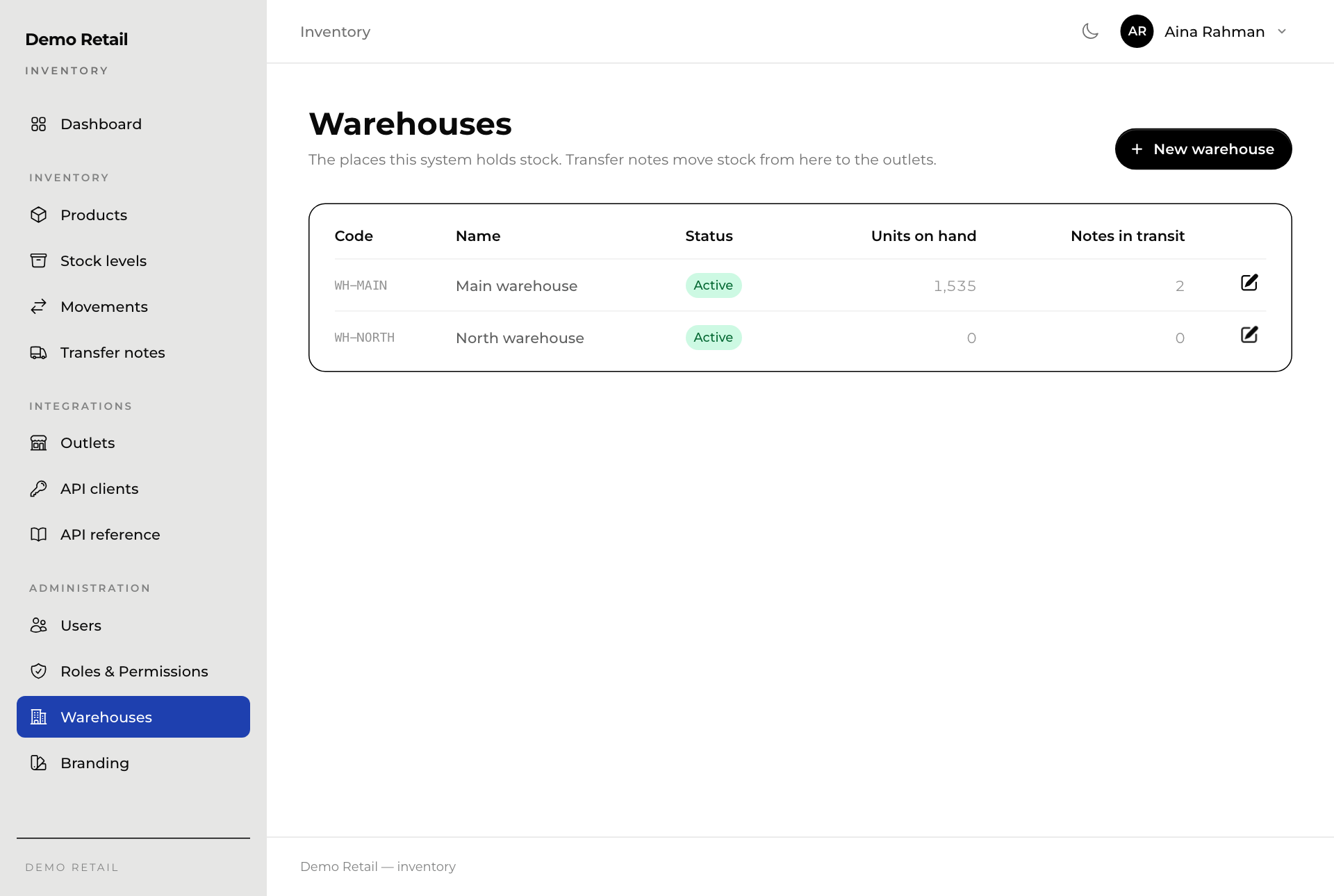
- Open Warehouses under Administration in the menu. The list shows each warehouse's stock and how many notes are on the way from it.
- Press New warehouse, and give it a Code and a Name.
Branding
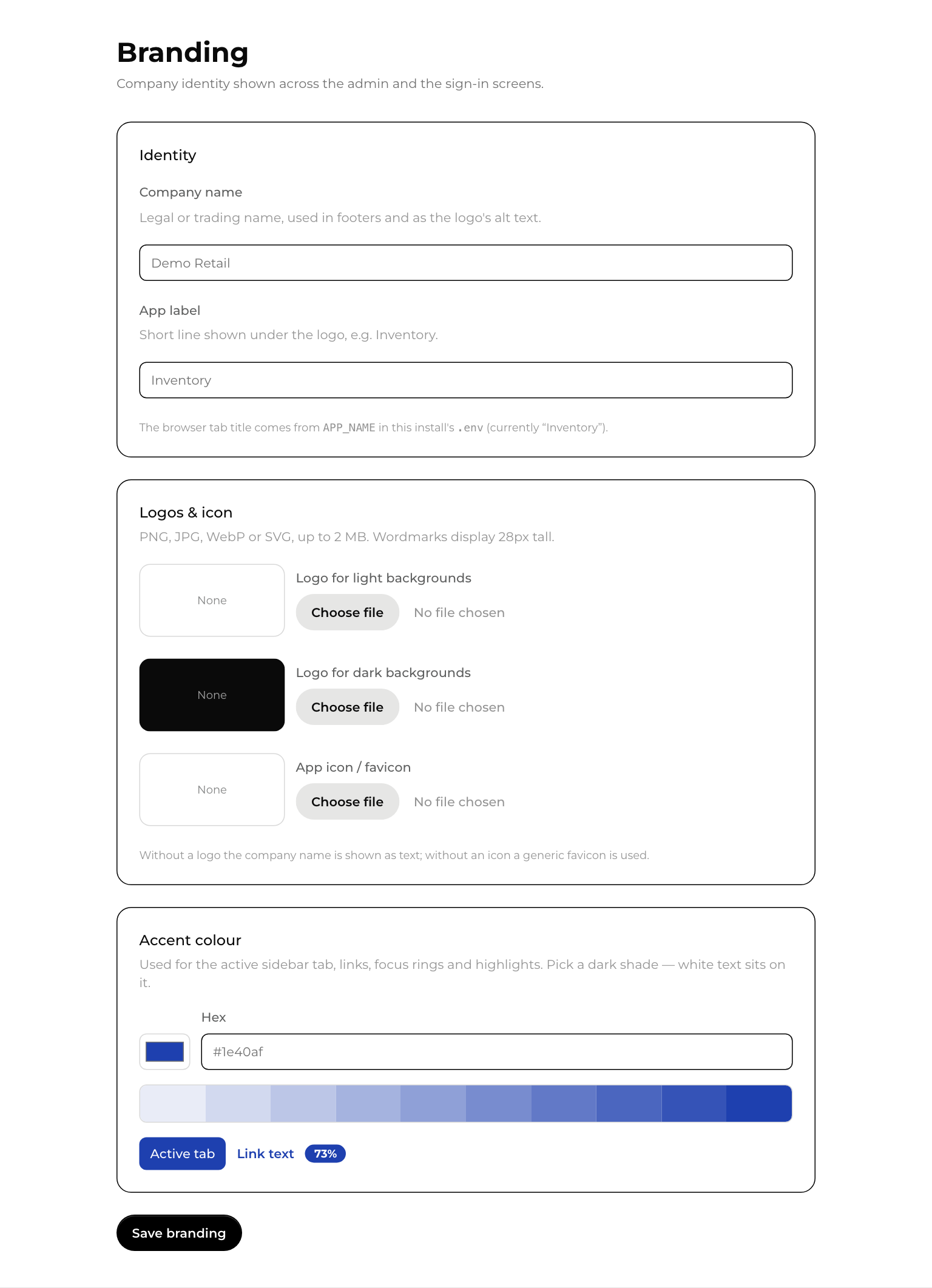
Branding sets the company name, logos and colour shown in the menu and on the sign-in page.
- Open Branding under Administration.
- Type the Company name and the App label shown under it.
- Under Logos & icon, press Choose file to upload a logo. Without a logo, the company name is shown as text.
- Pick an Accent colour. Choose a dark one: white text sits on it.
- Press Save branding.