Read the sales report
For: Managers
Whole guide as PDF (1 MB)- Press Reports at the top of the screen, or open Reports in the menu on the left.
- The Yearly tab shows:
- FY2027 budget: the total target for the year (FY means financial year).
- FY2026 actual: last year's sales for the same outlets.
- Increment the plan assumes: how much higher this year's target is than last year's sales.
- YTD sales (year to date): sales so far against the target so far.
- Below that, one row per outlet. Use Search outlets…, State, or All, Existing and New to narrow the list. Press an outlet to see its months.
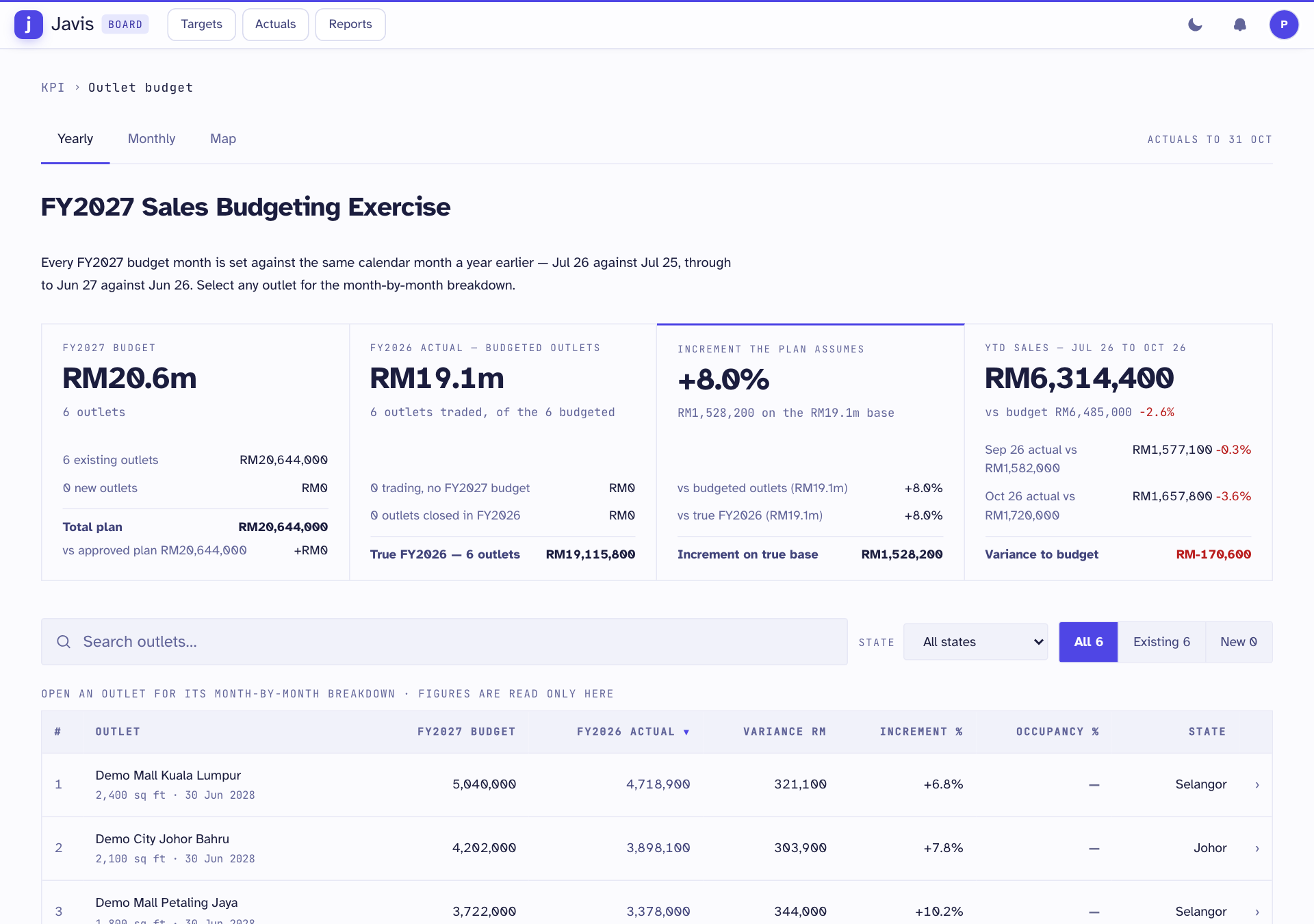
Actuals to at the top right is the last day the sales figures cover.
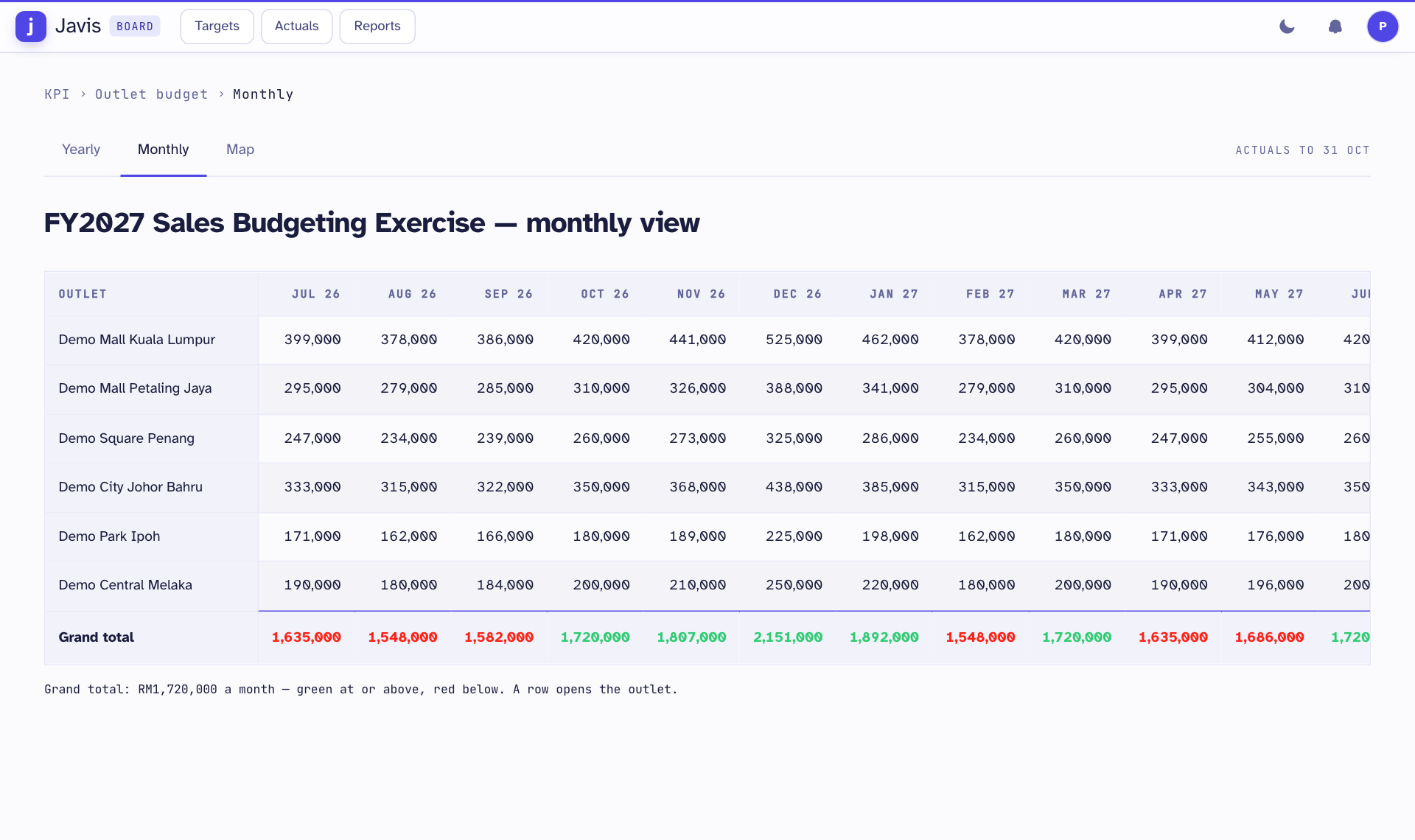
The Monthly tab shows every outlet's target month by month, with a total for each month. The Map tab shows the totals by state.
You only see the outlets your staff record covers. Head office sees all of them. If Reports is missing, ask an administrator to give you access to it.