Set an outlet's yearly budget
For: Head office
Whole guide as PDF (1 MB)Each outlet's sales target for the year is typed month by month on the outlet's own page.
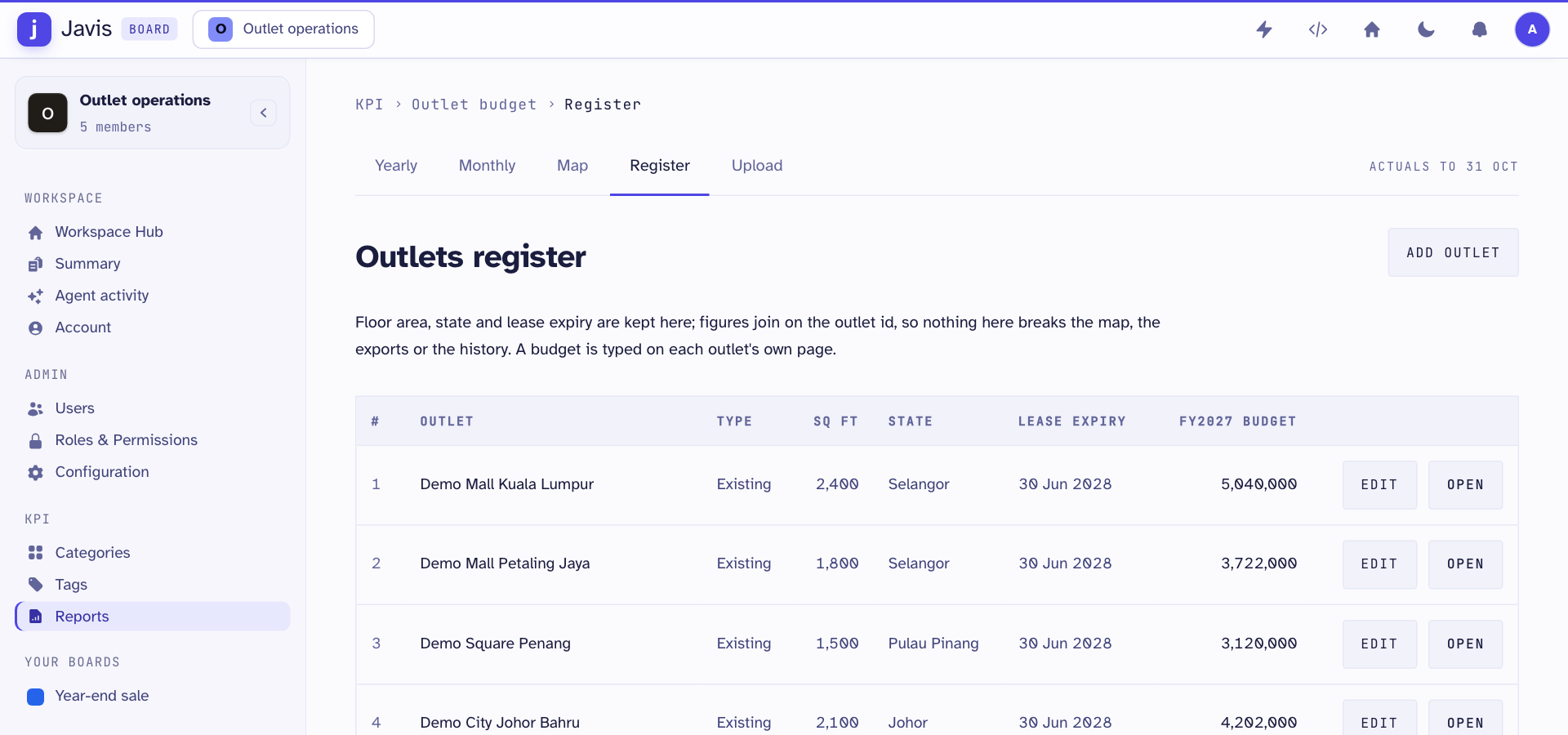
- Open Reports in the menu on the left, then the Register tab.
- Press Open on the outlet's row.
- Under Monthly sales, click a figure in the budget column. It becomes a box.
- Type the new figure and press Enter to save it. Press Escape to cancel.
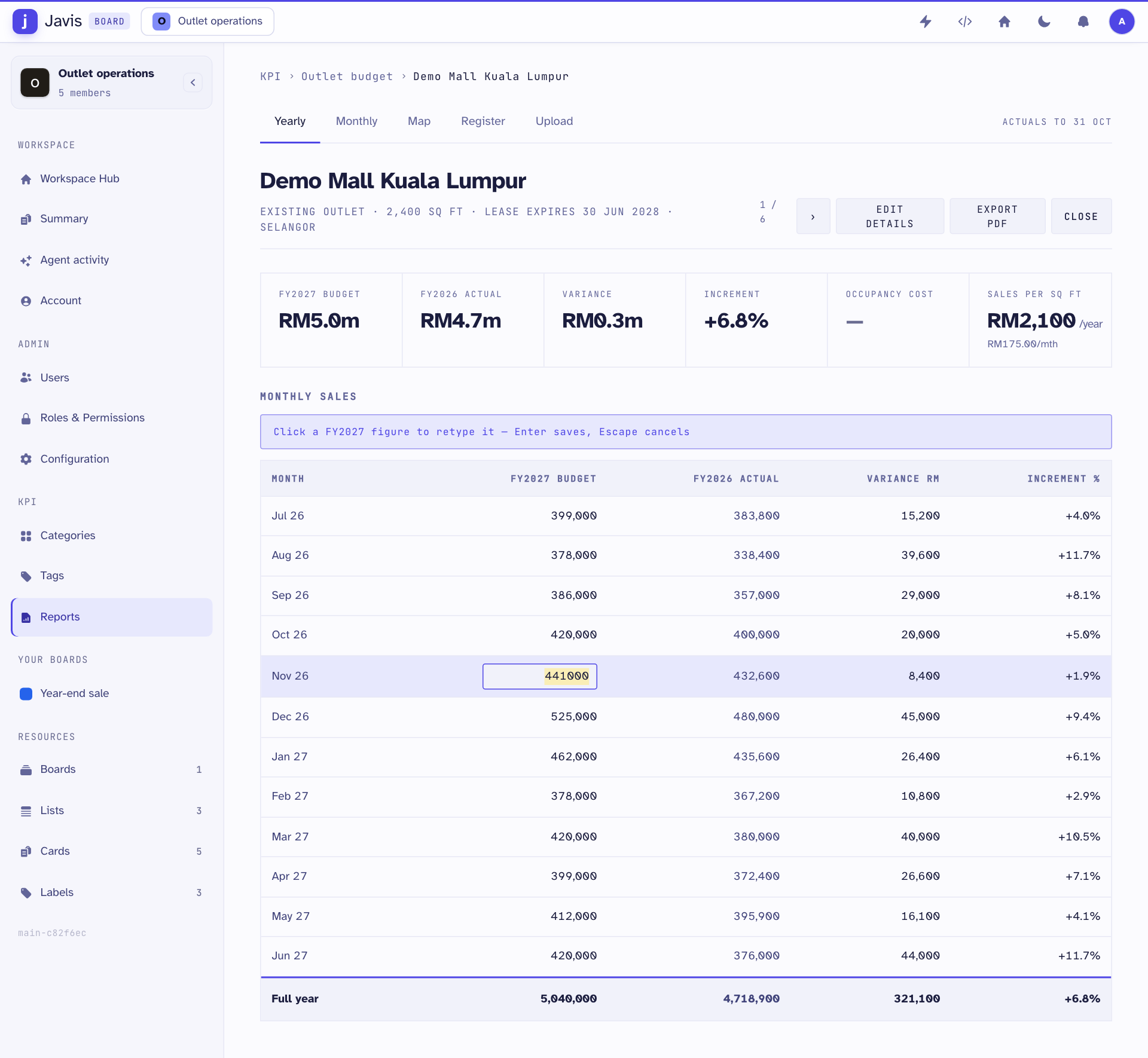
The yearly total, the difference from last year and the targets on the KPI screens update straight away. Use › at the top right to move to the next outlet.
Change an outlet's details
On the Register tab, press Edit on the outlet's row to change its floor area, state or lease expiry. Press Apply change, then Confirm — save to database.
To plan a target for a shop that has not opened yet, press Add outlet. Outlet names come from your company's staff records and cannot be changed here.
You need a permission to change budgets and another to change outlet details. Without them, the figures can be read but not changed.