Record your sales
For: Staff
Whole guide as PDF (1 MB)If your outlet manager has shared the outlet target with you, you record your own sales each month.
- Press Actuals at the top of the screen. You see your target for each month of the year.
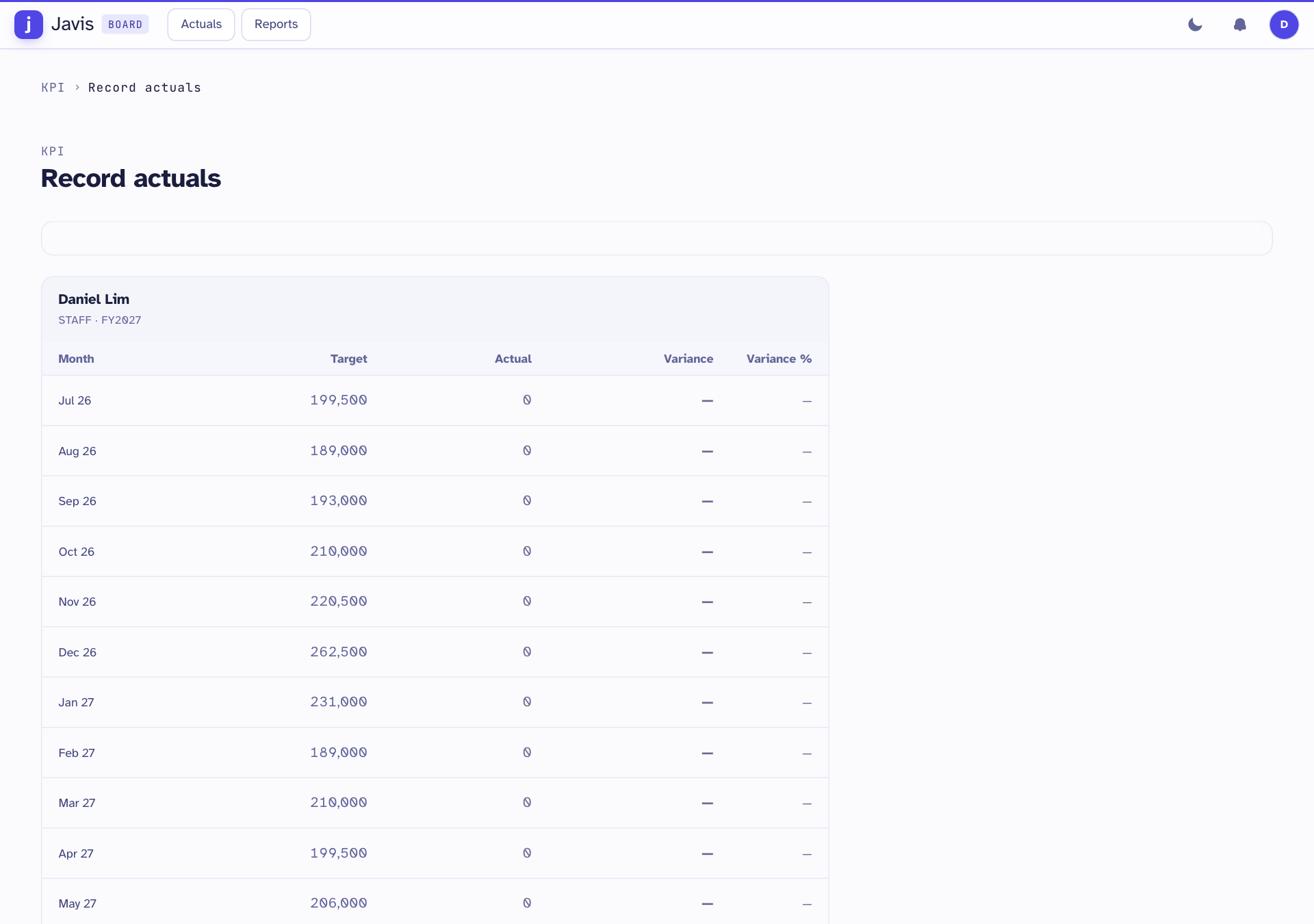
- Click the Actual figure for the month, type your sales, and press Enter.
- Repeat for any other month.
- Press Save.
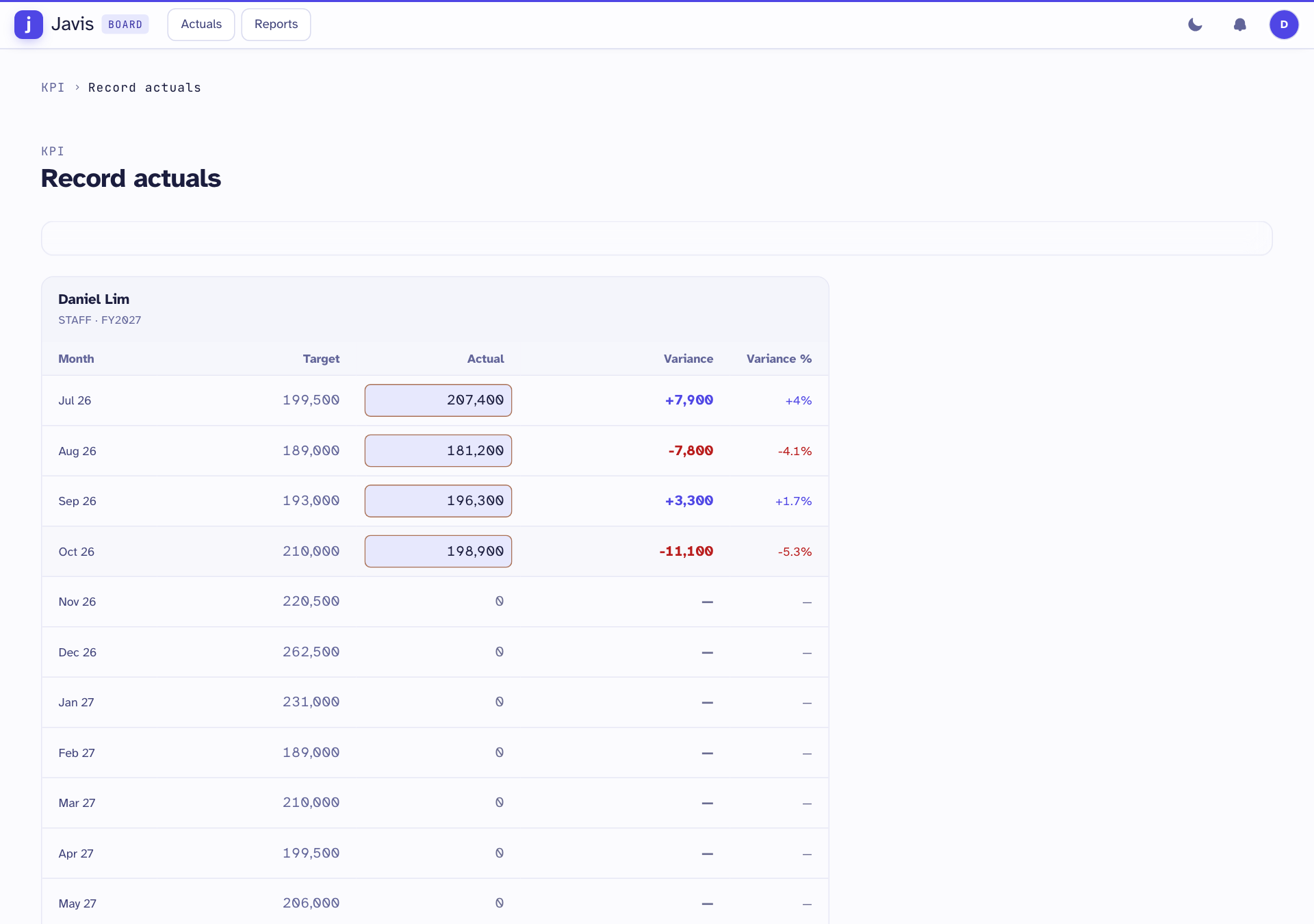
Variance shows how far above (+) or below (−) your target you are, in ringgit and as a percentage. The Year row adds up the whole year.
If the page says You have no target, your outlet manager has not shared the outlet target. Your outlet's sales are then recorded for the outlet as a whole.
A month that has been signed off shows its figure without a box and cannot be changed.