Share an outlet's target with your staff
For: Outlet managers
Whole guide as PDF (1 MB)Your outlet's target is set by head office. You can leave it as one target for the whole outlet, or share it between the people who work there. Sharing is optional.
- Press Targets at the top of the screen.
- Choose your outlet under Outlet. The Outlet target row shows what head office set for each month.
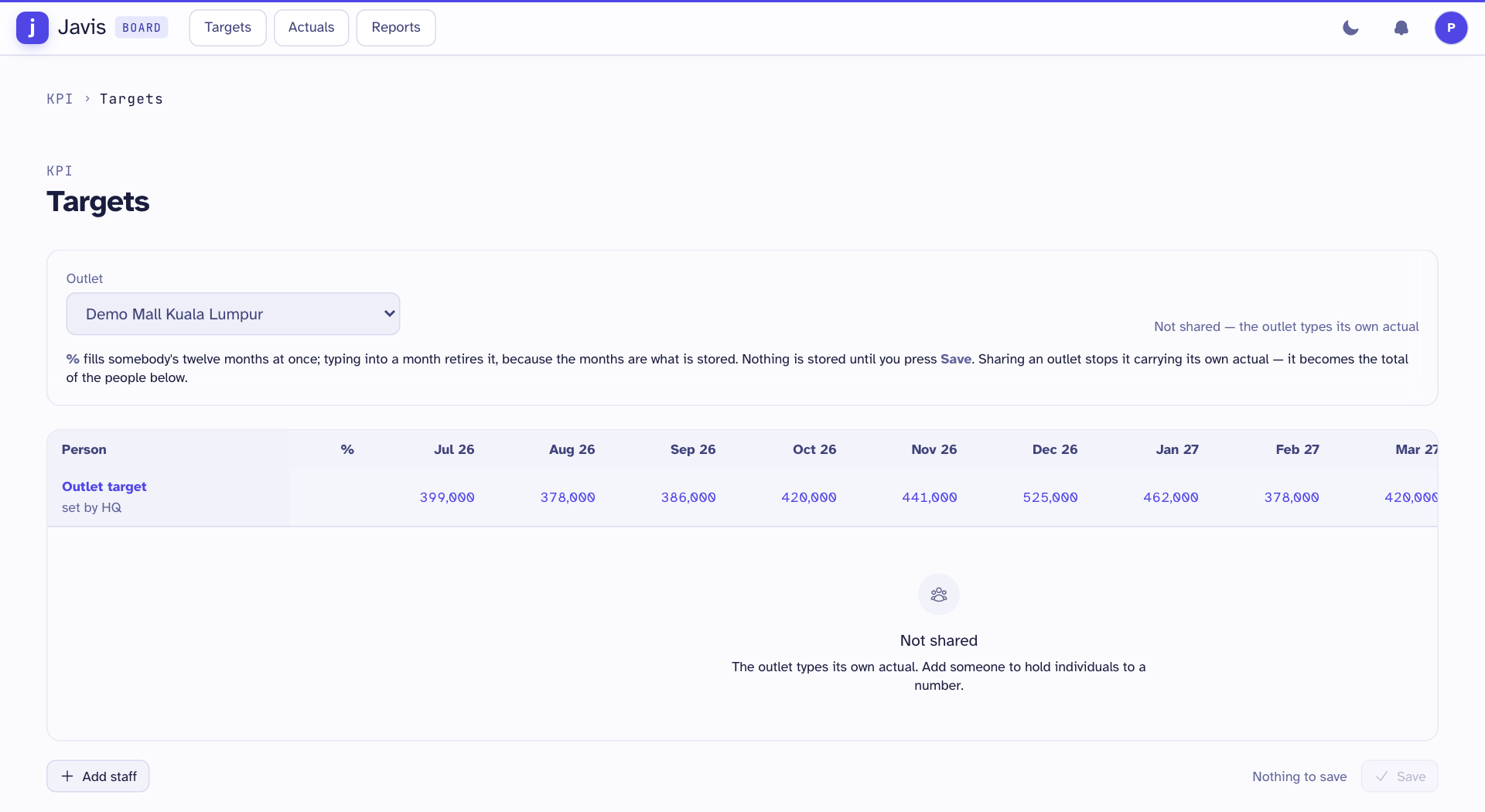
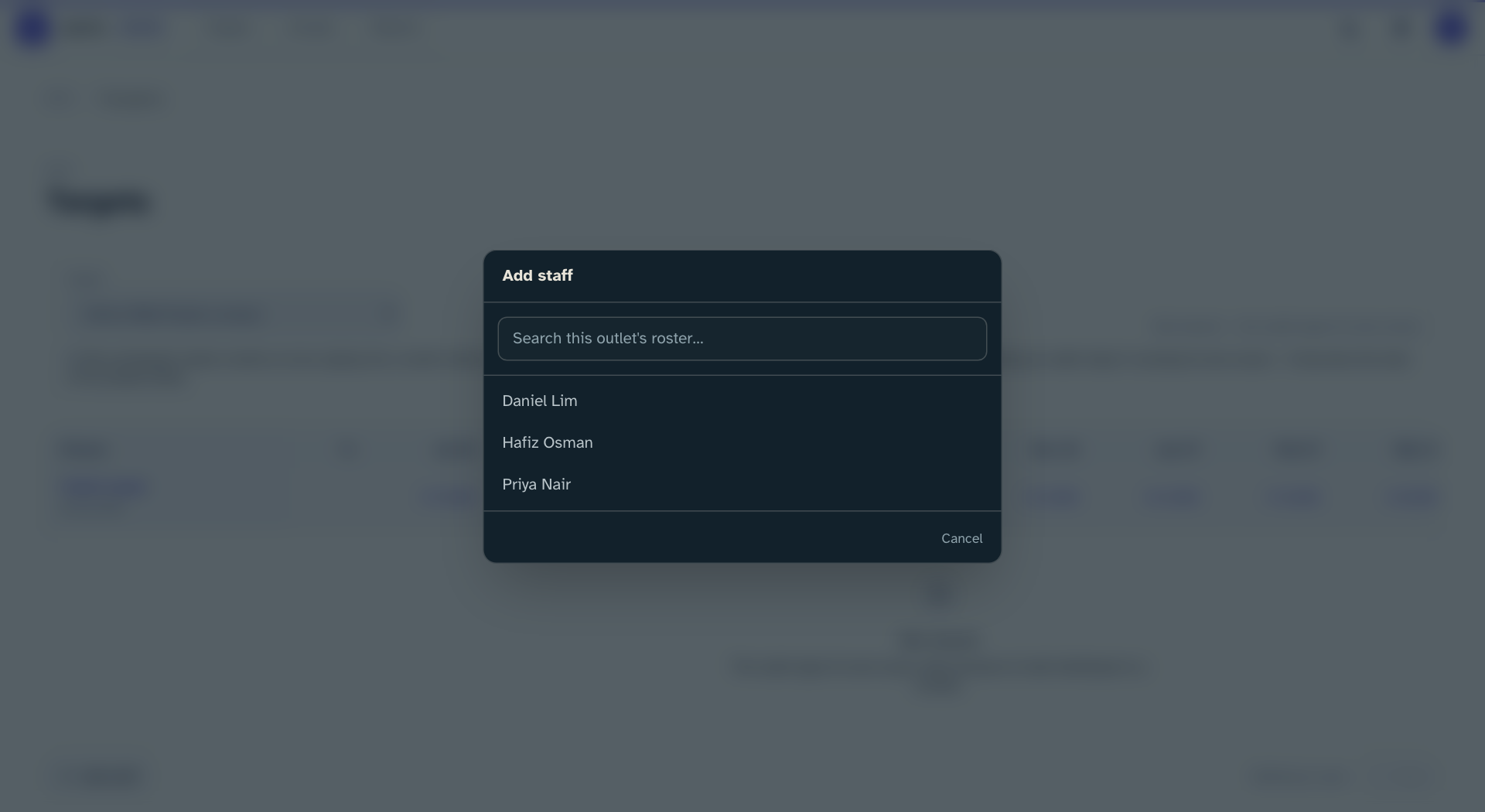
- Press Add staff and choose a person from your outlet. Repeat for each person.
- Type a share in the % box on each person's row, for example 50 for half. It fills all twelve months for that person. To set one month by hand, click that month and type a figure.
- Check the Remaining row. It must show a dash in every month, which means the shares add up to the outlet target.
- Press Save. Nothing is stored until you do. Discard puts the sheet back as it was.
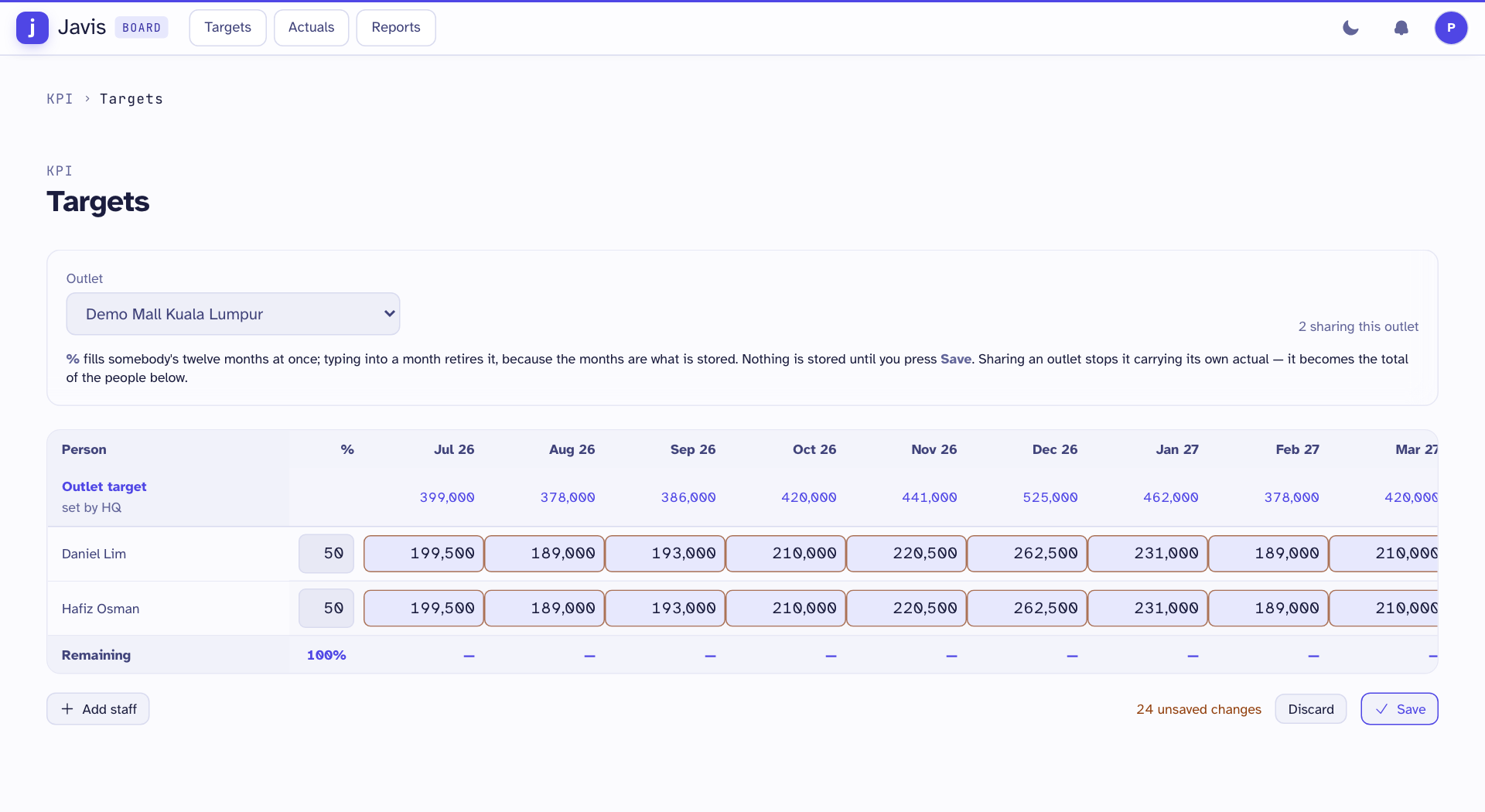
Changed figures have a coloured edge until you save. If the shares do not add up, the sheet names the months that are wrong and does not save.
Once a target is shared, each person records their own sales, and the outlet's sales become their total. To take someone off, press the cross at the end of their row and save.