Add people to your account
For: Administrators
Whole guide as PDF (1 MB)This page is for Account Owner and Account Admin.
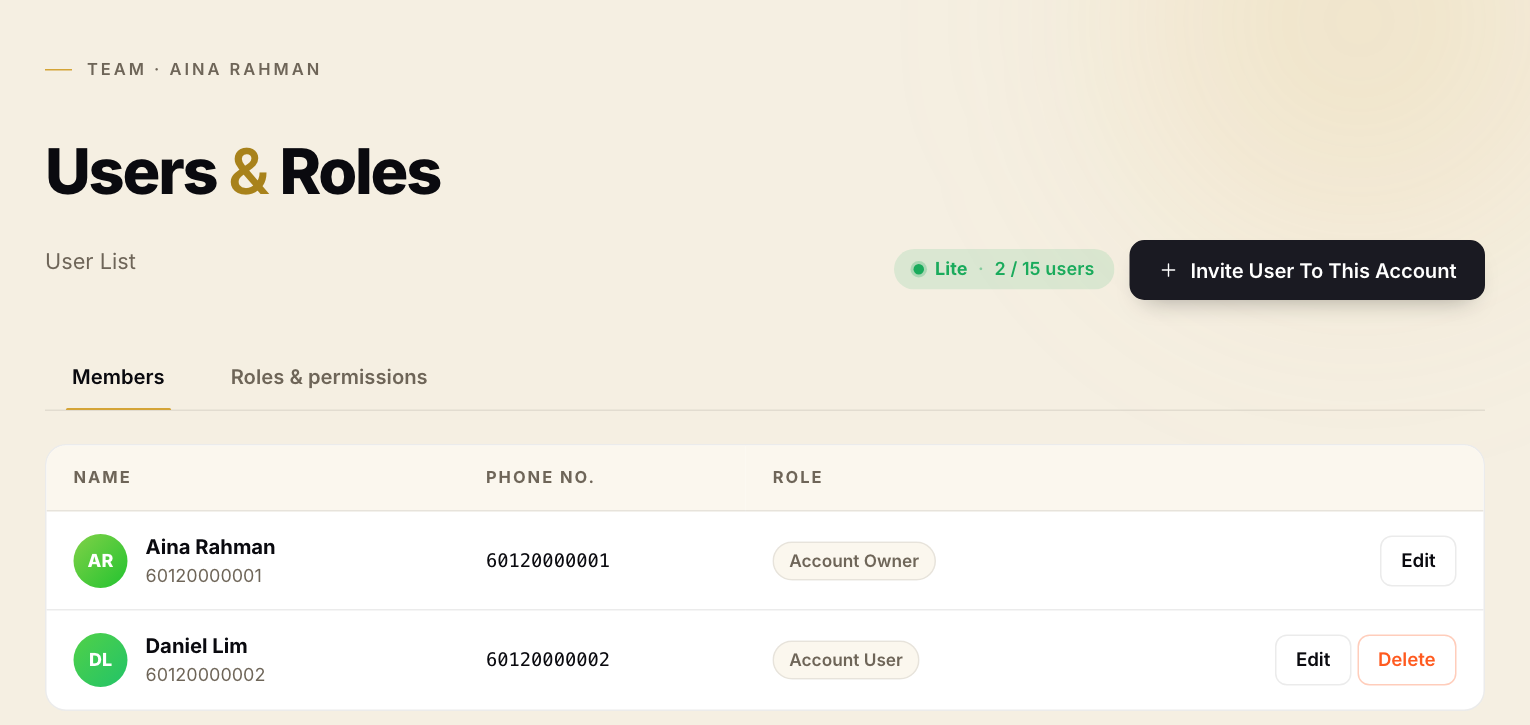
- Open Users & Roles in the menu on the left. Members lists everyone in the account with their role. The green label shows how many people your plan allows.
- Press Invite User To This Account.
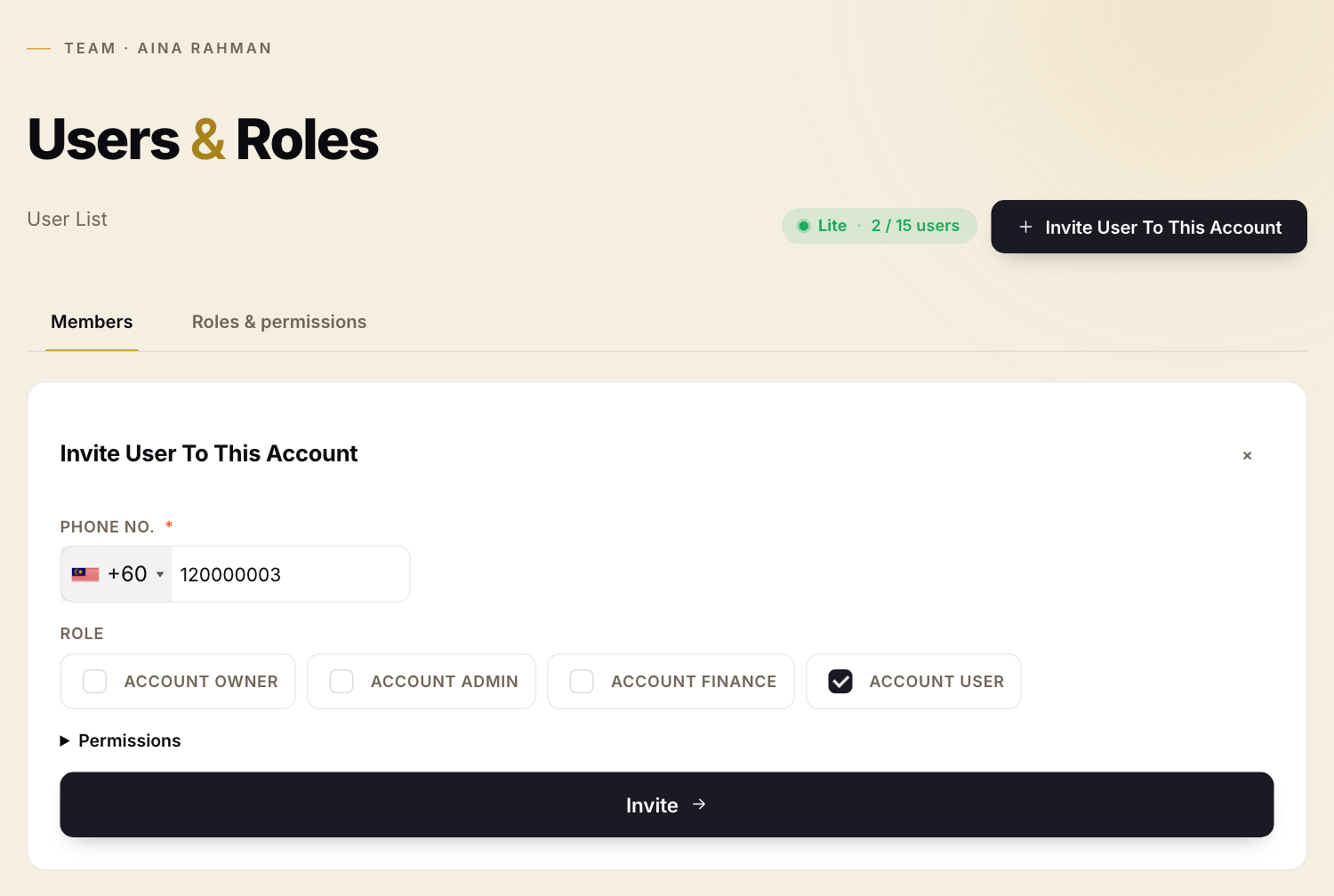
- Type the person's mobile number in Phone No.. Check the country code on the left.
- Tick their role under Role. For most staff this is Account User.
- Press Invite.
vKad adds the person to your account straight away. It does not send them a text message today, so tell them yourself to sign in to vKad with that phone number.
To change someone's role, press Edit on their row. To remove them, press Delete. Roles & permissions shows what each role can do.