Link an NFC card
For: Account Owner, Account Admin, Account User
Whole guide as PDF (1 MB)An NFC card is a plastic card with a chip. When a customer holds it against their phone, the phone opens your vKad card. Each NFC card has its own code, called the NFC UID, printed or shown as a QR code on the card. Linking tells vKad which card is yours.
- Open My vCards and press your card.
- Press the Edit tab and scroll down to vKad Details.
- Type the code from your NFC card into NFC UID. Or press Scan QR and point your phone or laptop camera at the QR code on the NFC card.
- It saves on its own. From now on, tapping the NFC card opens your vKad card.
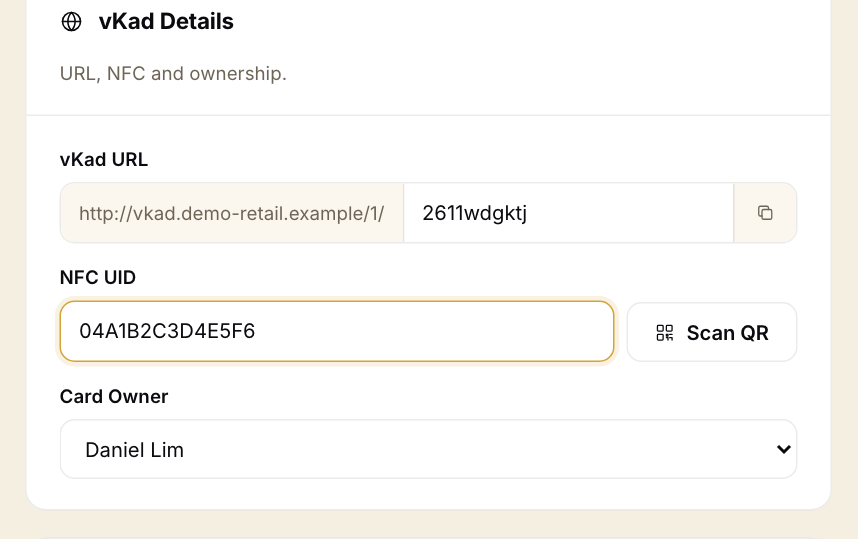
One NFC card can link to one vKad card only. If the code is already used by another card, vKad says "This NFC number already exists" and keeps the old value.
The Scan QR camera was not tried for this guide; typing the code was.
Order a printed NFC card
On the Manage Card page, press Request Print, then Request New. The Request Physical Card form asks for the card type, quantity and delivery address, and shows the price. Payment for the order is not covered in this guide.