Approve or reject a staff withdrawal
For: Finance team and administrators
Whole guide as PDF (1 MB)When a staff member asks for their incentive money in the Staff incentive app, the request comes here. Out of the box, no request is paid until a person approves it, whatever the amount.
- Open Withdrawals in the menu, under Ledger. The page is headed Payout Orders, and it opens showing only the requests that are waiting (Status: Held).
- Read each row: who asked (Owner), the Amount, and Failed checks.
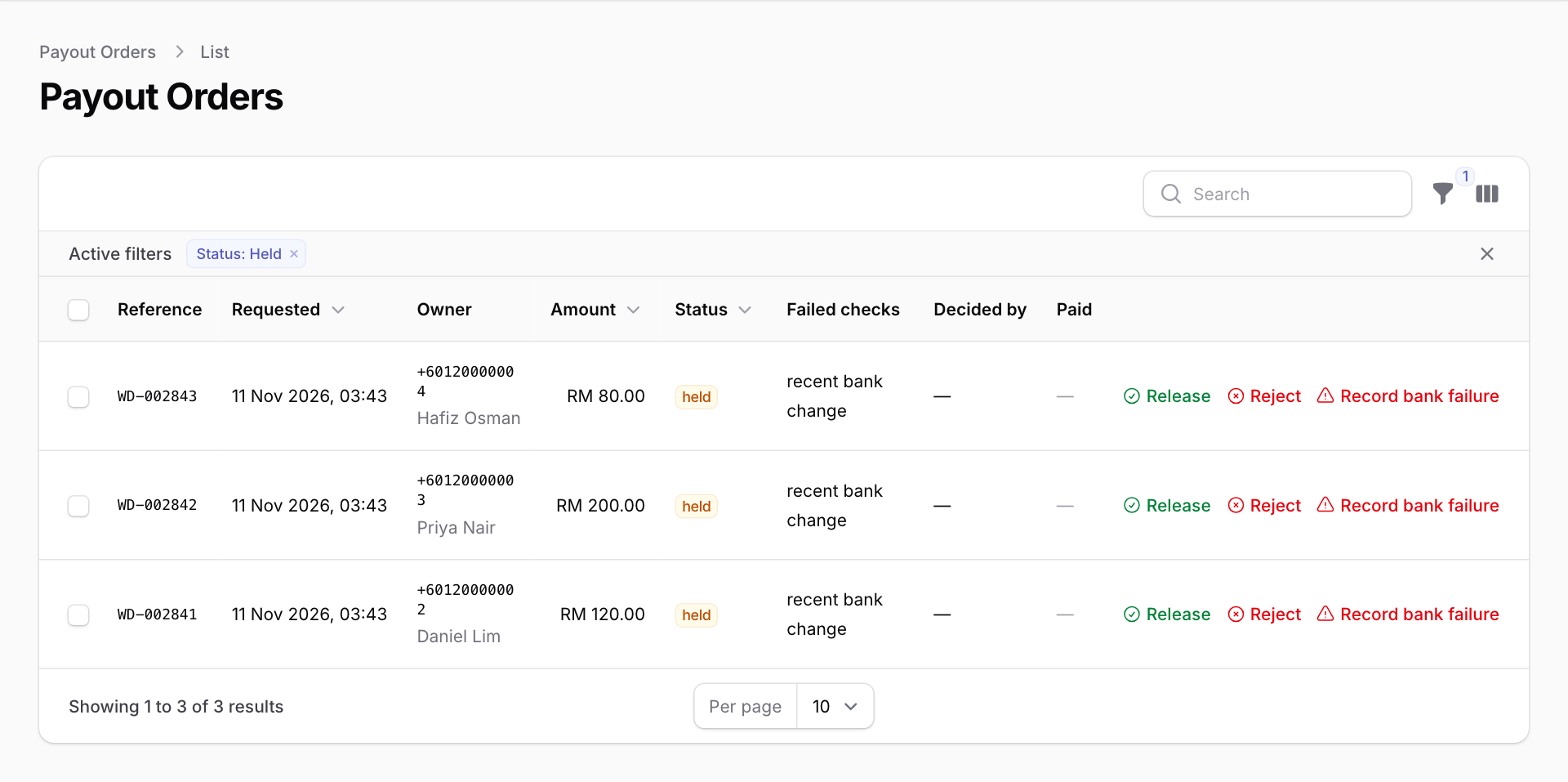
Failed checks lists anything the system found worth a second look. It does not block the request; it is there to help you decide:
- recent bank change: the bank account was added or changed in the last 30 days.
- repeat withdrawal: the person already asked for a withdrawal in the last 24 hours.
- auto release ceiling: the amount is above the limit that could ever be paid without a person.
- earnings spike: recent earnings are much higher than this person's usual.
- fraud review: the Staff incentive module says an earning is being checked for fraud.
- recoverable debit: the person owes money (see Debt on the Wallets page).
To approve
- Press Release on the row.
- Type why in Why is this being released? (for example "Checked against the monthly incentive list") and press Submit. The reason is kept with the withdrawal for good.
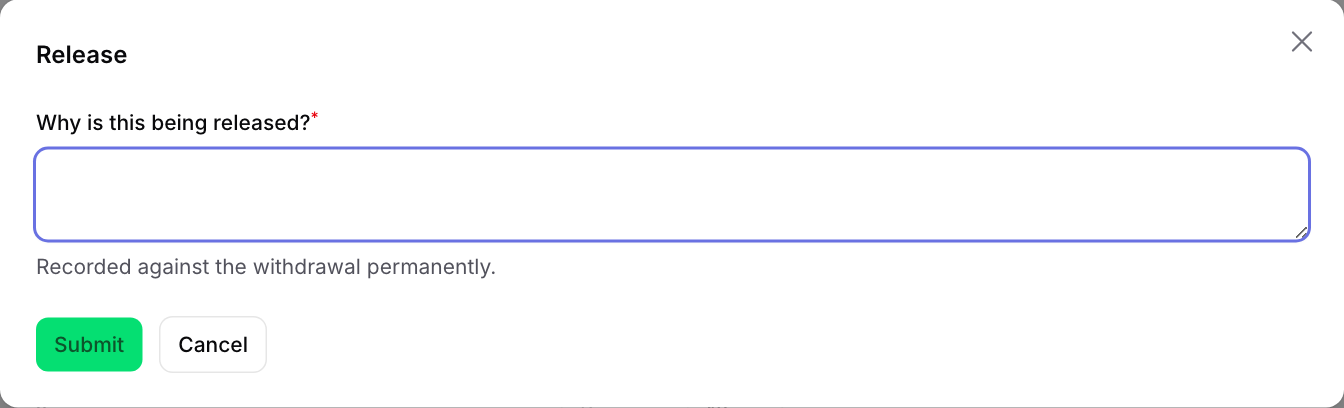
The payment then goes to the bank through your company's bank link. Its status moves to released, then submitted, then paid when the bank confirms. How quickly depends on how your IT team set up the bank link.
To approve many at once, tick the boxes on the left of the rows, then press Release selected. You type one reason, and it is recorded against each withdrawal. Any request that can no longer be released is left alone and listed in a message.
To reject
- Press Reject on the row.
- Type why in Why is this being declined? and press Confirm. The reason is kept with the withdrawal and sent to the staff member.
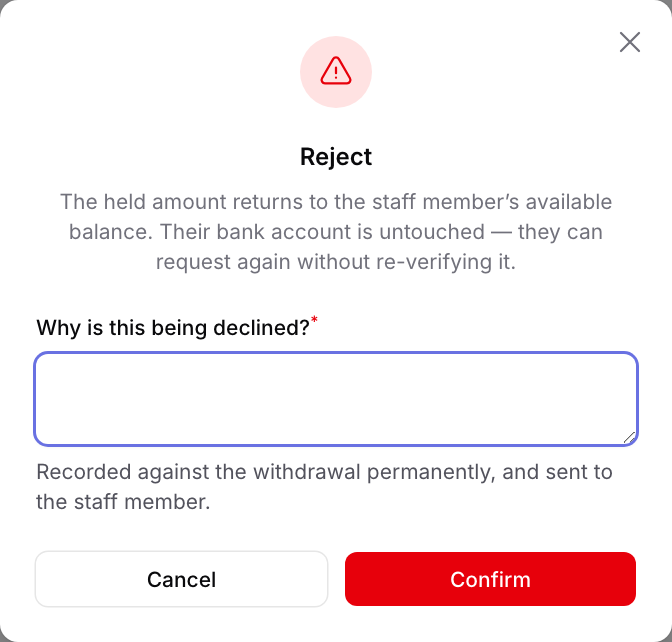
The money goes back to the person's Available balance. Their bank account stays approved, so they can ask again straight away.
When the bank sends a payment back
Use Record bank failure only when the bank returned or refused a payment, not to turn a request down. Type what the bank said and confirm. The money goes back to the person's Available balance, and their bank account has to be checked again before the next withdrawal.
To see older requests, press the funnel button and change Status (for example to Paid or Rejected). Decided by shows who released or rejected each one.