Look up someone's balance
For: Finance team and administrators
Whole guide as PDF (1 MB)Use this when a customer or a staff member asks "how much do I have?" or "where is my money?".
- Open Wallets in the menu, under Ledger.
- Type the staff member's phone number into Search, for example 60120000002. Search does not look at names, so for a customer, scroll or filter until you see their name under the code. To see only one app's wallets, press the funnel button and pick a Merchant.
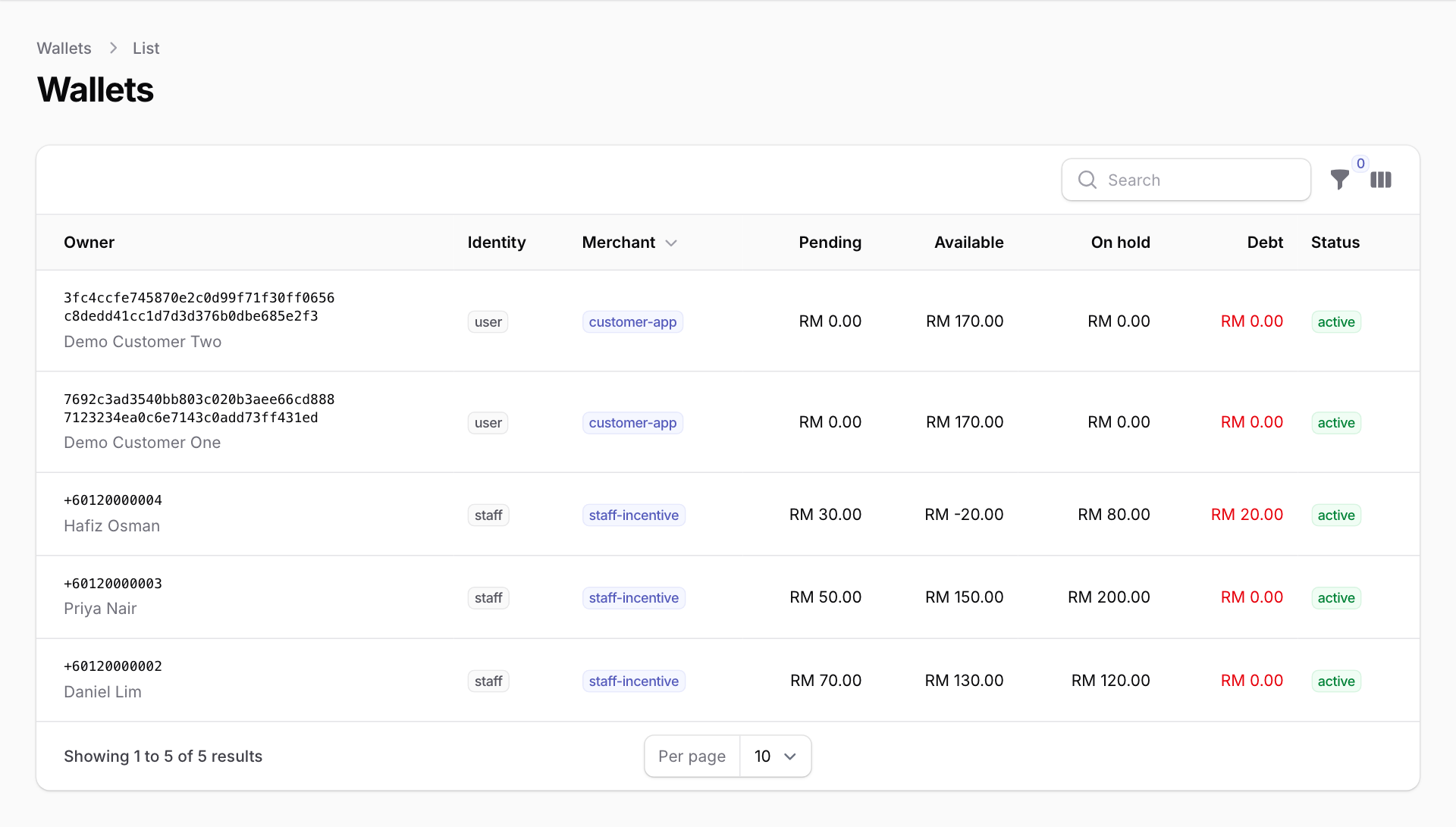
What the columns mean
- Owner: the staff member's phone number, or a long code for a customer, with their name underneath.
- Identity: user is a customer, staff is a staff member.
- Merchant: which app the wallet belongs to.
- Pending: staff incentive money that has been earned but is not ready to withdraw yet. Customer wallets show RM 0.00 here, because a top-up goes straight to Available.
- Available: money the person can use or withdraw now.
- On hold: money set aside for a withdrawal that has not been paid yet. It comes back to Available if the withdrawal is rejected or the bank sends it back.
- Debt: money the person owes. This happens when incentive money is taken back (for example, a sale was returned) after it was already paid out. Available can then show a minus figure, as in the Hafiz Osman row above. While someone has a debt they cannot withdraw, and their next earnings pay it off first.
- Status: active, or locked or suspended when the wallet has been stopped.
This screen only shows balances. You cannot change a balance here. Corrections are made by the app that owns the wallet, and each one is recorded in the Journal with a reason.