Manage merchants and who can see what
For: Administrators
Whole guide as PDF (1 MB)Merchants
A merchant here is one of your company's apps that keeps money in the wallet, for example the customer app and the Staff incentive module. Each app can only see and move its own wallets.
- Open Merchants in the menu, under Ledger.
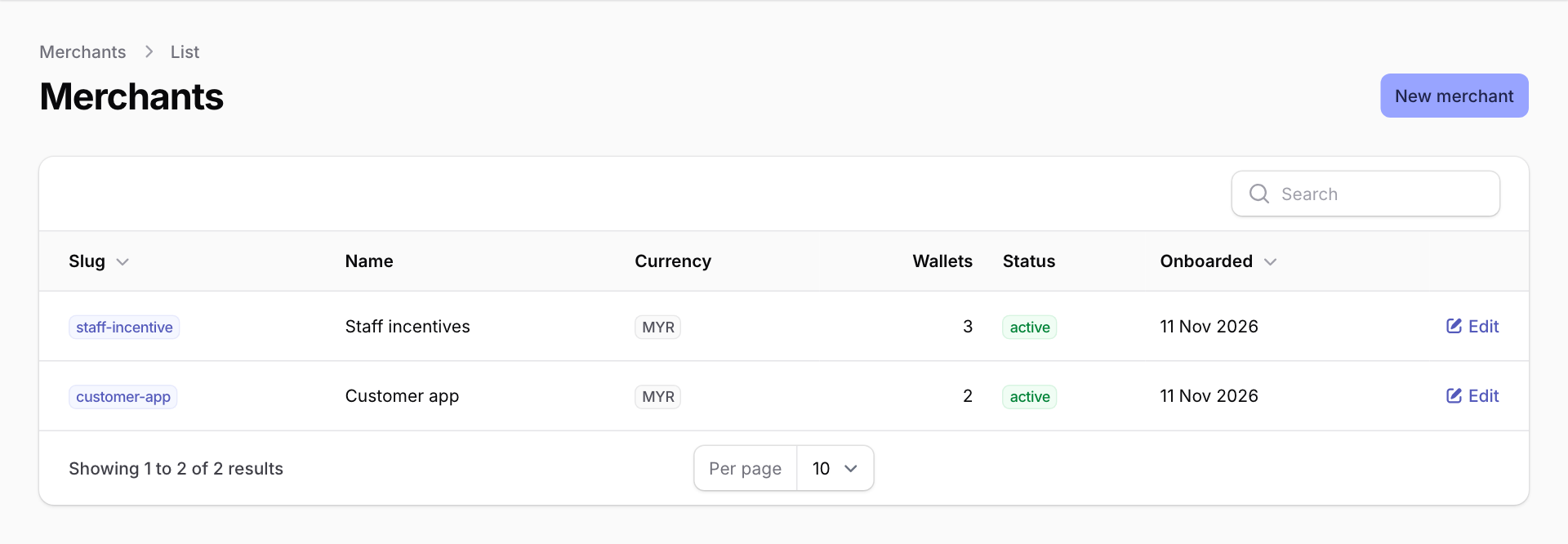
- Press Edit on a merchant to change it.
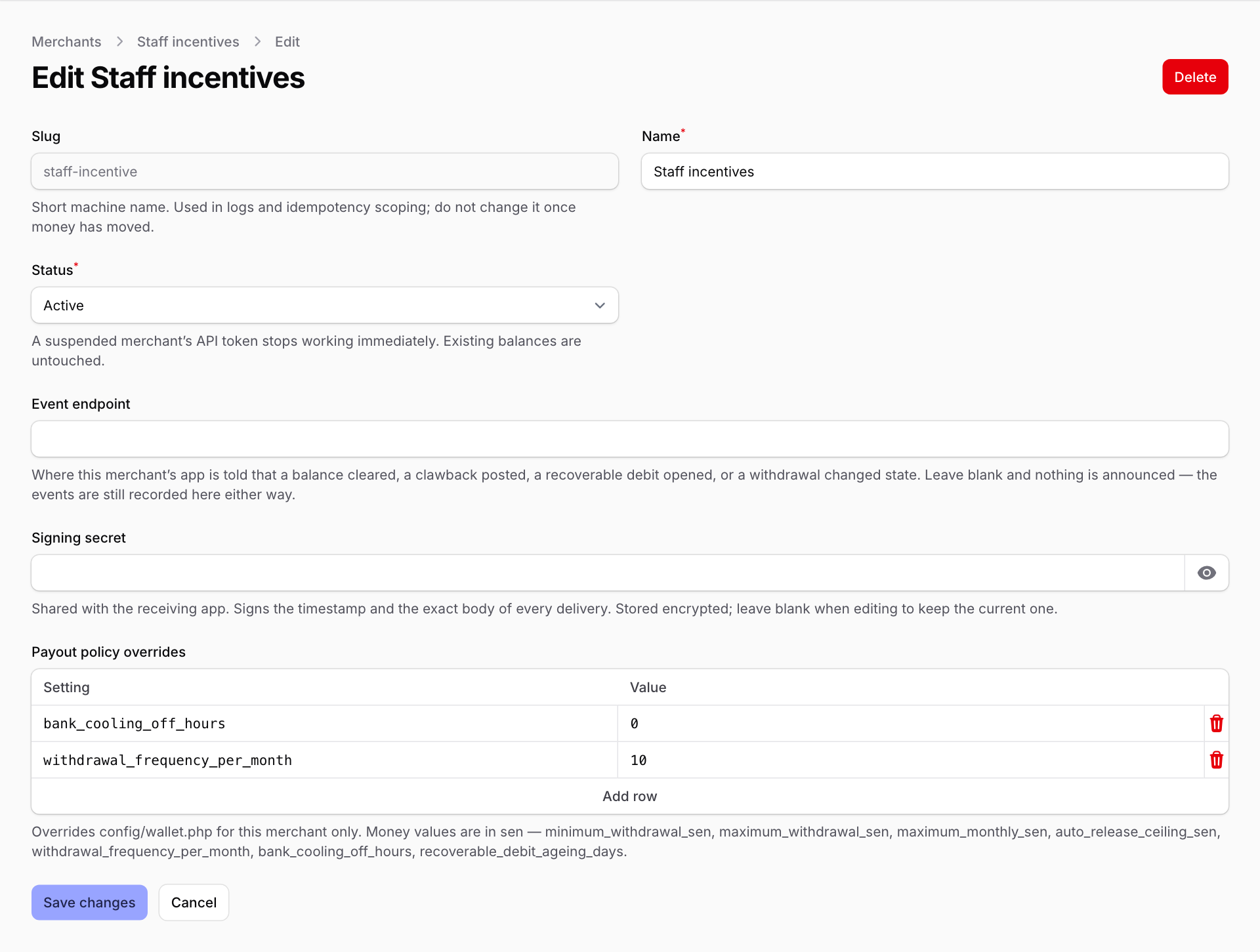
- Status: choose Suspended to stop that app using the wallet at once, for example if its password may have leaked. Balances stay as they are.
- Event endpoint and Signing secret: where the wallet tells the app that something happened (a balance cleared, a withdrawal changed). Your IT team fills these in.
- Payout policy overrides: change the withdrawal rules for this app's staff only. Press Add row, type the setting name exactly as listed under the box, and its value. Money is typed in sen (RM 1 = 100 sen), so RM 50 is 5000. Out of the box the rules are:
- smallest withdrawal RM 50 (
minimum_withdrawal_sen) - largest withdrawal RM 5,000 (
maximum_withdrawal_sen), and RM 10,000 a month (maximum_monthly_sen) - 4 withdrawals a month (
withdrawal_frequency_per_month) - no withdrawal until 24 hours after a bank account is added or changed (
bank_cooling_off_hours) - a debt older than 90 days is flagged to Finance and HR (
recoverable_debit_ageing_days)
- smallest withdrawal RM 50 (
Press Save changes when done.
A new app's sign-in details are not made on this screen. Your IT team creates them, and the secret is shown to them once.
Roles
- Open Roles in the menu, under Filament Shield.
- Press New Role, type a Name (for example "Finance"), tick what the role may do, and save. Then your IT team gives the role to people.
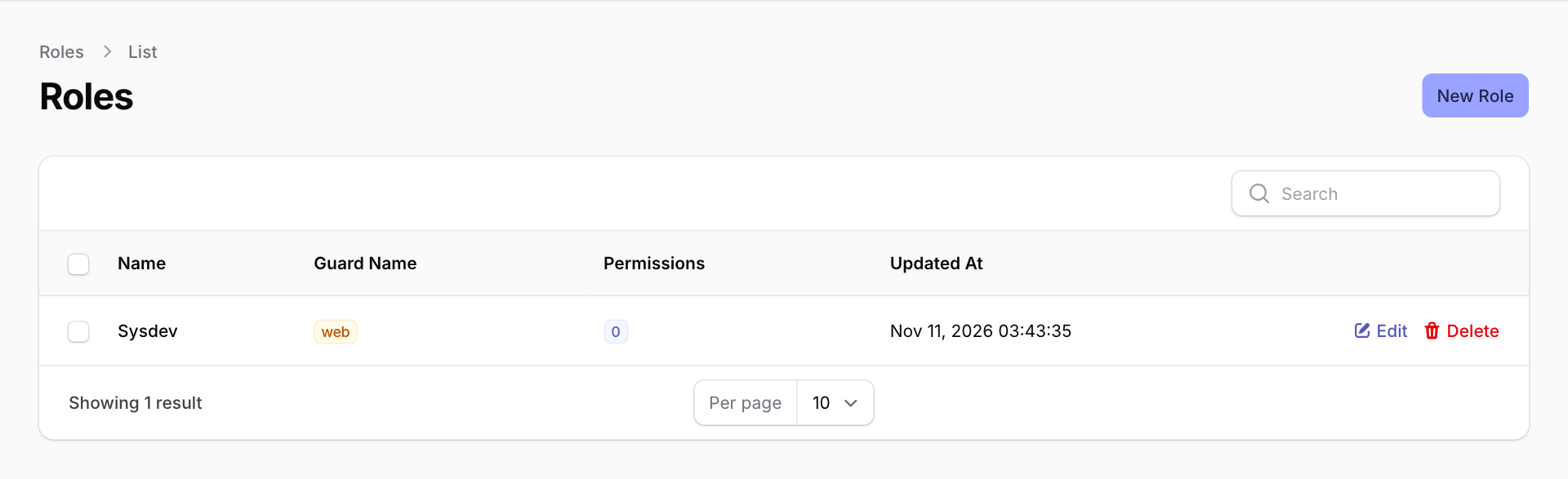
Sysdev is the built-in role that can do everything.
Today, the ticks in a role only change the voucher screens (Vouchers, Voucher Packages, Voucher Setups and Voucher Types). Every other screen, including Withdrawals, Wallets, Merchants and Roles, opens for anyone who can sign in to the wallet admin screens, whatever their role. So only give a wallet sign-in to people who should see money.