What it is for
For: Everyone
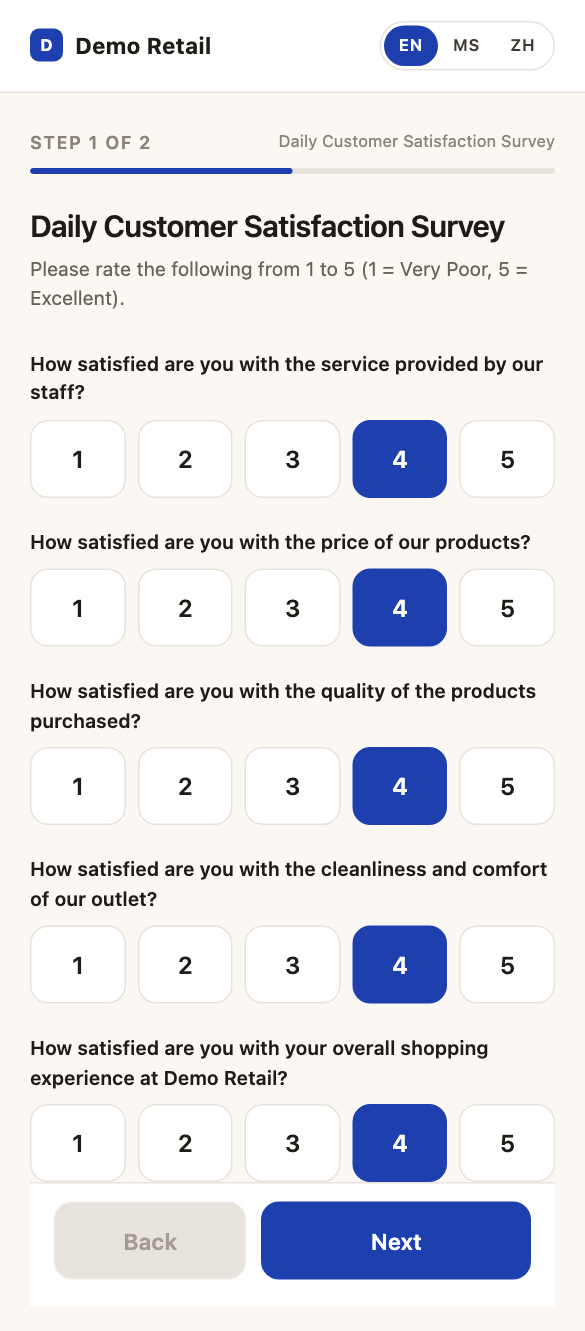
Whole guide as PDF (1 MB)Customer feedback collects short surveys from customers. A customer scans the QR code at an outlet or on their receipt, rates five things from 1 to 5 (staff service, price, product quality, the outlet, and the visit overall), and can leave a comment and a phone number. Staff read the answers here and see how each outlet is doing. When a customer is unhappy, the module opens a ticket in Customer service so someone can call them back.
Who uses it
Your role is shown under Roles on the Users screen.
| Role | What they can do |
|---|---|
| super_admin (Super Admin) | Everything, for every outlet, including outlets, users, roles and the Data Analyst. |
| admin (Admin) | For their own outlets: read and export answers, check the AI's verdicts, see which customers were sent to Customer service, change the survey, make and schedule reports, change the branding, and read the Audit log. |
| auditor (Auditor) | For their own outlets: read and export answers, make reports, and read the Audit log. They cannot change anything. |
A Super Admin can change what each role includes, so yours may differ.
What it needs from other modules
- You sign in with your company account through the Portal. There is no separate password.
- Unhappy customers are sent to Customer service as tickets. Without it, nobody is told to call them back.