Change the survey
For: Admins
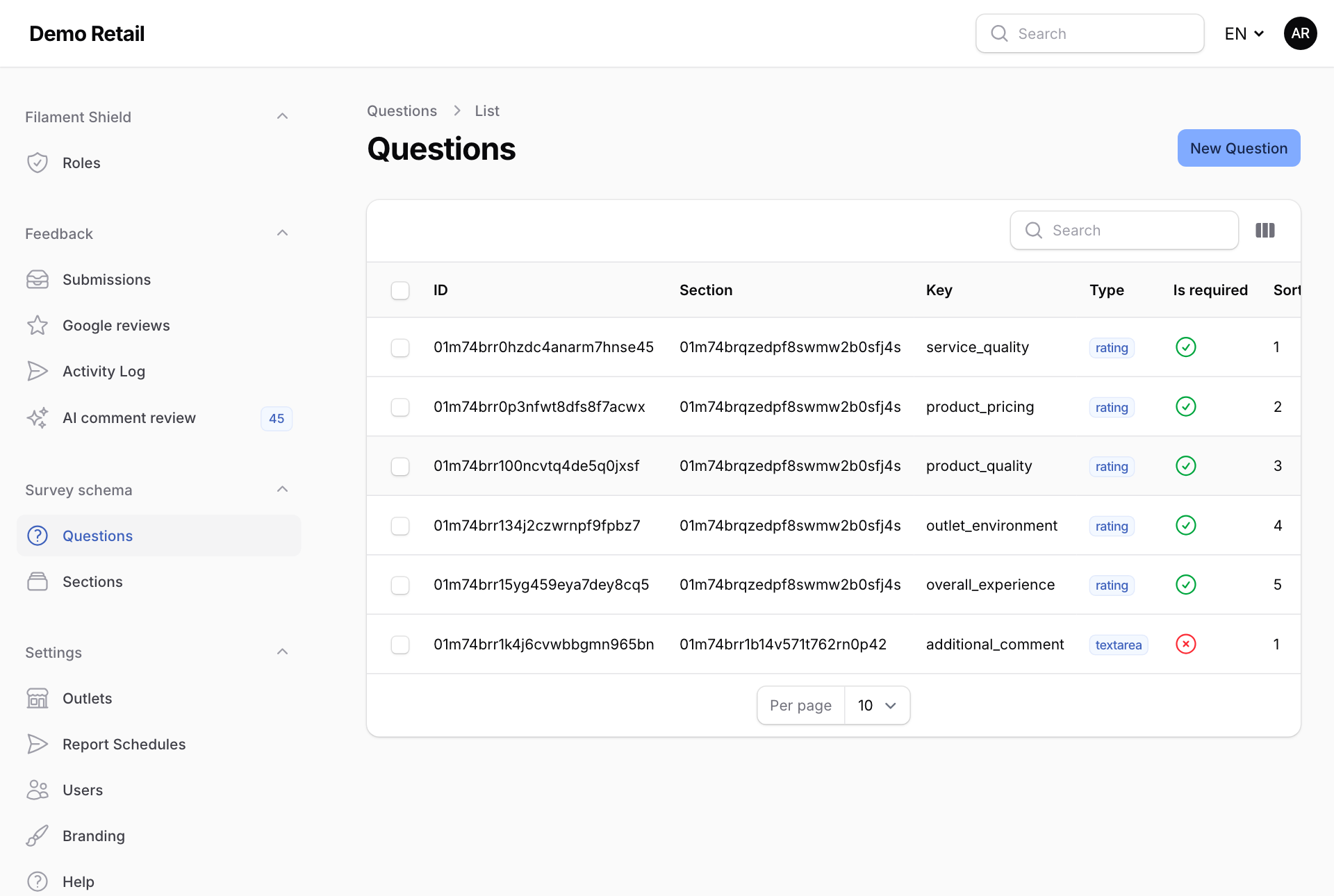
Whole guide as PDF (1 MB)The survey is made of Sections (the steps the customer goes through) and Questions inside them. Both are under Survey schema in the menu on the left.
- Open Questions. Each question is listed with its section, its Key (its short code name) and its Type.
- Press a question, then Edit.
- You can change its section, whether it is Required, its Sort order (its place in the step), its Type, and the lowest and highest score or the longest answer allowed.
- Press Save changes. Customers see the change straight away.
What you cannot change here
- The wording of a question is not on this screen. It is kept in the module's language files, in English, Malay and Chinese. Ask your technical team to change it.
- Do not change the Key of an existing question. The dashboard and reports find each question by its key, so they would stop counting it.