Check what the AI decided about a comment
For: Admins
Whole guide as PDF (1 MB)Every customer comment, in any language, is read by an AI (a computer program that reads text). It decides whether the comment is a complaint and how serious it is. If it is a complaint, a ticket goes to Customer service. A person should check its work.
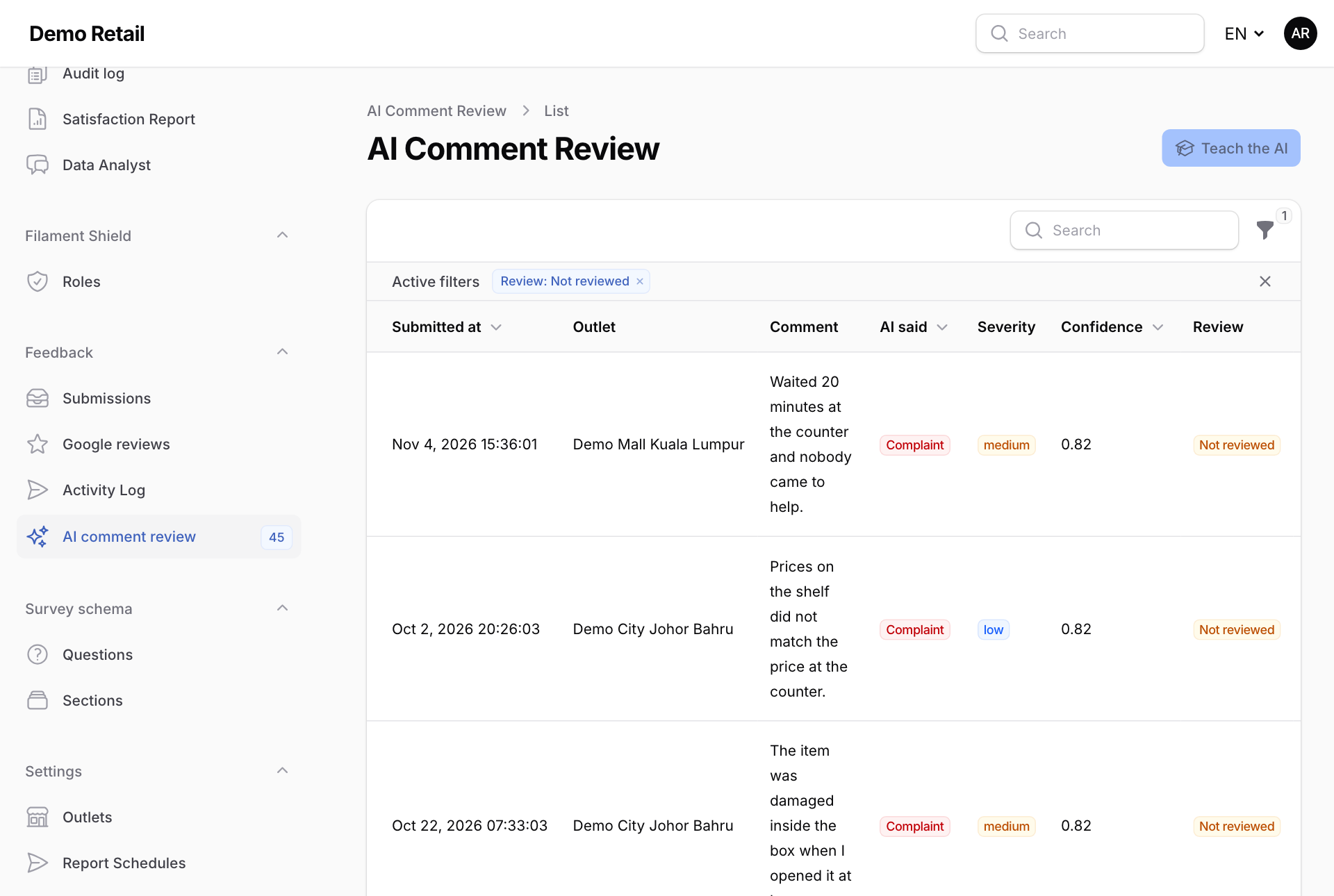
- Open AI comment review under Feedback. The number next to it is how many comments still need checking.
- Read the comment, and what the AI said under AI said, Severity and Confidence.
- If the AI got it right, press AI was right.
- If not, press Correct the AI.
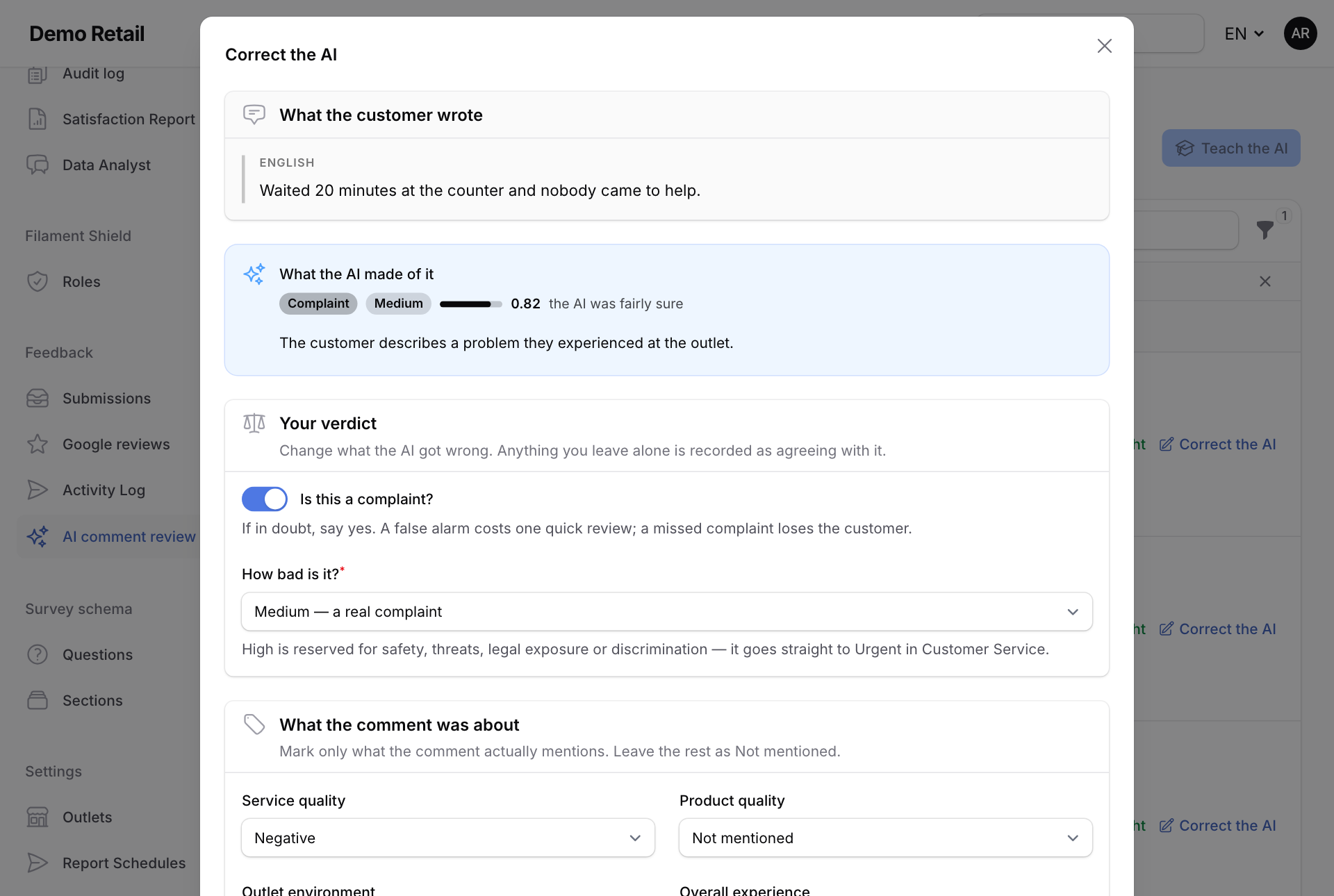
- Under Your verdict, set Is this a complaint? and How bad is it?, and mark what the comment was about. Anything you leave alone counts as agreeing with the AI.
- Optionally, write one line under Why the AI was wrong (optional). Press Save correction.
Rules of thumb
- If in doubt, say it is a complaint. A false alarm costs one quick check. A missed complaint loses the customer.
- If you mark as a complaint a comment the AI missed, a Customer service ticket is raised straight away.
- High is only for safety, threats, legal issues or discrimination. It goes straight to Urgent in Customer service.
- A comment about price alone never raises a ticket.
Teach the AI
Once corrections have built up, press Teach the AI at the top right. The AI is re-tested against comments people have already checked, and the new version is only used if it still catches at least 90% of complaints in every language. If it fails, nothing changes. It takes a minute or two.
If the screen says The AI is in offline mode, comments are being read by a fixed word list instead of the AI. It cannot learn. Your corrections are still saved. Ask your administrator to switch the AI on.