See which customers were sent to Customer service
For: Admins
Whole guide as PDF (1 MB)A survey becomes a ticket in Customer service when either:
- one of the four service scores (staff, product quality, outlet, overall) is 2 or lower, or
- the comment is read as a complaint.
A low score for price on its own never raises a ticket.
To see every ticket that was sent, open Activity Log under Feedback. Each row shows the outlet, the Status, Why it was sent, and the Customer Service ticket number to look up there.
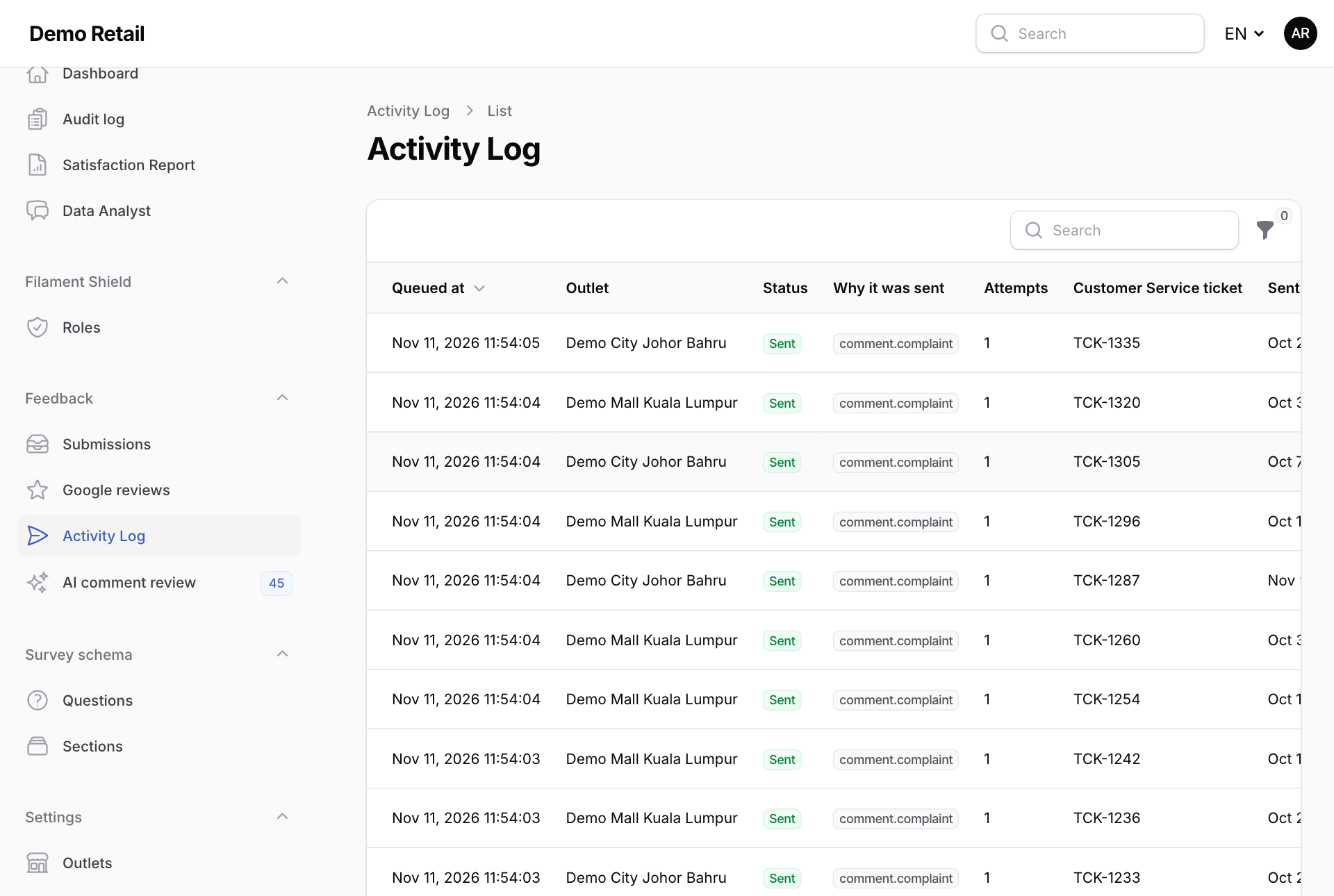
If a row shows an error under Last error, the ticket did not reach Customer service. The module tries again on its own a few times.
Why didn't a low survey raise a ticket?
Because no service score was 2 or lower and the comment was not read as a complaint. If you think the AI missed a complaint, correct it under AI comment review. That raises the ticket.