Read survey answers
For: Everyone
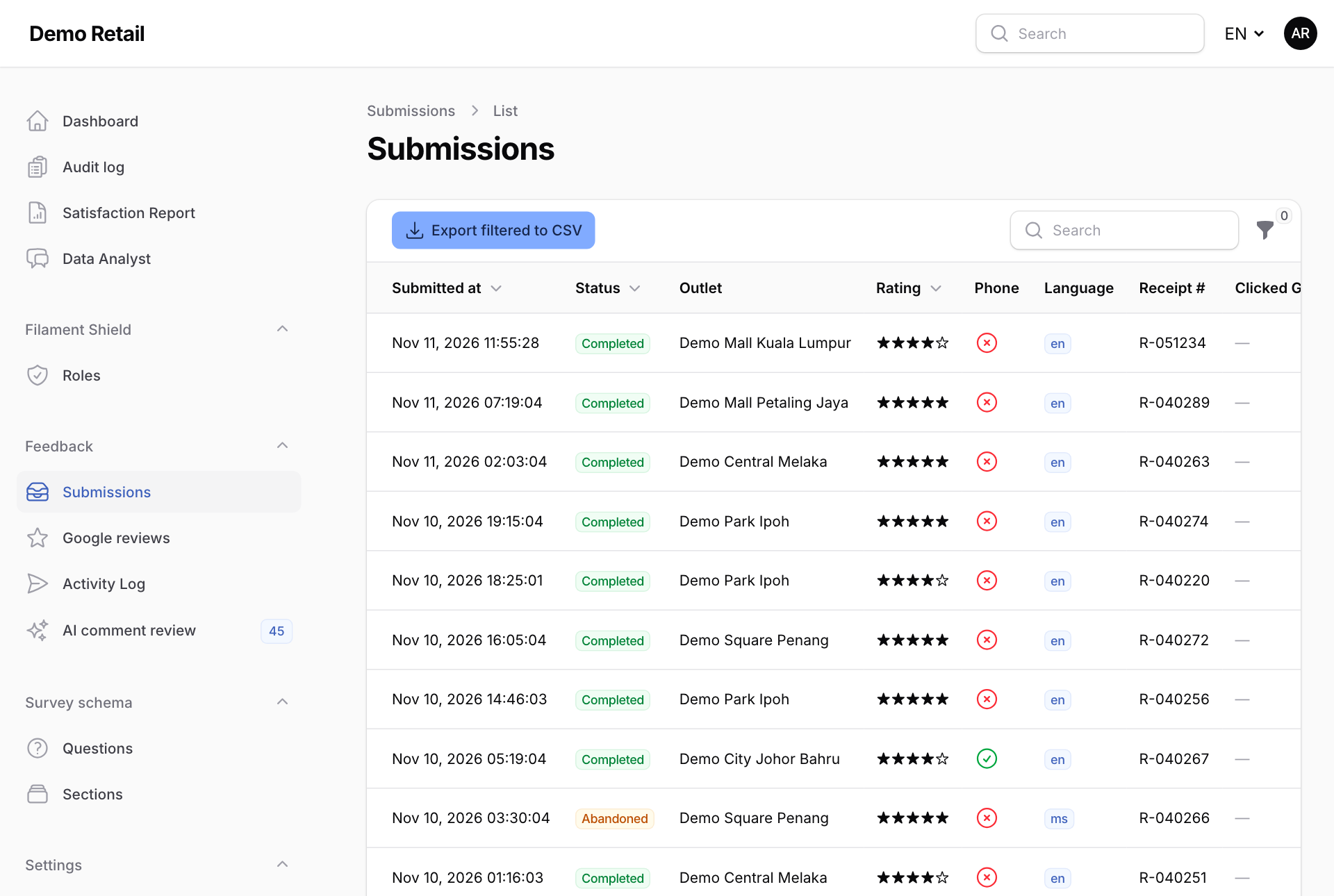
Whole guide as PDF (1 MB)- Open Submissions under Feedback in the menu on the left. Each row is one customer's survey, newest first.
- Status shows Completed, or Abandoned when the customer left before the end.
- Press the filter icon above the list to narrow it by date, status, rating, language, outlet, whether the customer left a phone number, or whether they opened the Google review link.
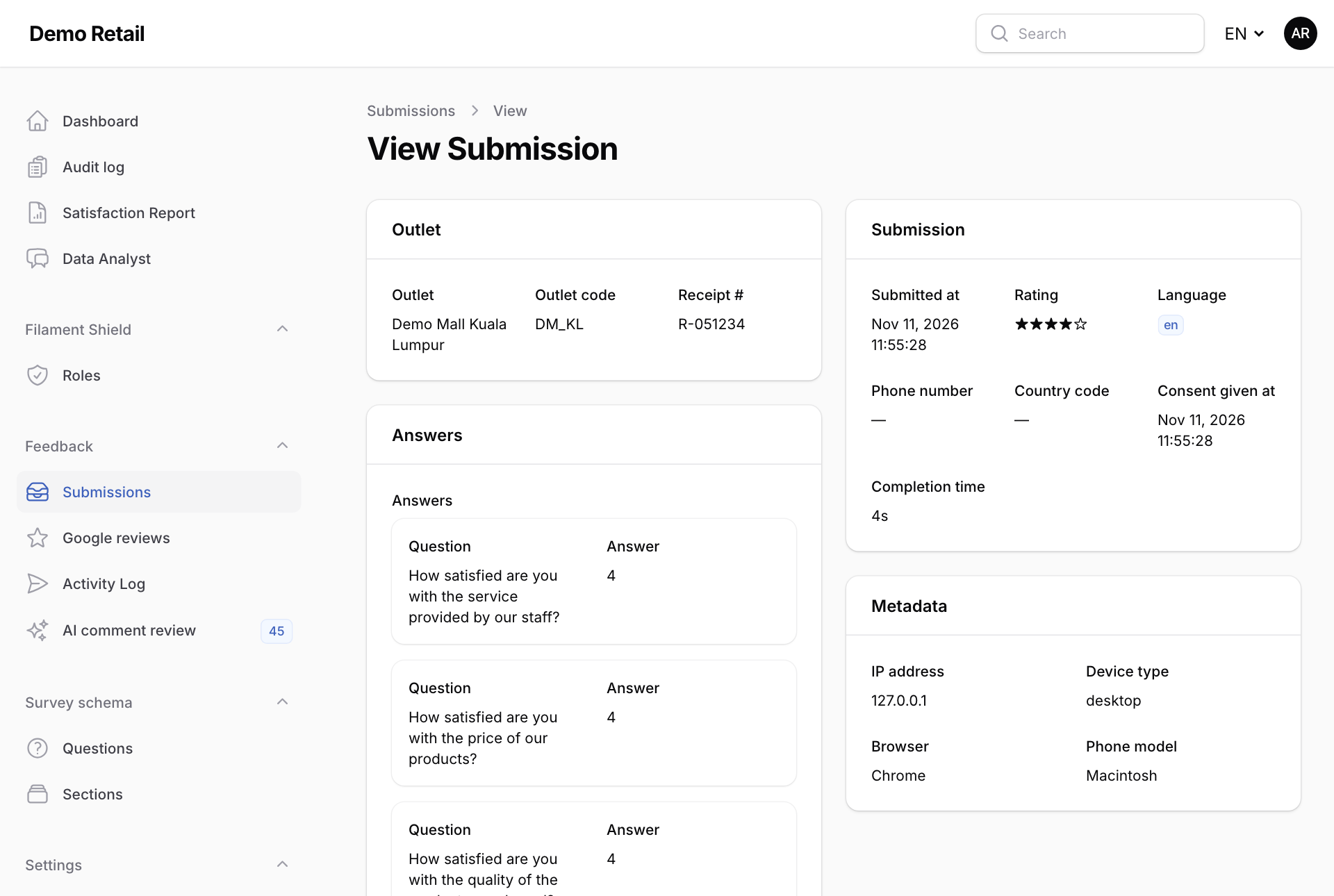
- Press a row to see every answer, the outlet, the receipt number and the language the customer used.
Export to a spreadsheet
Filter the list first, then press Export filtered to CSV. A CSV file opens in Excel or Google Sheets. One export holds at most 10,000 rows. If you reach that, narrow the filter.
Nobody can edit or delete a survey. They are the customer's own words and stay as sent.