Send reports automatically
For: Admins
Whole guide as PDF (1 MB)A report schedule sends the satisfaction report to chosen people every day, week or month, by WhatsApp.
- Open Report Schedules under Settings.
- Press New Report Schedule.
- Give it a Name and choose the Frequency: Daily, Weekly or Monthly.
- Set the Send time (Malaysian time). The report goes out within 15 minutes after it.
- Choose Outlets, or leave it empty to cover all outlets.
- Choose the Recipients. A person with no phone number on their account is skipped.
- Keep Active switched on and press Create.
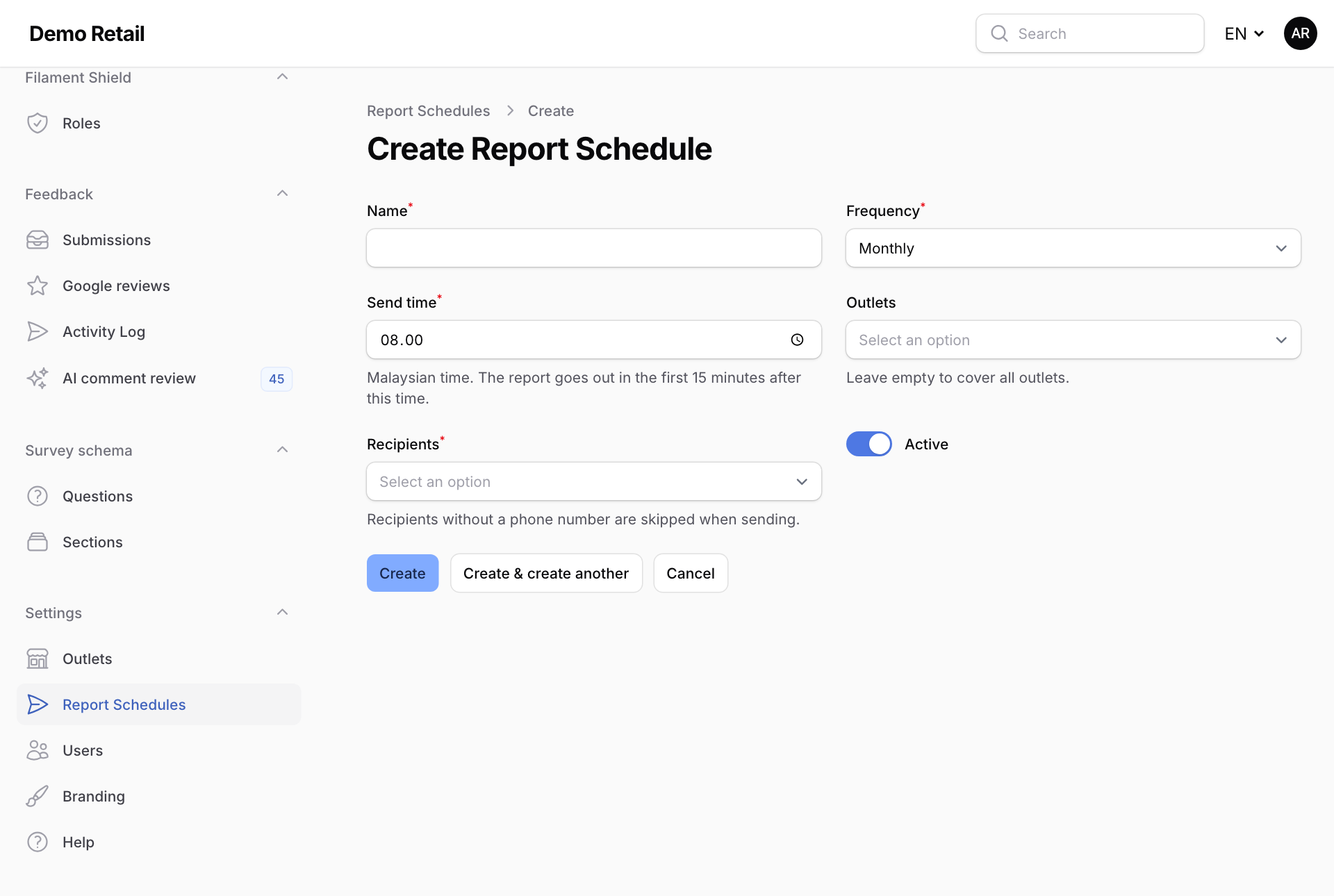
To pause a schedule without deleting it, open it and switch Active off.