Your first time in the staff app
For: Staff
Whole guide as PDF (2 MB)- Open the staff app on your phone and sign in with your company account.
- The first screen is Before you start: what the app holds about you, why, and for how long. Read it.
- Tick I have read this and I understand what is held about me and why, then press Agree and continue.
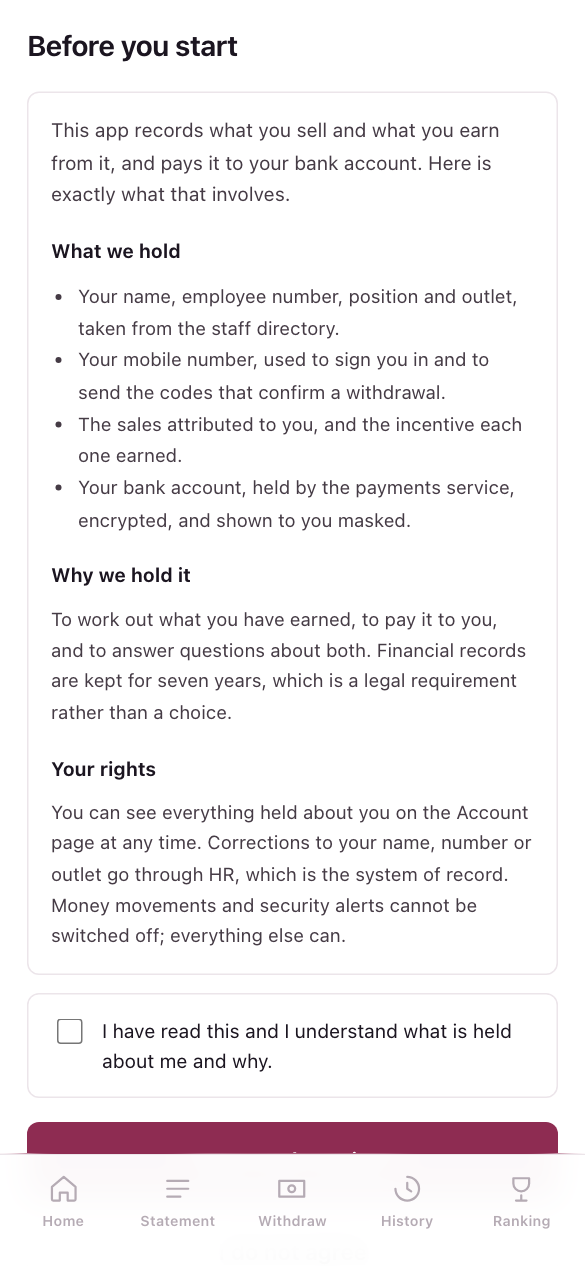
If you press I do not agree, you are signed out. You can still be paid: speak to HR, who will arrange it outside the app. If the wording of the notice changes, everyone is asked again.
Put it on your home screen
In your phone's browser menu, choose Add to Home Screen. The app then opens like any other app.
The menu at the bottom has Home, Statement, Withdraw, History and Ranking, plus Awards while a prize is running for you. Press the circle with your initials on Home to open your Account.