Withdraw your money
For: Staff
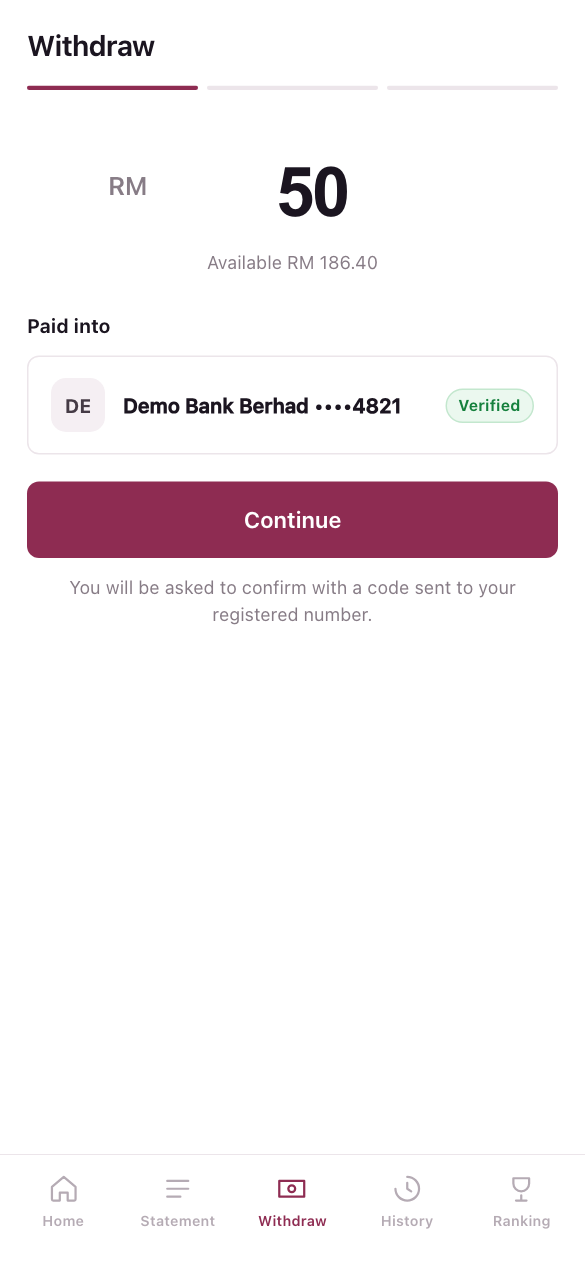
Whole guide as PDF (2 MB)- Press Withdraw in the menu.
- Type the amount, up to your available balance.
- Check the bank account under Paid into.
- Press Continue.
- A 6-digit code is sent to your registered phone number. Type it in.
- Press the button that confirms the amount, for example Withdraw RM 50.
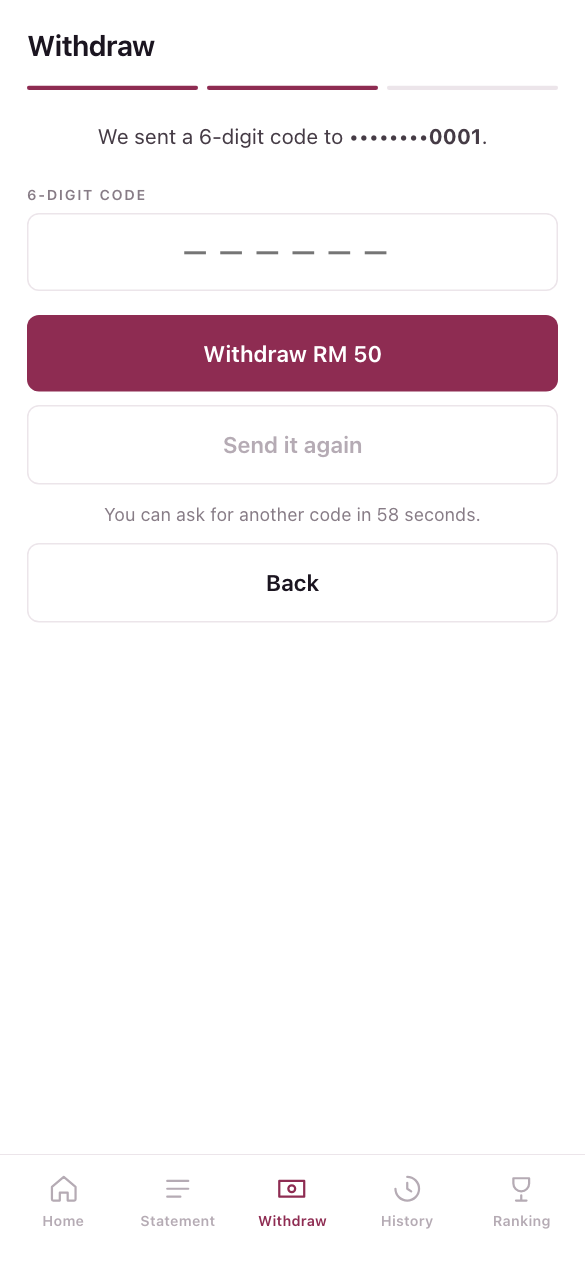
The code expires after a few minutes. If it does not arrive, wait for the countdown, then press Send it again. If you type it wrongly, the screen tells you how many tries are left.
Every withdrawal asks for a code. There is no setting that turns this off. Large withdrawals may be checked by Finance before they are paid.