Read your statement
For: Staff
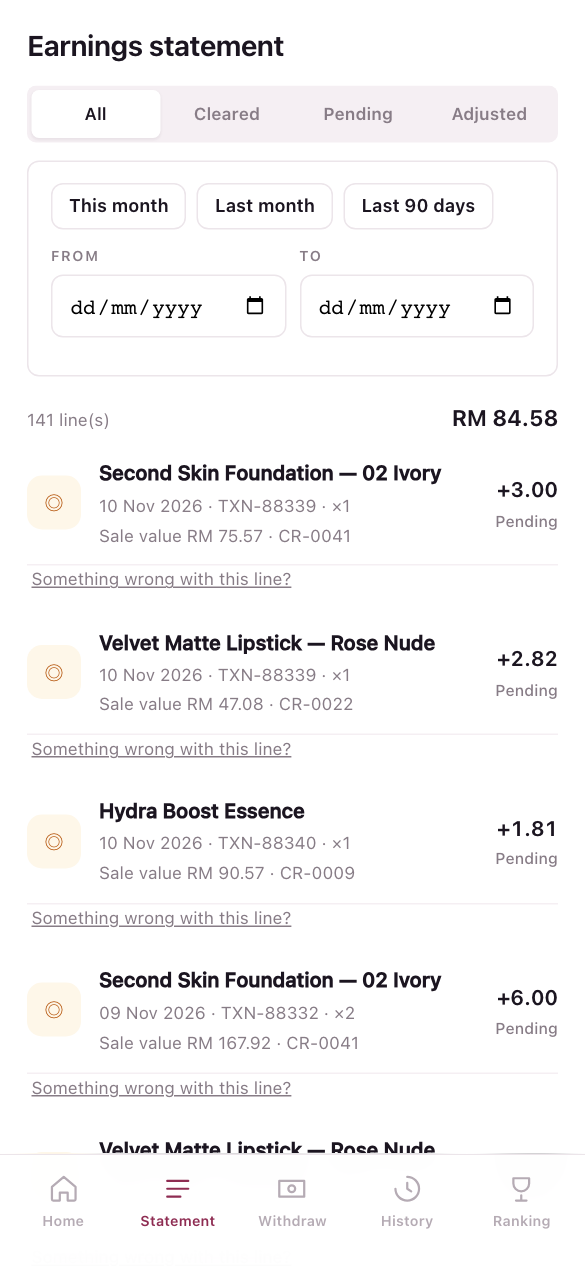
Whole guide as PDF (2 MB)Statement lists every commission line you earned. Each line shows the product, the date, the sale reference, how many you sold, the sale value, the code of the rule that paid it, and the amount.
- Press Cleared, Pending or Adjusted to see only those lines, or All for everything.
- Press This month, Last month or Last 90 days, or pick your own From and To dates.
A line that was reversed or did not qualify stays on the list, so your statement always adds up to your balance.
Something looks wrong
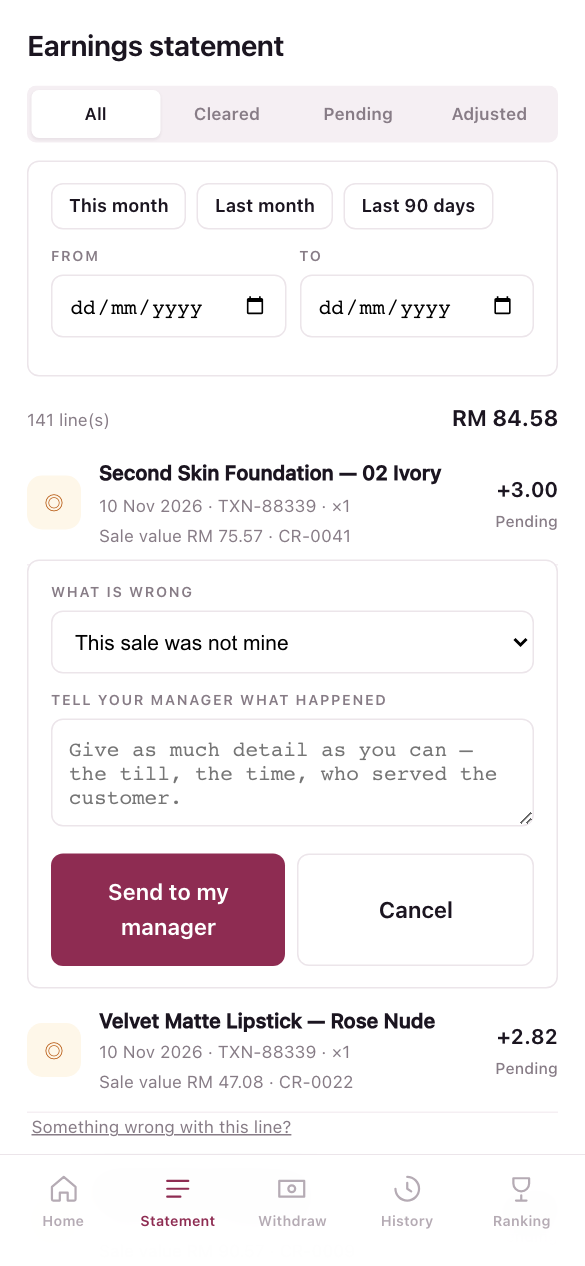
- Under the line, press Something wrong with this line?
- In What is wrong, pick This sale was not mine, A sale of mine is missing or The amount looks wrong.
- Under Tell your manager what happened, give the till, the time and who served the customer.
- Press Send to my manager.
Your outlet manager looks into it and you are told the outcome. Do it soon: a sale that came in without a name can only be given to someone for a limited time.