Find your way around
For: Customers
Whole guide as PDF (2 MB)Home is the first screen after you sign in.
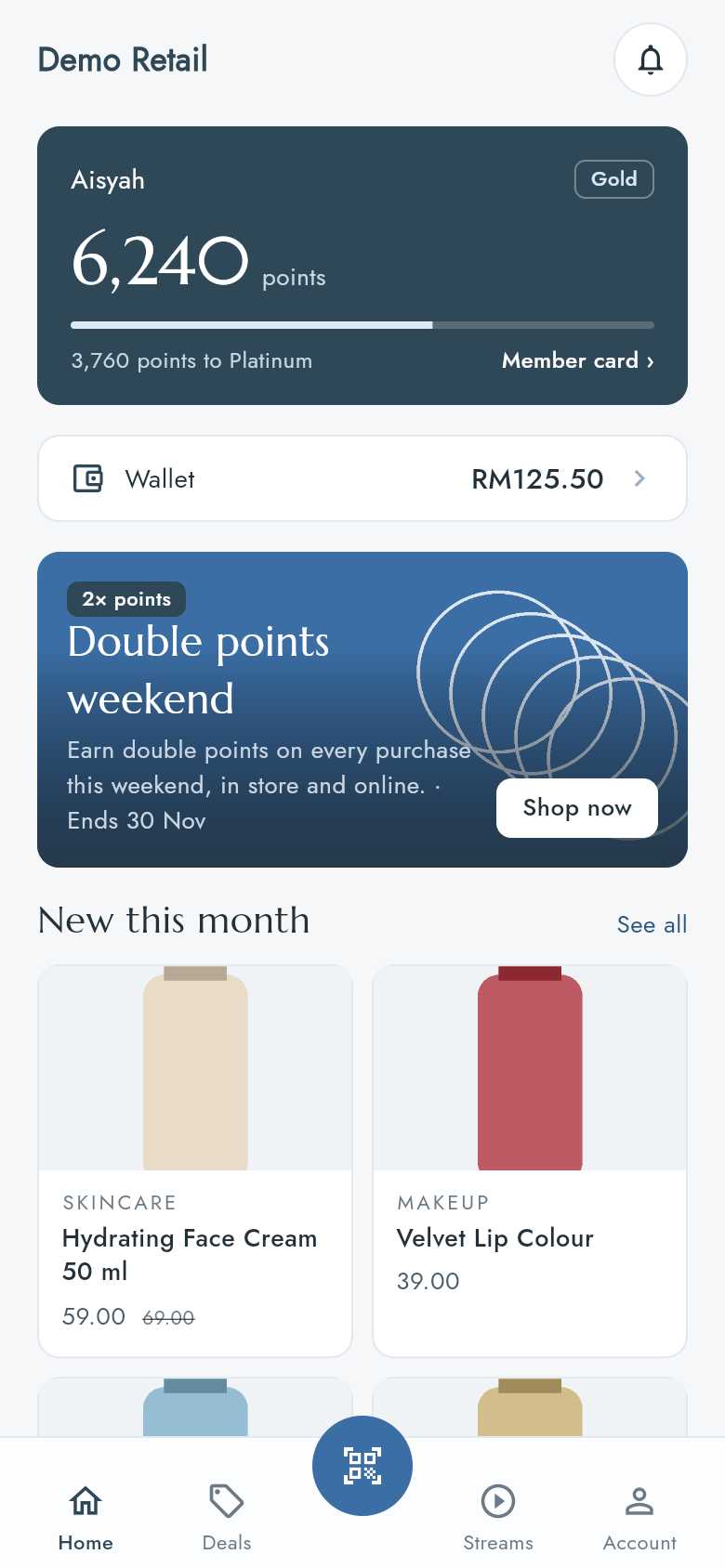
From the top:
- The bell at the top right opens your Inbox (see the last page: it does not show your own messages yet).
- The points card shows your display name, your points, your tier (for example Gold) and how many points you need for the next tier. Press Member card › to open your member QR.
- Wallet shows your wallet balance. Press it to open the wallet.
- The deal banner shows one current deal. Shop now opens the shop.
- New this month shows new products. See all opens the shop.
Pull the screen down to reload it.
The bar at the bottom
| Button | What it opens |
|---|---|
| Home | This screen |
| Deals | All current deals |
| The round button in the middle | Scan, the camera |
| Streams | Your company's videos |
| Account | Your details, member card, vouchers, help and sign-out |