Top up your wallet
For: Customers
Whole guide as PDF (2 MB)The wallet holds money you have paid in. It can only be used with your company.
- On Home press Wallet, or on the Account tab press Manage.
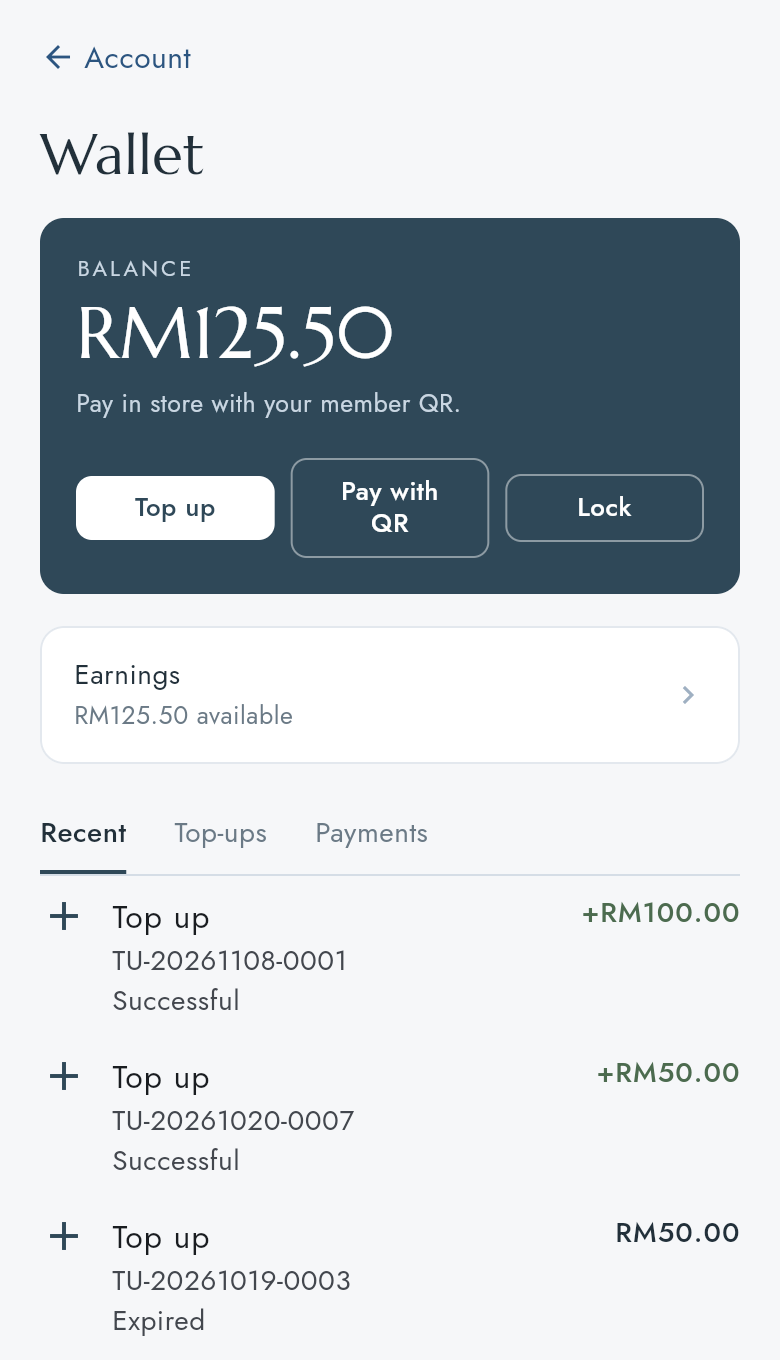
- Press Top up.
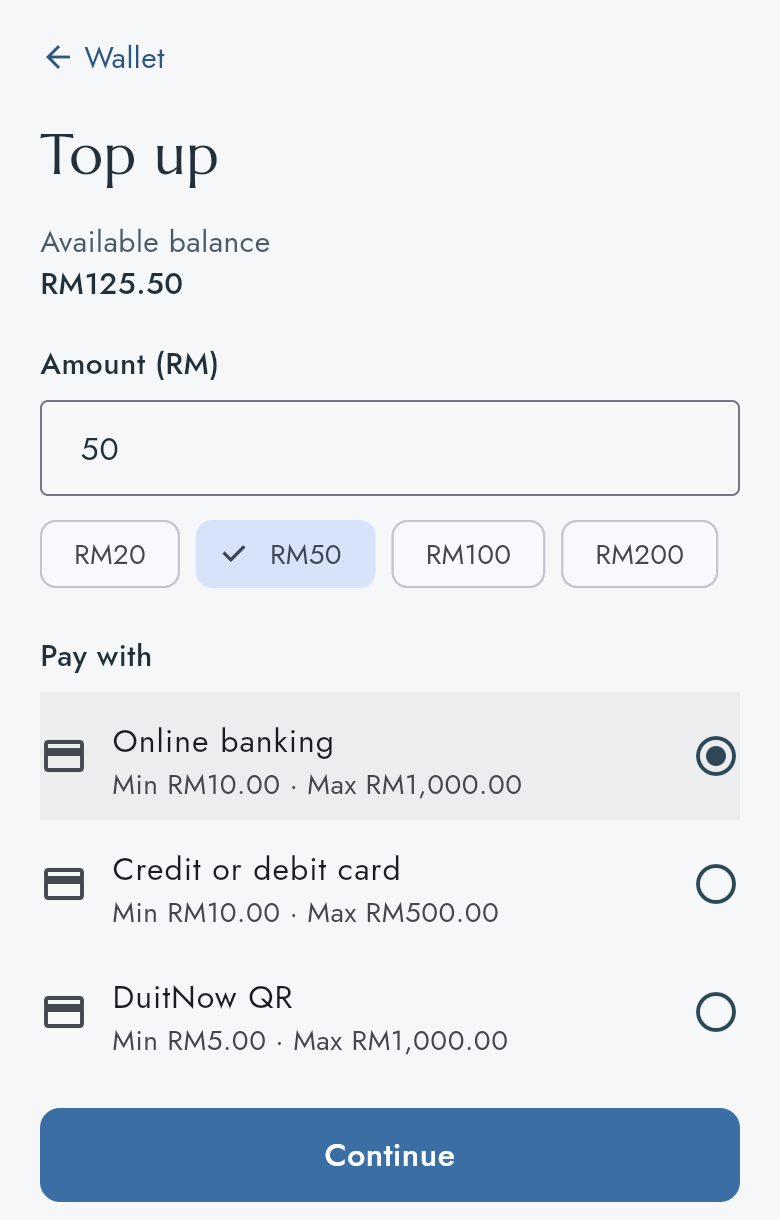
- Type the Amount (RM), or press one of the amounts under it (for example RM50).
- Under Pay with, choose how to pay. Each way shows its lowest and highest amount.
- Press Continue.
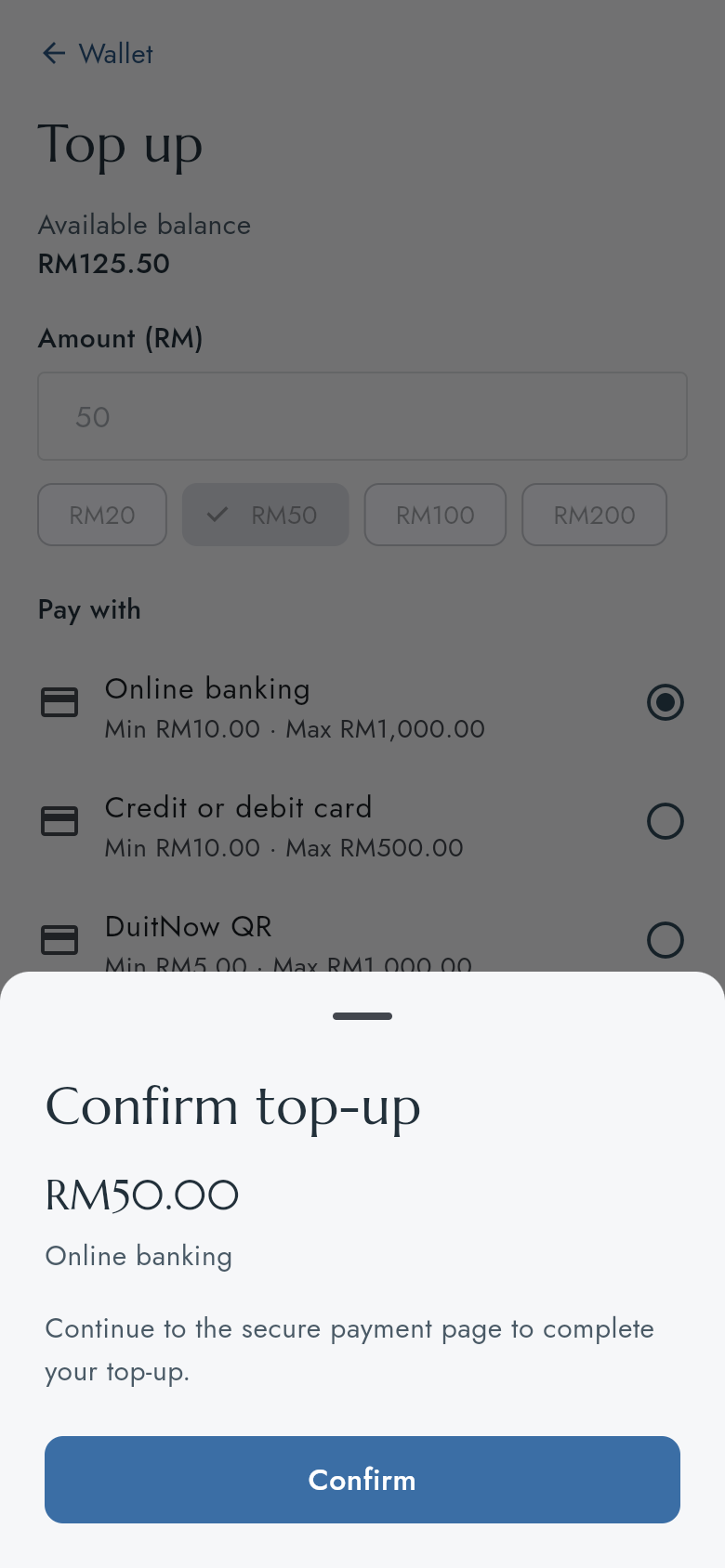
- Check the amount and press Confirm. The payment page of your company's payment provider opens. Pay there.
- Come back to the app. When the payment has gone through, the app returns to the wallet with the new balance.
Check a top-up
The list under the balance shows each top-up with its reference and status: Successful, Pending, Failed or Expired. Press Top-ups above the list to see top-ups only.
A top-up that stays Pending has not been paid yet, or the payment provider has not confirmed it. An Expired top-up was never paid and took no money. If money left your bank but the top-up is not Successful, contact your company with the reference (it starts with TU-).