Lock your wallet
For: Customers
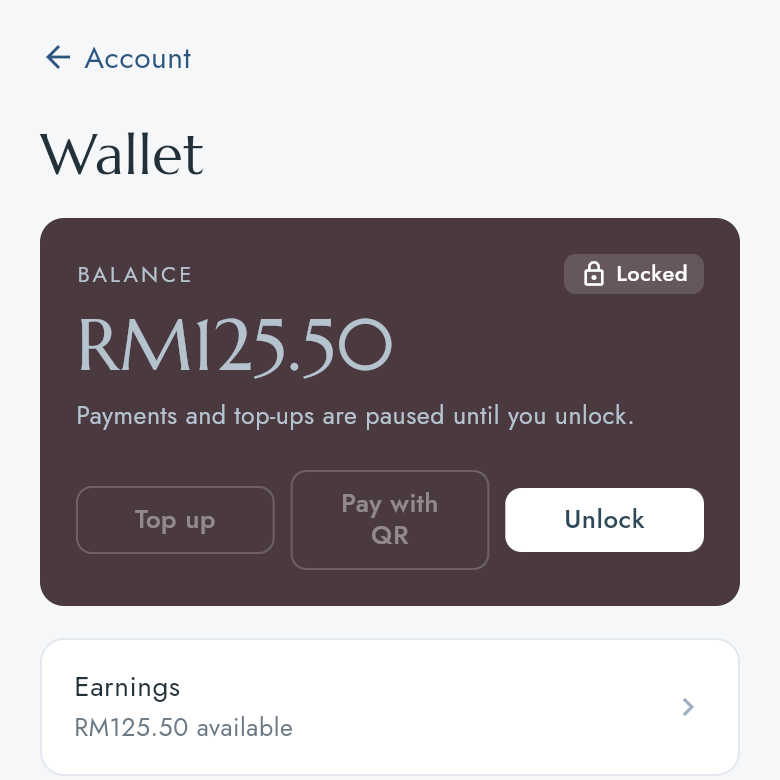
Whole guide as PDF (2 MB)Lock the wallet if your phone is lost or you think someone else is using your account. While it is locked, withdrawals, new bank accounts and voucher redemption are paused, and Top up and Pay with QR cannot be pressed.
Lock it
- Open the wallet (Wallet on Home).
- Press Lock, then Lock wallet.
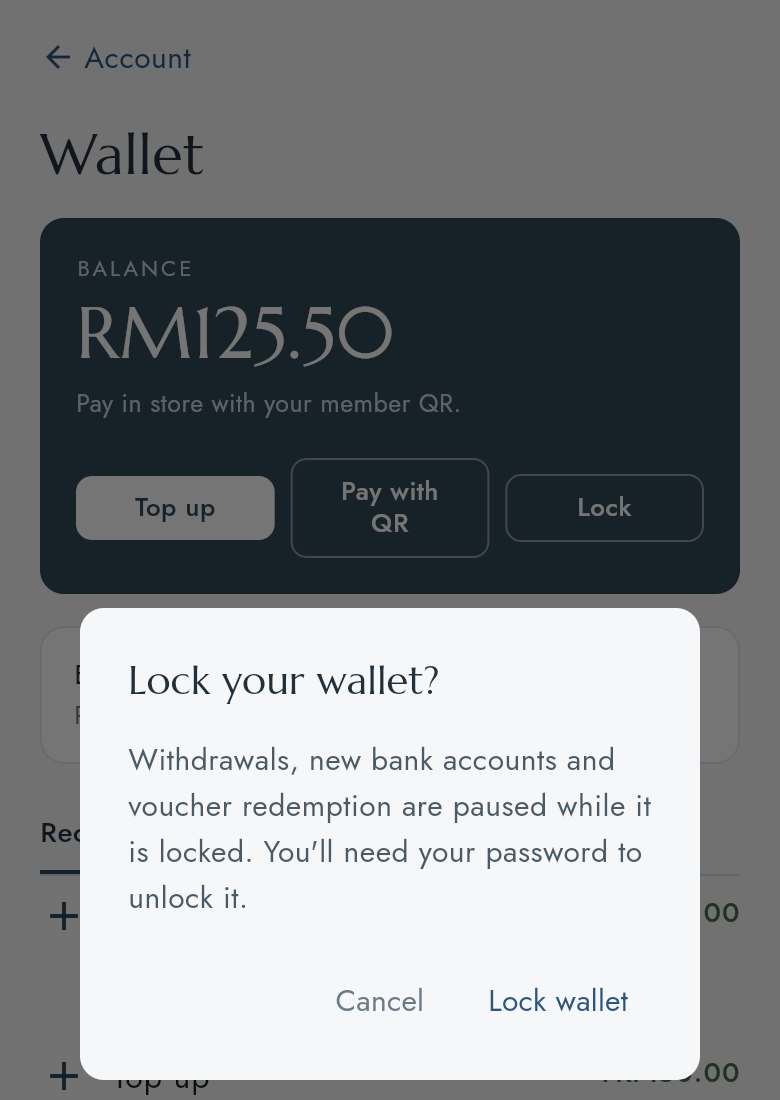
The balance card turns dark and shows Locked.
Unlock it
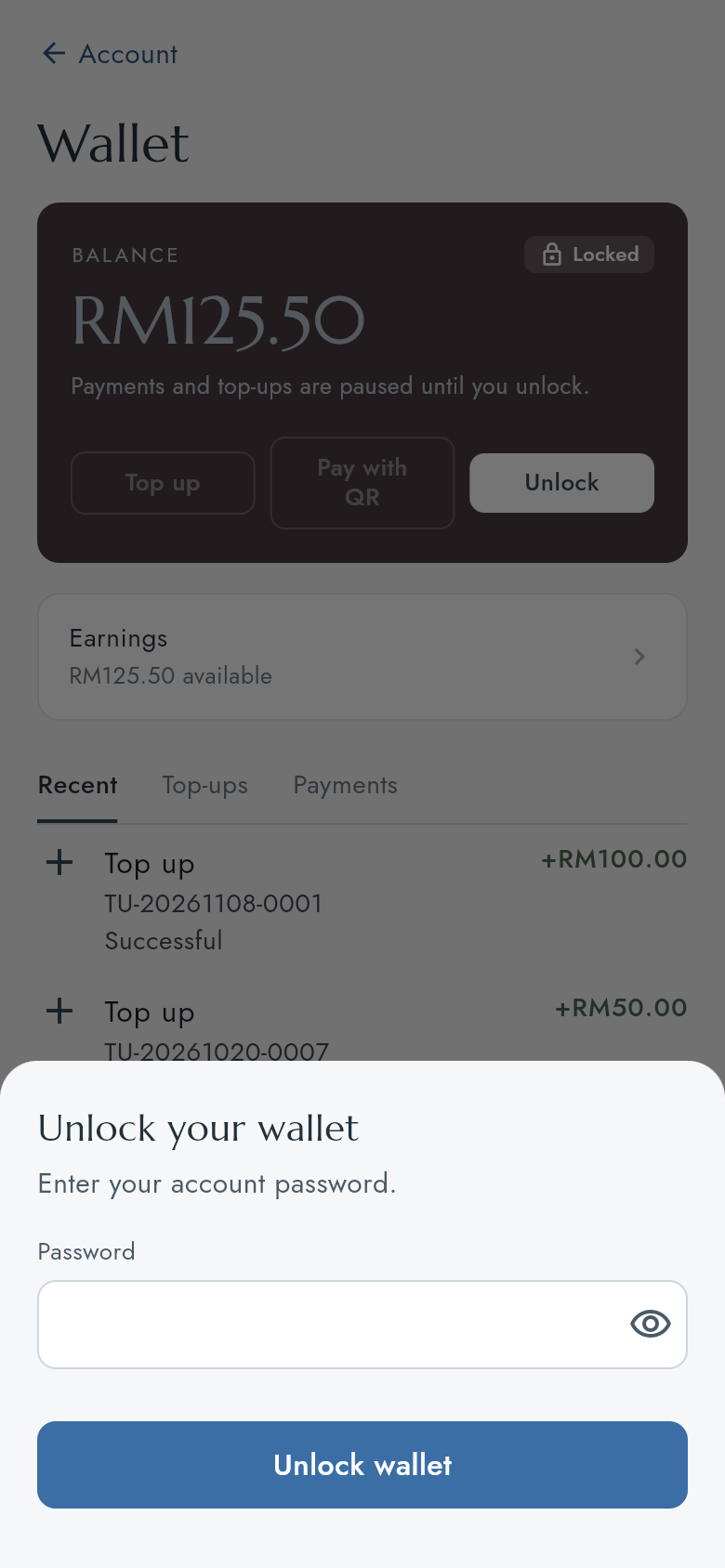
- Press Unlock.
- Type the password you sign in with and press Unlock wallet.
If the app says your wallet was suspended, your company has stopped it. Only your company can lift that. Press Get help or contact them.