Carry out your approved idea
For: Staff
Whole guide as PDF (3 MB)When the Council approves your idea, you are the person who carries it out, by the target date the Council set.
- Open Implementation in the menu. The red number shows how many are waiting.
- Find your idea. Each row shows the status, the owner and the Target date.
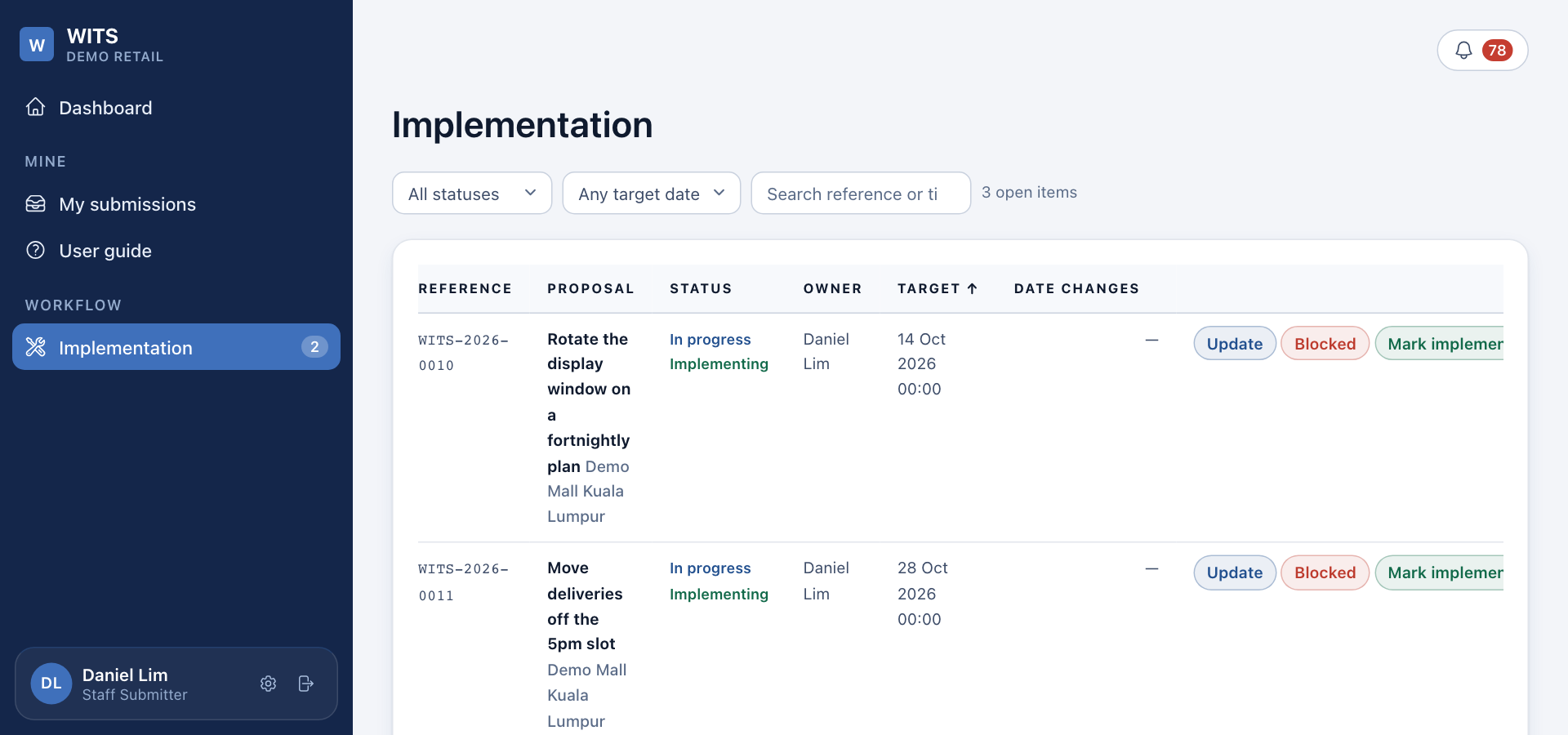
Record progress
- Press Update on the row.
- Write what was done in Remark, and press Update.
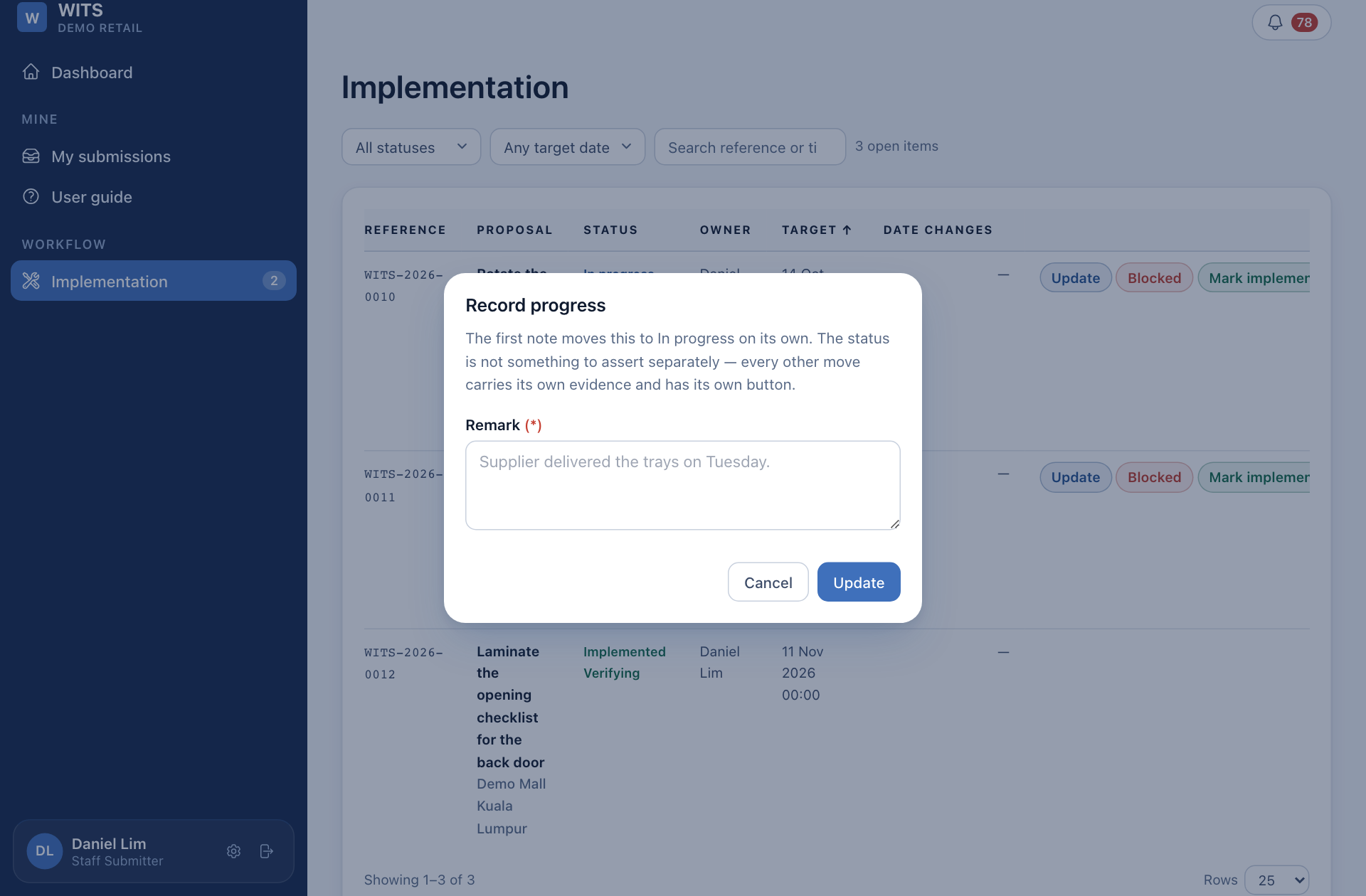
The first update moves the idea to In progress.
If something stops the work
Press Blocked, write the reason, and pick a date to look at it again. When it can carry on, press Resume.
When it is done
- Press Mark implemented.
- Pick the real saving range under Actual annualised saving.
- Write how you measured it under Measurement basis, for example "Timed the lunch queue on four Saturdays".
- Press Mark implemented.
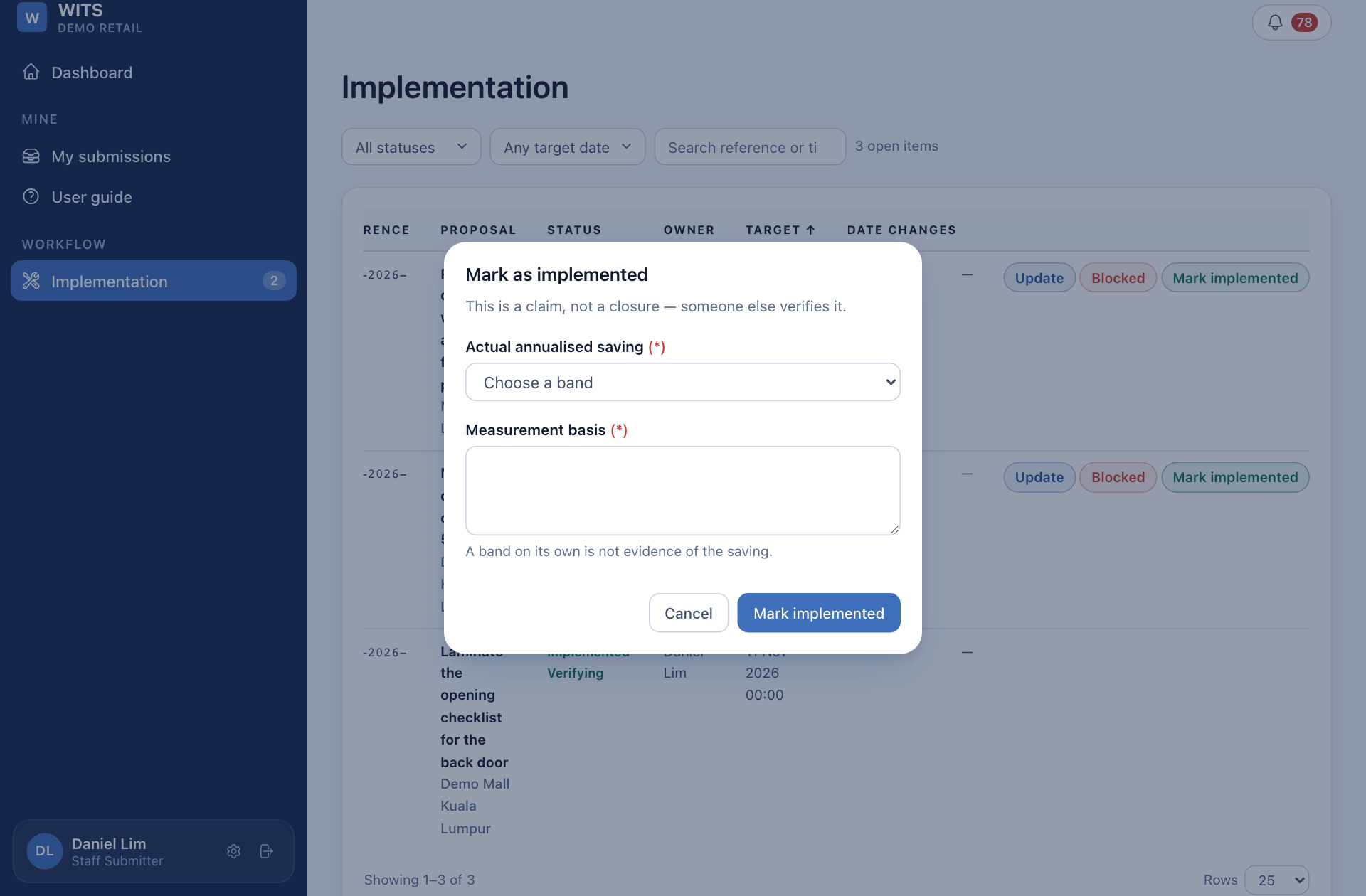
This does not close the idea. A coordinator checks that the change is in use and closes it. See Confirm finished work.
You cannot move your own target date, and you cannot confirm your own work. Ask a coordinator if the date needs to change.