Screen new ideas
For: WITS Coordinators
Whole guide as PDF (3 MB)You see new ideas from the outlets you look after in your staff record. Each one should be screened within the time limit shown on the card (3 working days unless your administrator changed it).
- Open Screening queue in the menu.
- The figures at the top show how many are waiting, how many are late, and the oldest one. Use All outlets to show one outlet.
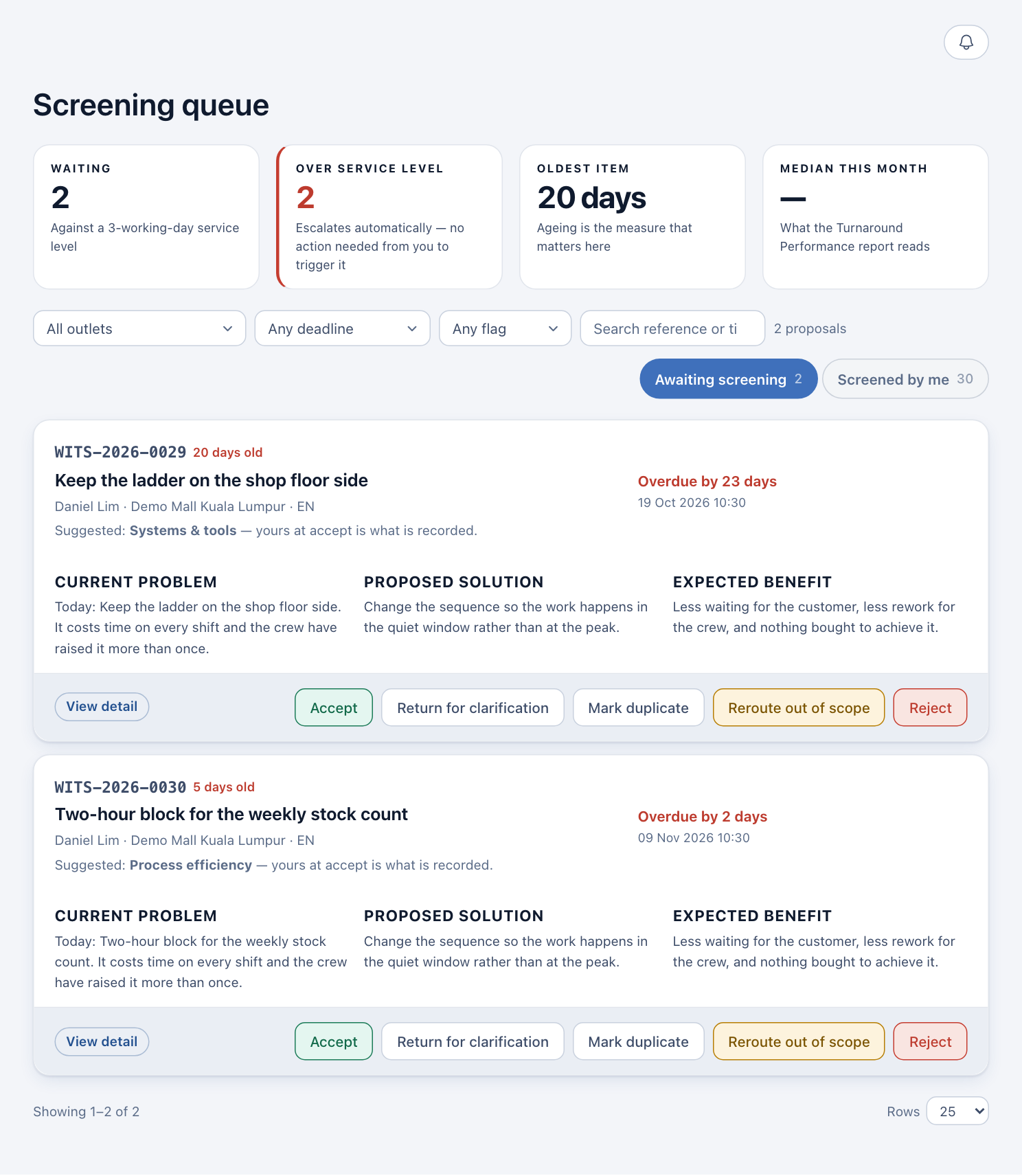
- Press anywhere on a card to read the whole idea as it was written. Press Close to go back.
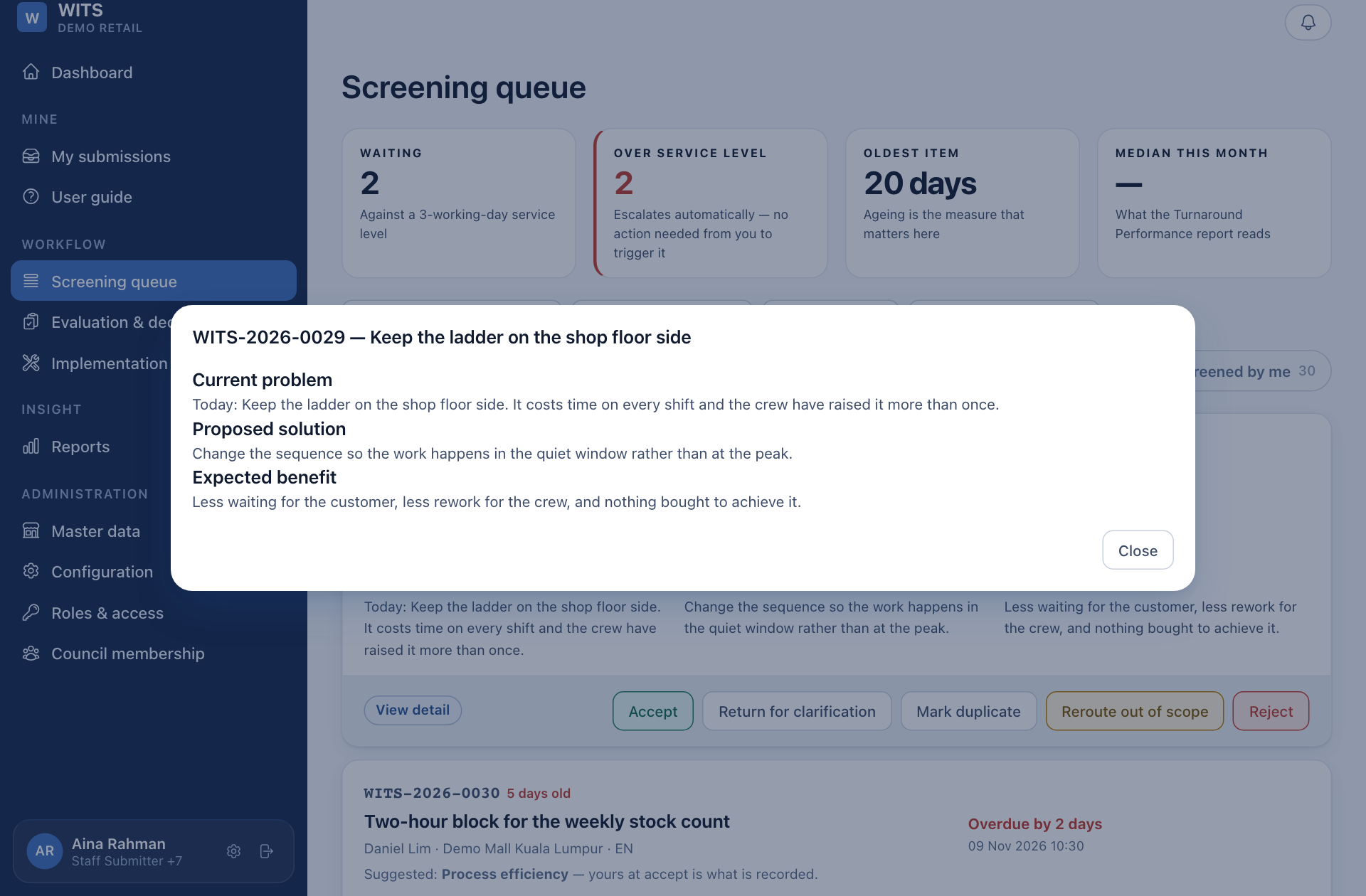
- Press one of the five buttons at the bottom of the card:
| Button | Use it when | The person who raised it is told |
|---|---|---|
| Accept | It is an improvement idea and in scope. | It was accepted, with the category you set. |
| Return for clarification | You need one more detail. | Your question, word for word. |
| Mark duplicate | Someone already raised the same change. | Which idea theirs is linked to. |
| Reroute out of scope | It is an equipment fault or a customer complaint. | Which system now handles it. |
| Reject | It is out of scope or not about improving work. | It was closed as Unqualified, with your reason. |
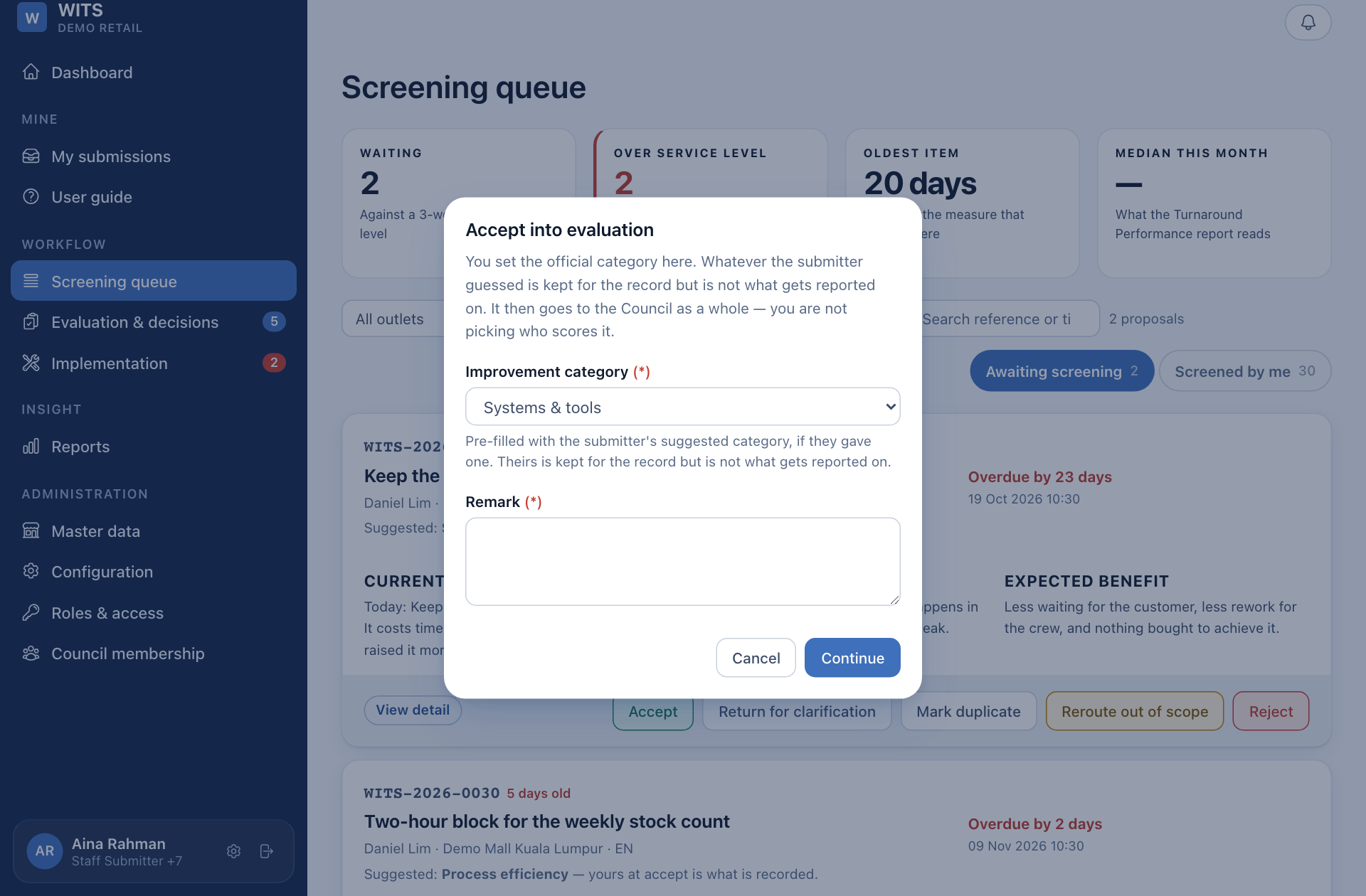
- Fill in the window. Every choice needs a Remark, and the remark is sent to the person who raised the idea. For Accept, also choose the Improvement category.
- Press Continue, check the idea named in the next window, and press the button again to confirm. Press Back to change your mind.
The Screened by me tab lists what you decided and why, after the idea has left the queue.
You cannot screen your own idea. If one of yours is in your queue, ask another coordinator to take it.