Follow your idea
For: Staff
Whole guide as PDF (3 MB)See where each idea is
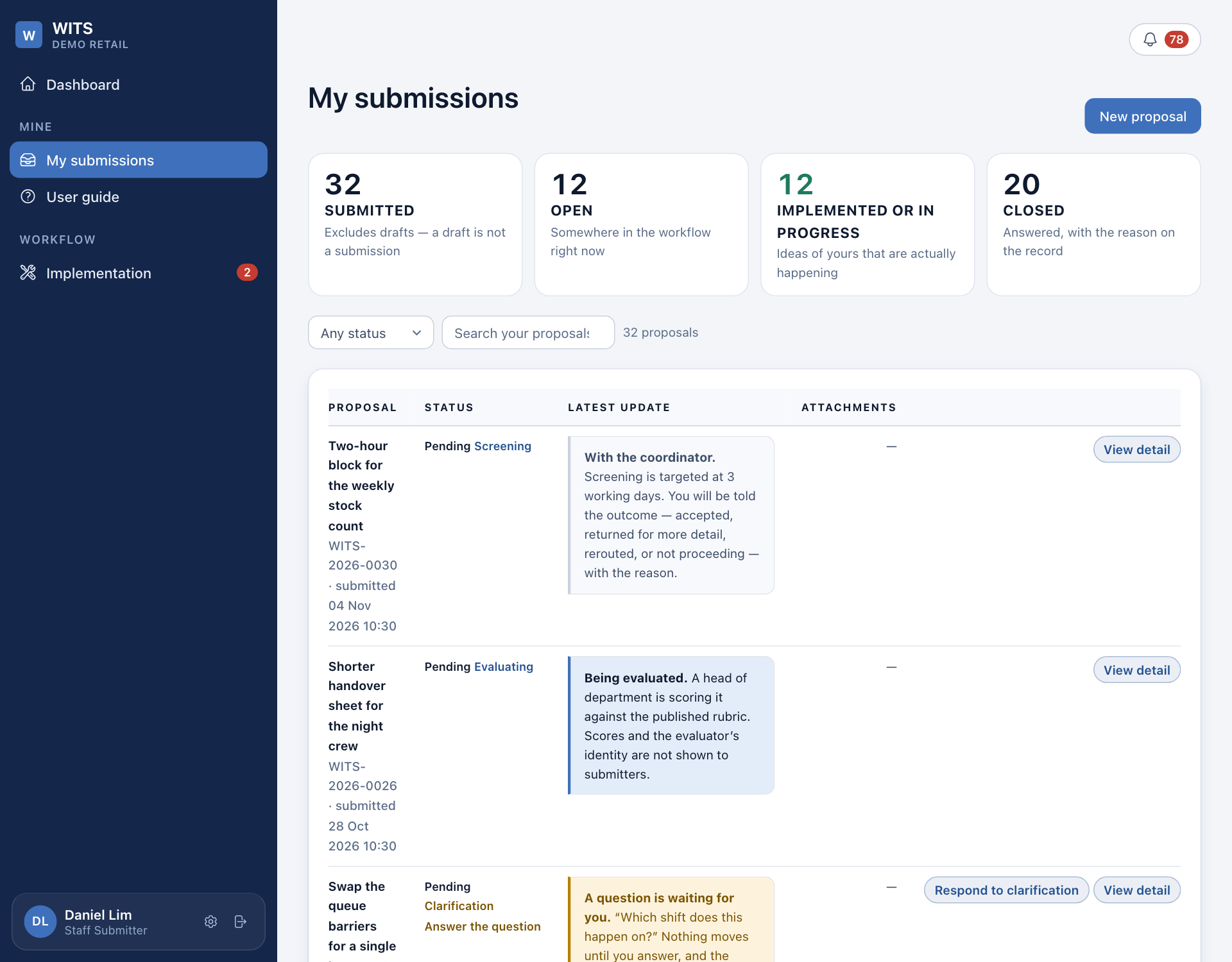
Open My submissions. Each row shows the idea, its status and stage, and the latest update in words. Use Any status to show only one kind, or the search box to find one by name or reference.
Press View detail on a row to see the whole record: what you wrote, the coordinator's questions and answers, the decision with its reason, the work done, and who confirmed it.
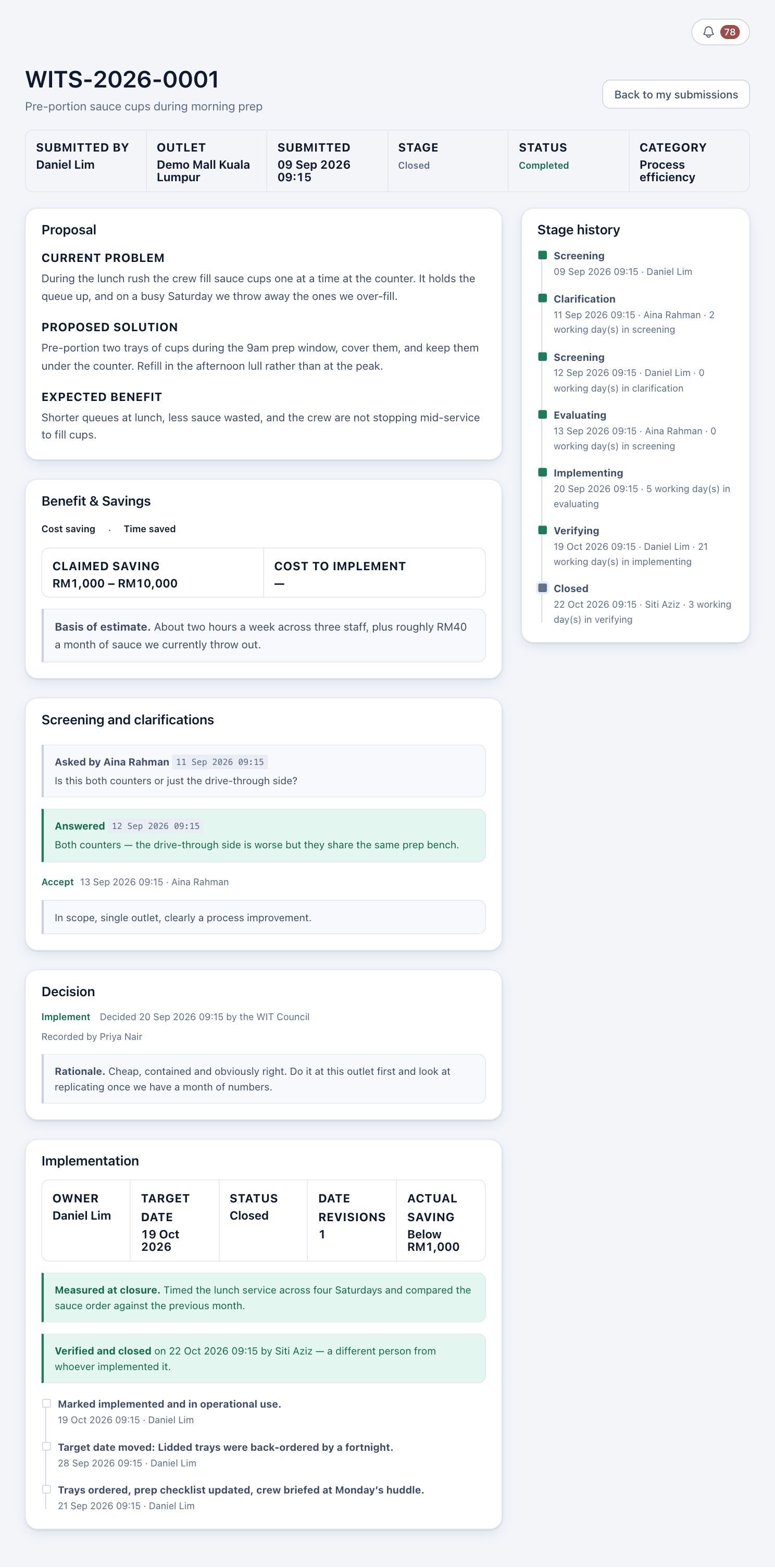
While the Council is scoring your idea, you see the stage Evaluating but not the marks or who is scoring. Once they decide, the reason is shown to you in full.
Notifications
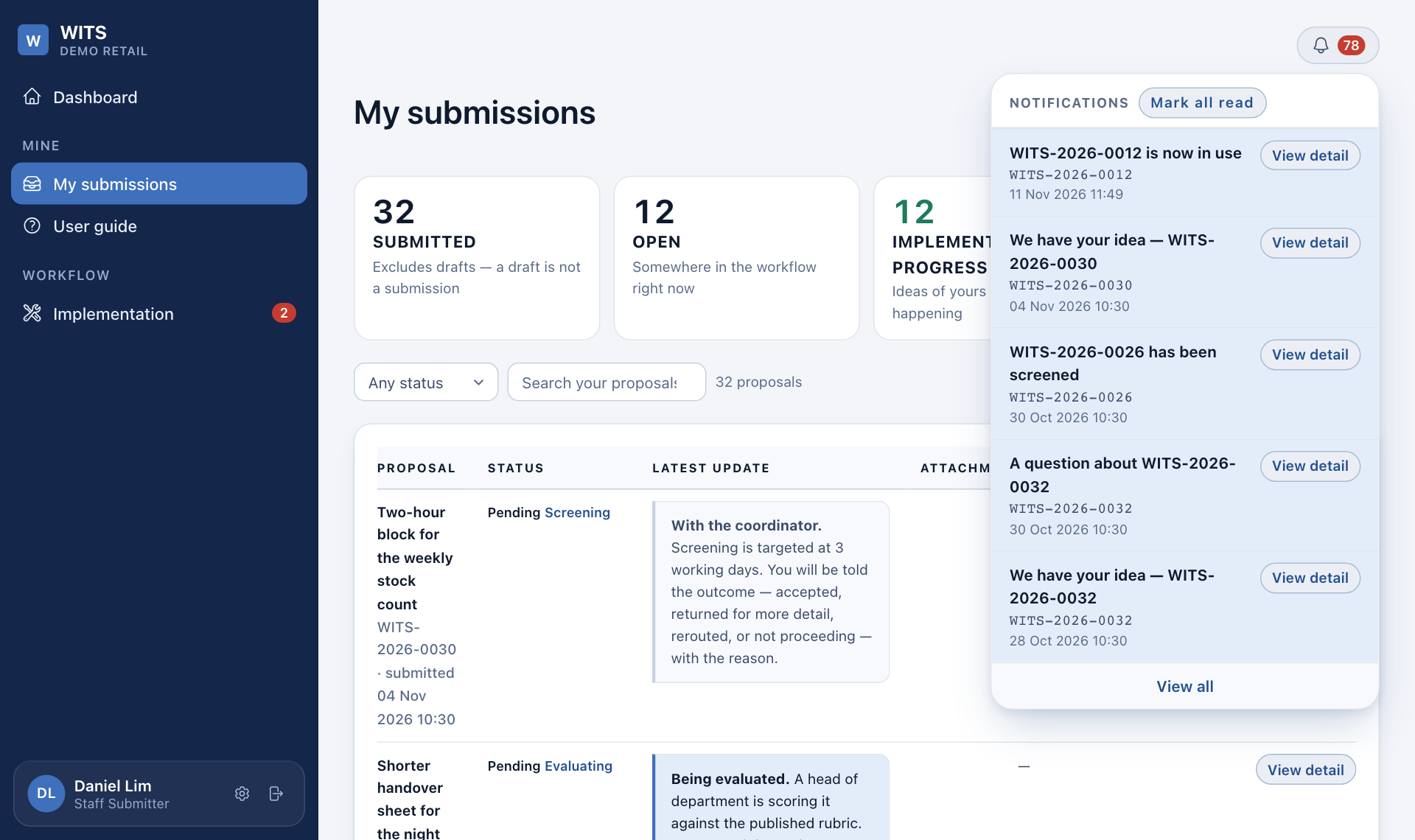
Every change of stage reaches you in the bell at the top right of every page. The red number is how many you have not read.
- Press the bell to see the latest ones.
- Press View detail to open that idea, or View all to see the full list.
- Press Mark all read to clear the number.
You cannot switch these notifications off. You may also get them by email, at the address in your staff record.
What the statuses mean
| Status | Meaning |
|---|---|
| Pending | Somewhere in screening or scoring. |
| Approved | The Council said yes. Work has not started. |
| In progress | Being carried out. |
| Completed | Done, in use, and confirmed by someone else. |
| Kept in view | A good idea for later. It shows a date to look at it again. |
| Rejected | The Council scored it and said no. |
| Unqualified | Closed at screening, without a score. |
| Rerouted | Sent to the system that handles it, such as faults or customer complaints. |
| Duplicate | Someone raised the same idea earlier. Yours is linked to it and counts as support. |
A rejected idea stays on the record. If things change, submit it again and say what changed.