What it is for
For: Everyone
Whole guide as PDF (3 MB)WITS (Work Improvement Team System) collects ideas from staff about their own work: a step that could be removed, a layout that costs walking, a form filled in twice. Every idea gets an answer, whether it is yes or no, and the answer comes with a reason.
An idea goes through six stages:
- You submit it.
- A WITS Coordinator screens it: is it an improvement idea, and is it in scope?
- The WIT Council scores it against a fixed list of questions.
- The Council decides: Implement, keep in view, or Reject.
- The person who raised it carries it out.
- Someone else confirms the change is in use, and the idea is closed.
Who uses it
| Role on screen | What they do |
|---|---|
| Staff Submitter | Everyone starts with this. Put forward ideas and follow your own. |
| WITS Coordinator | Screens new ideas from the outlets they look after, and confirms finished work. |
| WIT Council Member, Council Convenor, Evaluator | Score ideas and decide on them. |
| Implementation Owner | Records progress on approved ideas. |
| Outlet Manager | Sees the ideas from their outlet. |
| super_admin | Gives people roles and changes the settings. |
What it needs from other modules
- You sign in with the same phone number and password you use for your other work apps. There is no separate WITS password.
- Your name, staff number, outlet and position come from your company's staff records. Nobody types them into WITS, and nobody can change them there. If something is wrong, ask HR to correct it.
- Which outlets a coordinator looks after also comes from the staff records, so it changes when HR moves them.
WITS is for improving how work is done. Equipment faults go to the Fault & Defect Reporting System, and customer complaints go to the Customer Service System. A coordinator will send those on rather than reject them.
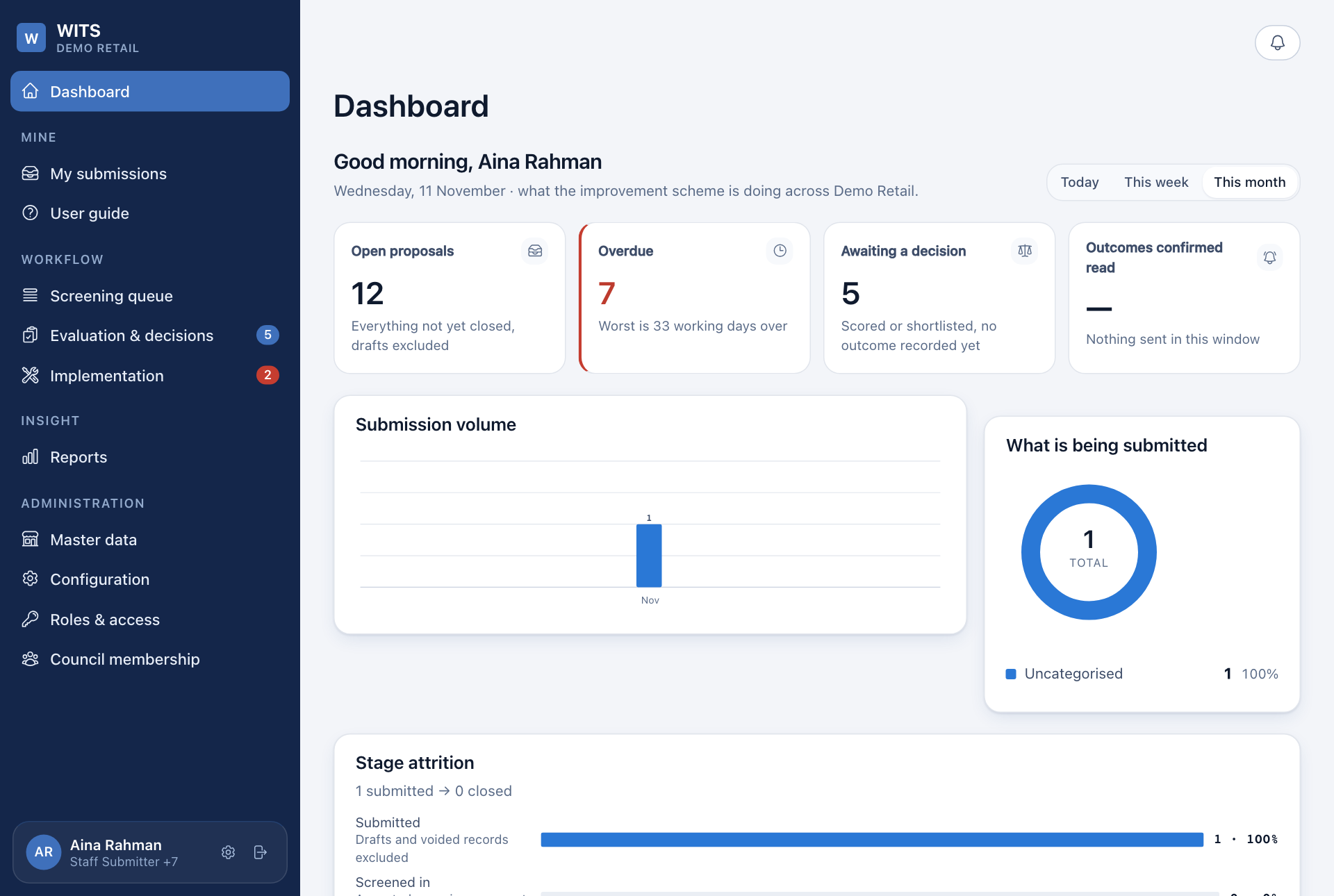
The Dashboard shows the same figures to everyone: how many ideas are open, how many are late, and how many are waiting for a decision. The menu on the left only shows the screens your role can open.