Put forward an idea
For: Staff
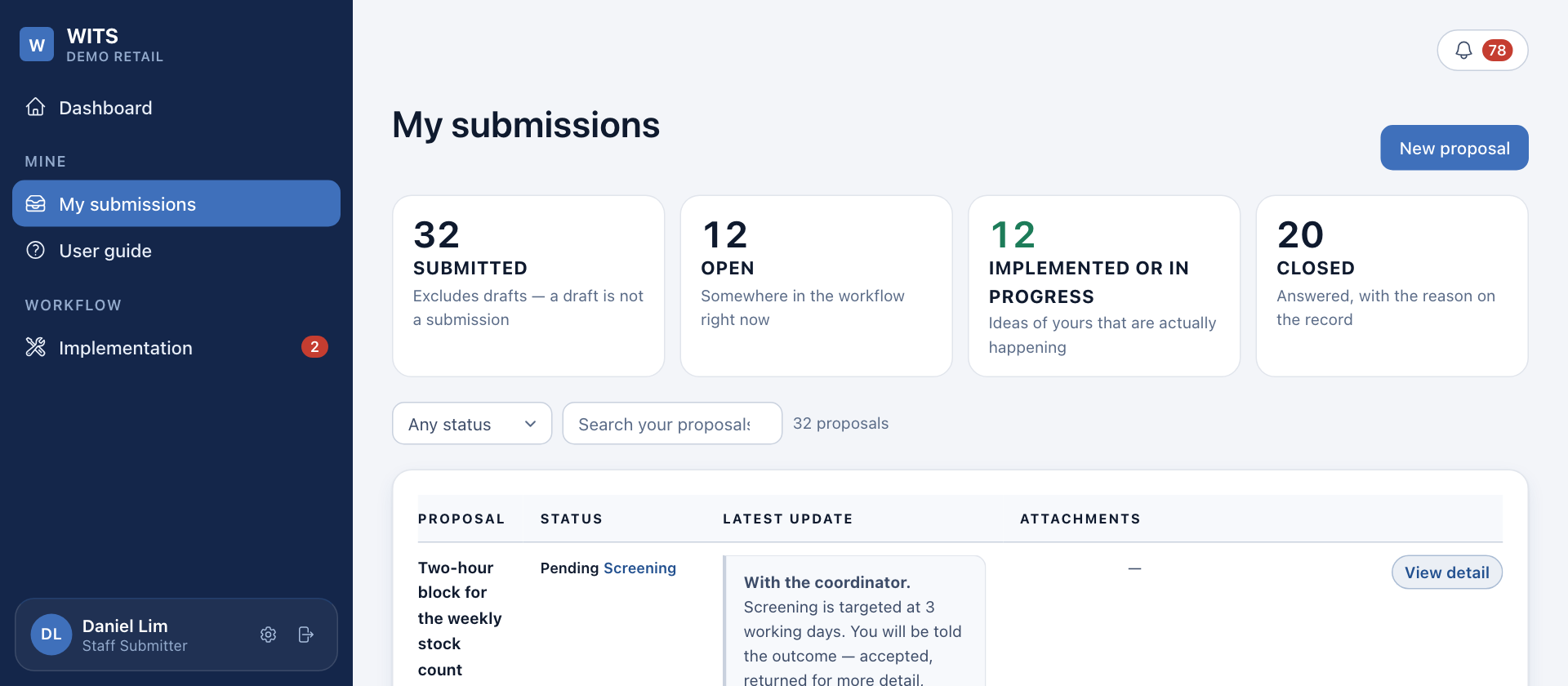
Whole guide as PDF (3 MB)- Open My submissions in the menu on the left.
- Press New proposal at the top right. If you have an unfinished draft, the button says Resume draft instead.
- Fill in the form:
- Title: a few words that name the change. It is what people see in the lists.
- Current problem: what goes wrong today, how often, and who it affects.
- Proposed solution: the one change you suggest, written so that someone who does not do your job could carry it out.
- Expected benefit: what gets better, and for whom.
- Type of benefit: tick every one that applies, for example Time saved or Safety.
- Estimated annual saving: pick a range, such as Below RM1,000. You do not type an exact amount.
- Estimated cost to implement: optional. Leave it empty if you do not know.
- Supporting files: photos, PDFs or a short video, up to 20 MB each.
- Suggested category: optional. The coordinator sets the final category.
- Press Submit proposal. To finish later, press Save as draft. Nobody else can see a draft.
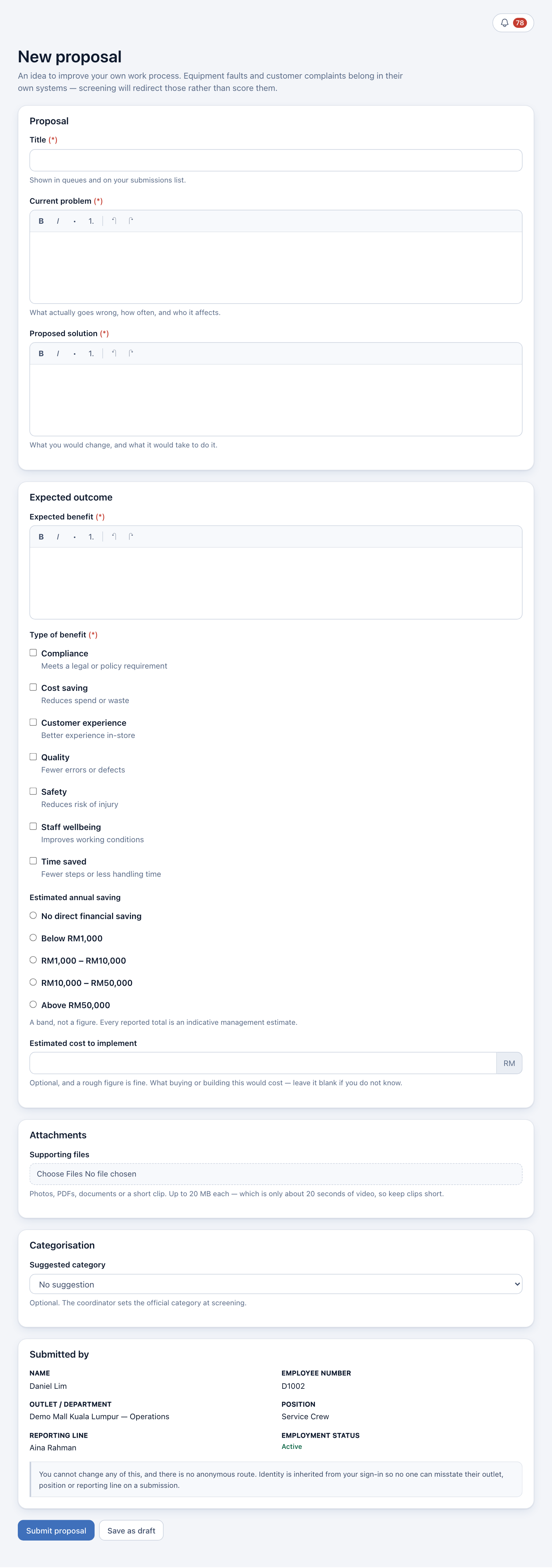
Fields marked (*) are needed to submit, not to save a draft.
The Council reads your reasons, not only the saving range you picked. A large range does not get a higher score on its own.