Score and decide on an idea
For: WIT Council members
Whole guide as PDF (3 MB)To score, you need two things: a role that lets you score, and a place on the Council (see Give people access). With only one of them, the Score button does not appear.
- Open Evaluation & decisions in the menu. Needs my score lists the ideas waiting for you.
- Each card shows how many questions are marked, the average score, and the deadline.
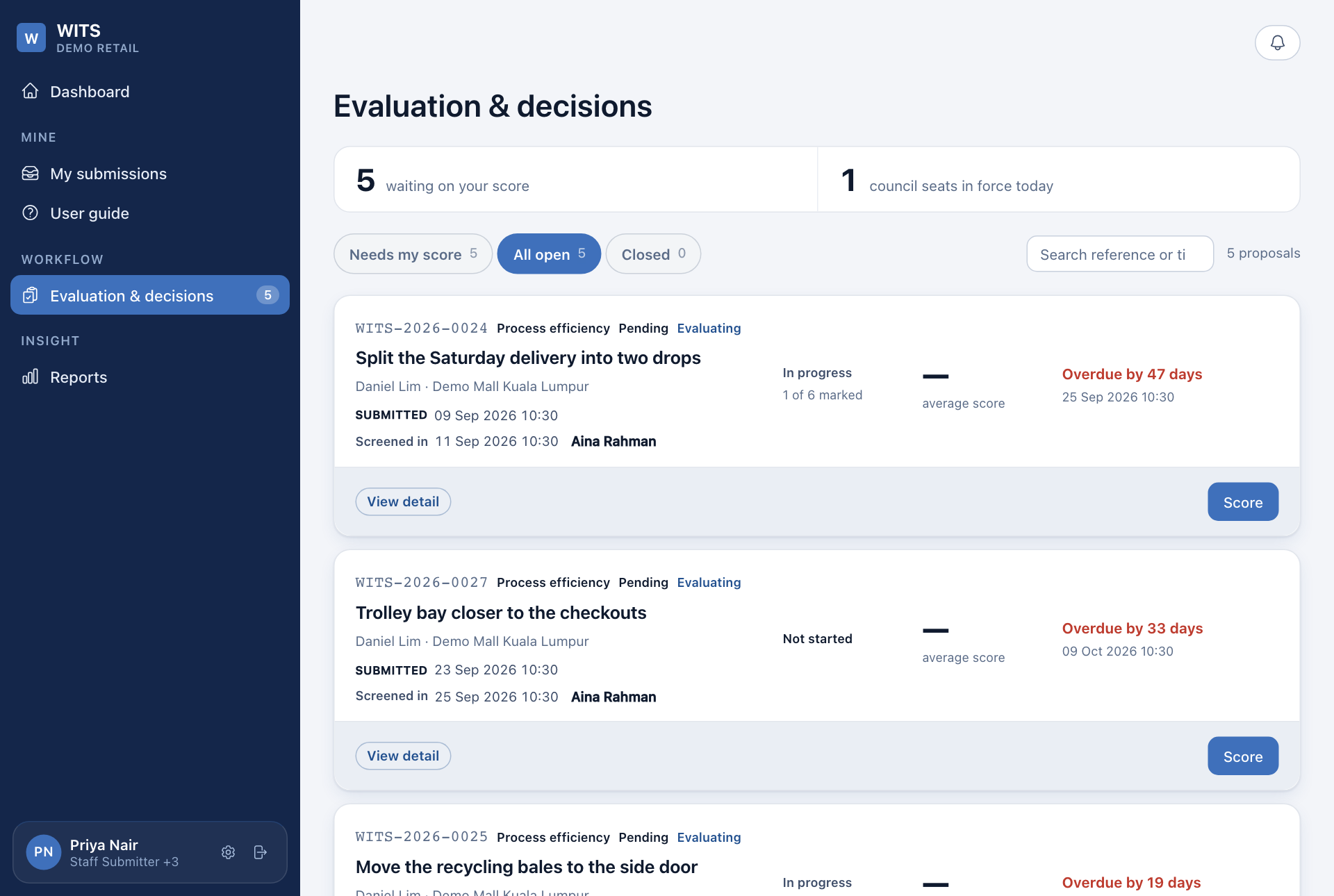
- Press Score on a card. The idea is on the left and the marking on the right.
- Mark each of the six questions from 1 to 10, for example Problem validity & severity and Solution feasibility. The Weighted total is worked out for you from your marks.
- Under Decision, write the Rationale. It is sent to the person who raised the idea, as written.
- To approve, set Target date if implemented, then press Implement. Otherwise press Reject.
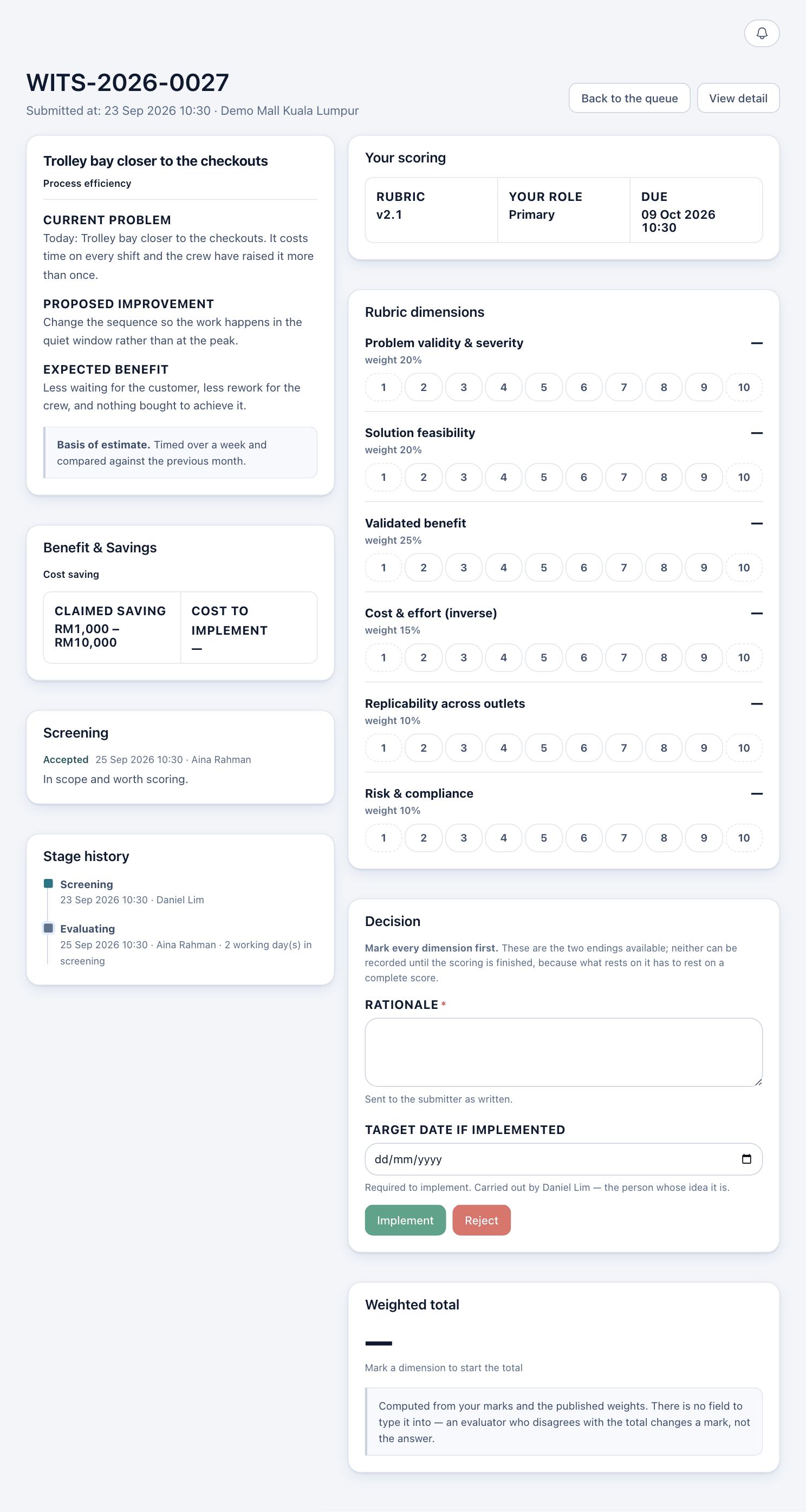
Nothing is saved until you press Implement or Reject. If you leave the page, your marks are lost.
When the Council has more than one member
- With one member, that member's decision is the Council's, and the person who raised the idea is told the same day.
- With two or more, each member records their own marks and recommendation. Once every member has answered, the majority decides.
- A tie decides nothing. Press Close scoring to end it with a reason.
If Implement or Reject seems unavailable, press it anyway. It tells you what is missing.
You cannot score your own idea.