Read the reports
For: Managers
Whole guide as PDF (3 MB)- Open Reports in the menu.
- The top row shows this year's submissions, how fast screening is, what is late, and how many answers have not been read.
- Press a report to open it:
- Submission Funnel: how many ideas reach each stage, and where they stop.
- Turnaround Performance: how many working days each stage takes, against its time limit.
- Ageing & Overdue Dashboard: what is open now, how old it is, and who has it.
- Loop-Closing Assurance: whether people actually received and read their answer.
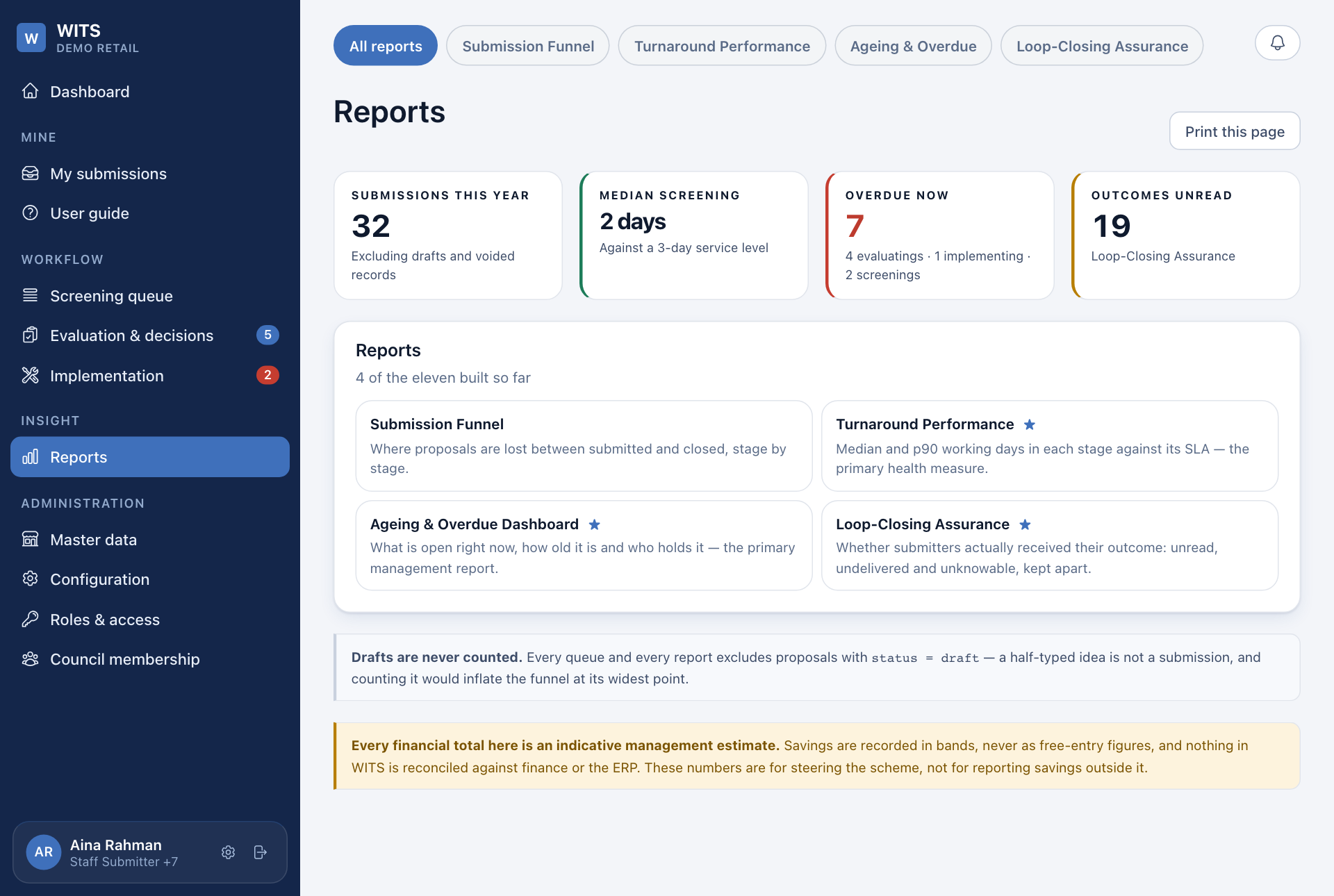
Each report can be narrowed to a period and an outlet. Press a figure to see the ideas behind it. Press Print this page to print it or save it as a PDF.
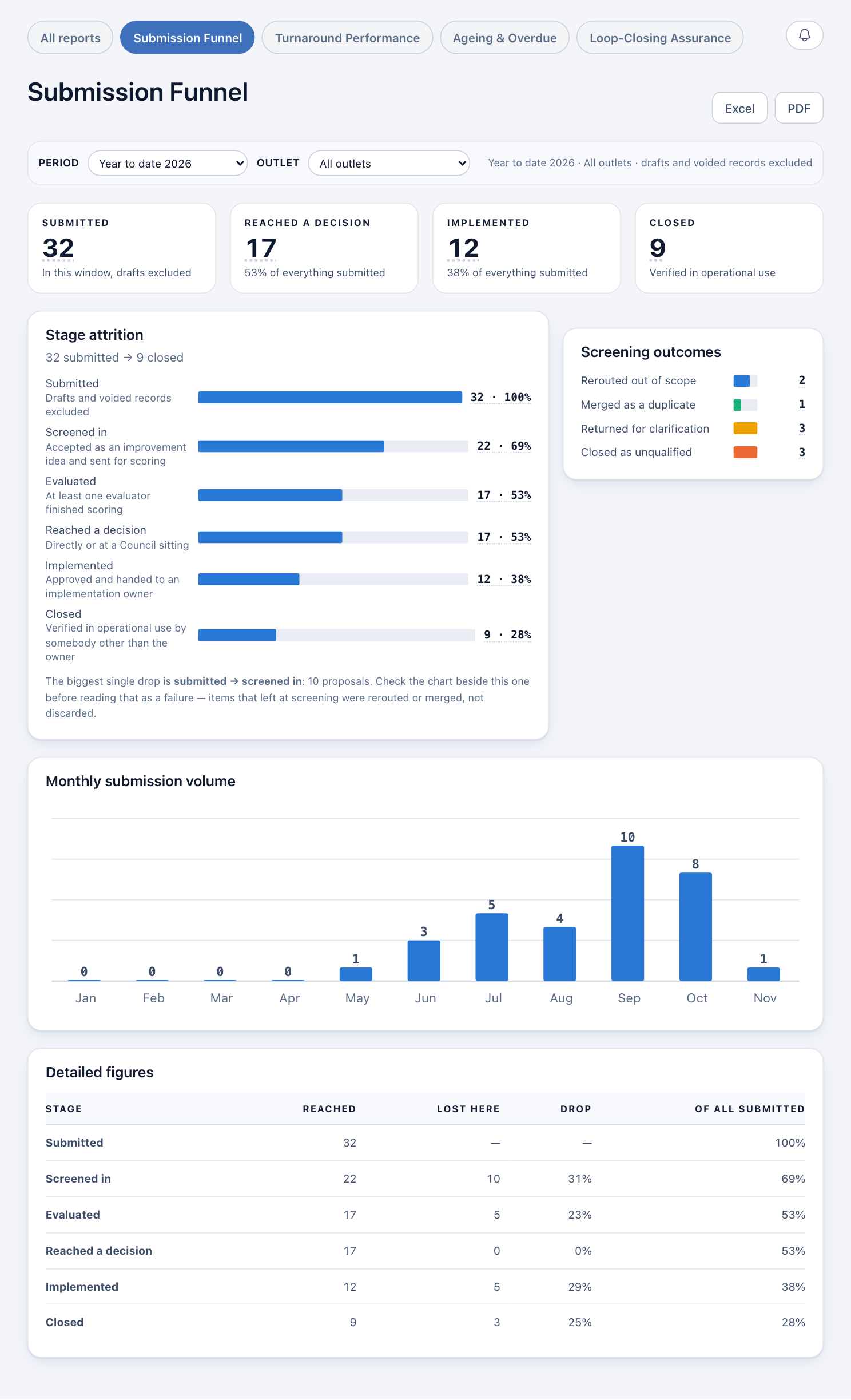
Drafts are never counted. Savings are added up from the ranges people picked, so every money total is an estimate. It is not checked against your accounts.