Give interview feedback
For: Interviewers
Whole guide as PDF (5 MB)When an applicant books, every interviewer on the panel gets a WhatsApp message with the name, job, date and time. The message has no link: you give feedback in the admin screens.
You need an account with your phone number, and a role that can open applications and their interviews. With the Hr Reviewer role alone, the Interviews part does not show. Ask HR.
-
Sign in to the admin screens (the Recruitment web address with /admin at the end). Press Applications, then View on the applicant.
-
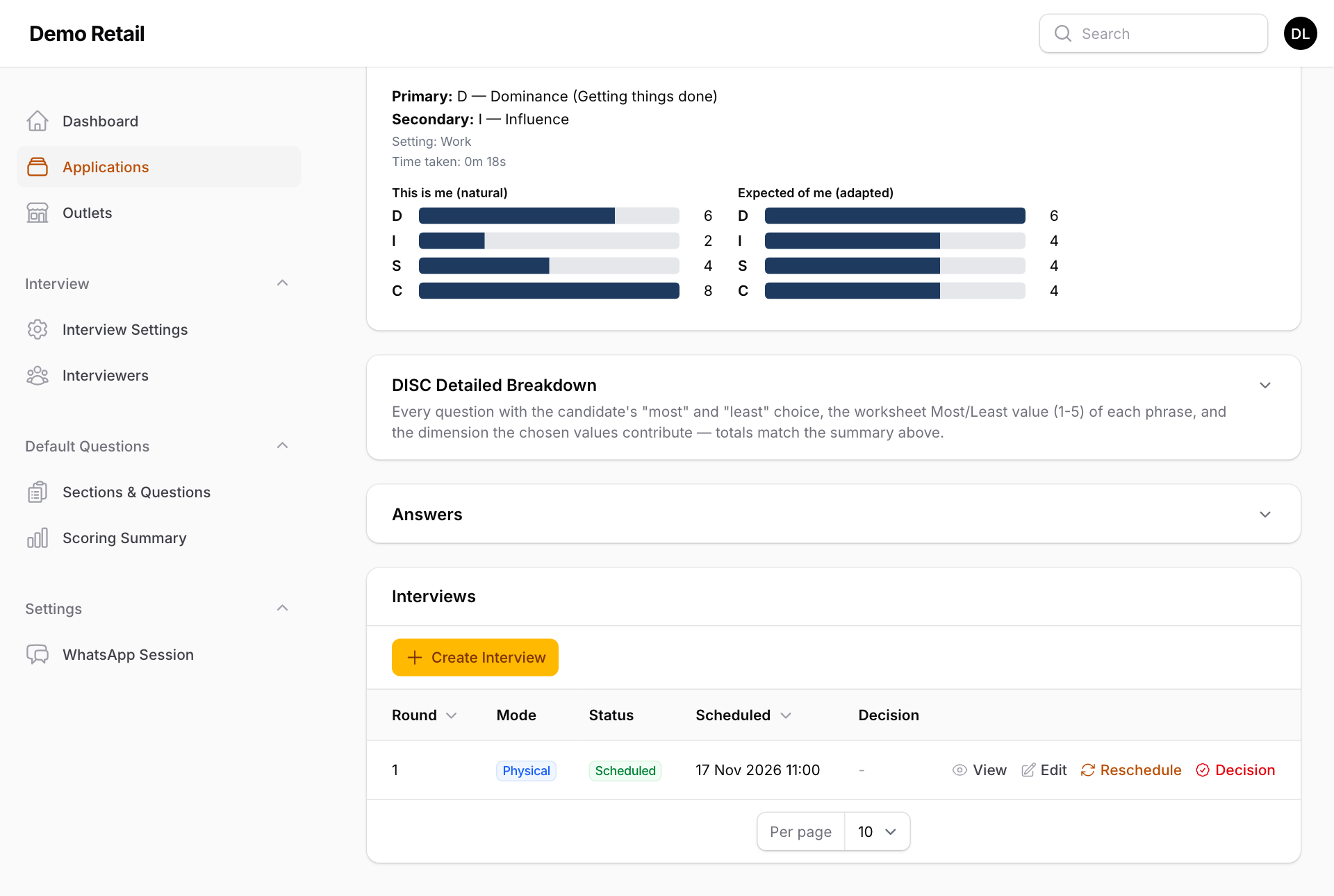
Scroll to the bottom. Under Interviews, press View on the interview.
-
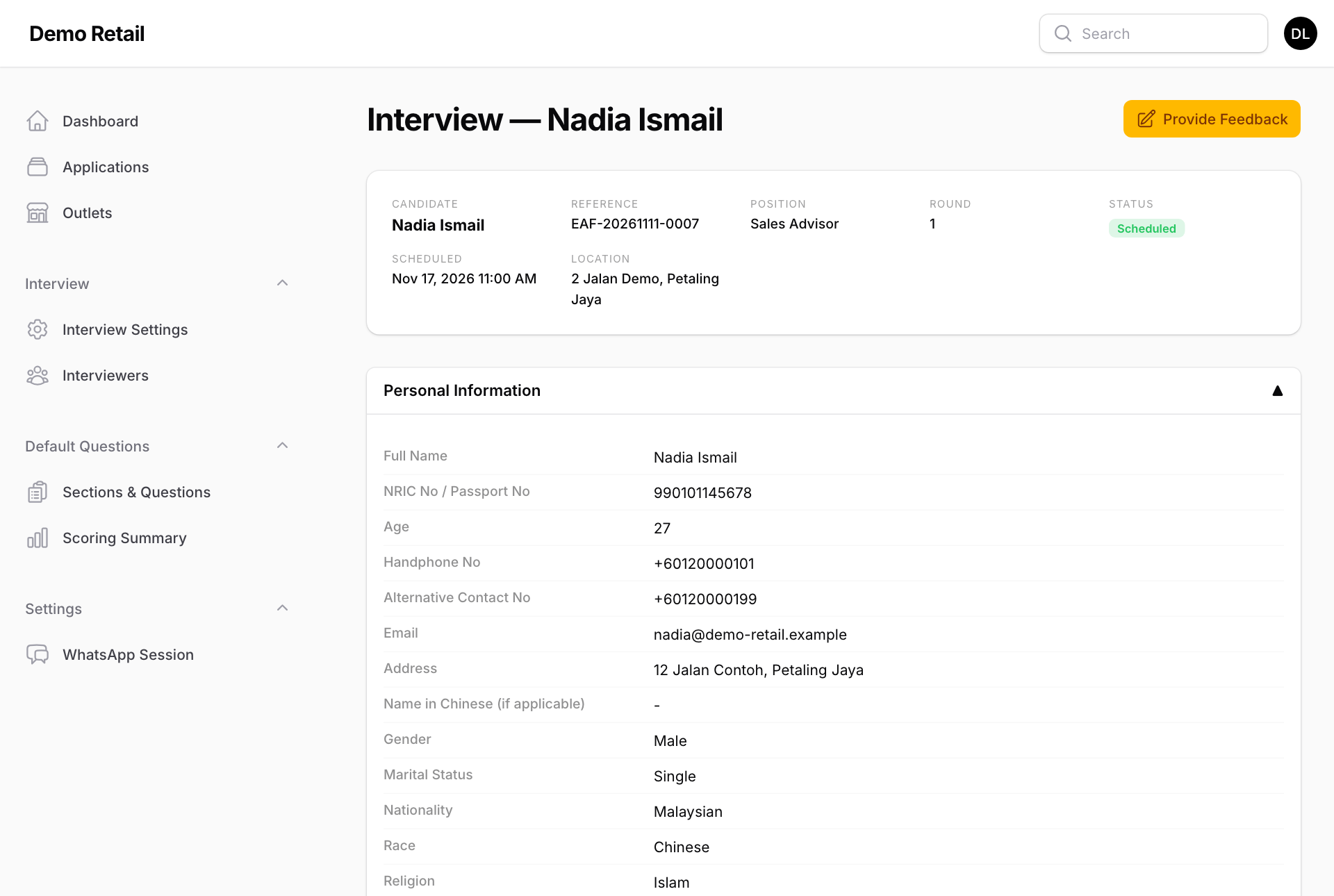
Interview — (name) shows the interview details and all the applicant's answers, section by section. Read them before or during the interview. Press Provide Feedback at the top right; it opens in a new tab. The button shows only if you are on this interview's panel and have not given feedback yet.
-
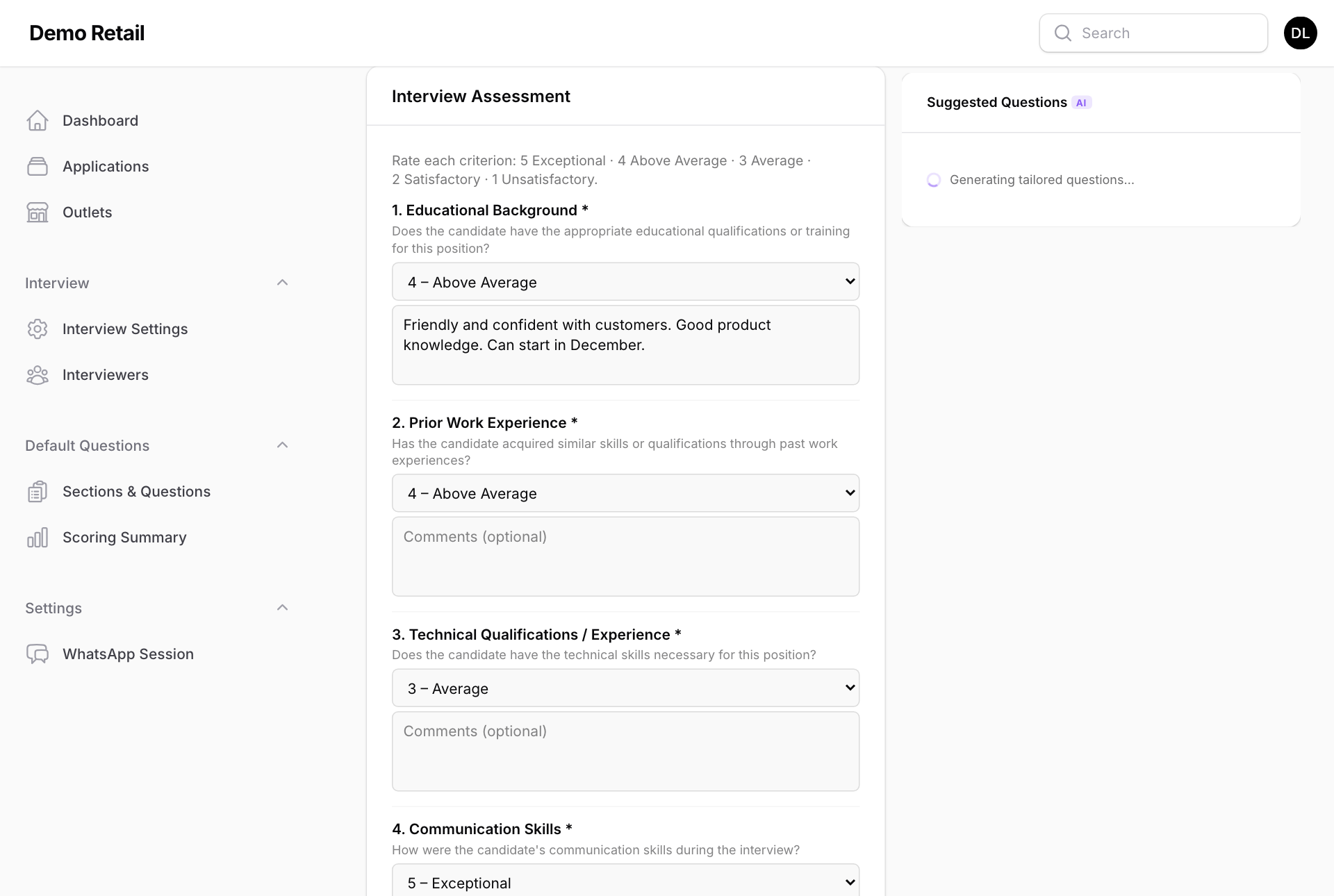
Under Interview Assessment, give each of the 10 points a score from 5 (Exceptional) to 1 (Unsatisfactory): Educational Background, Prior Work Experience, Technical Qualifications / Experience, Communication Skills, Candidate Interest, Knowledge of Organization, Teambuilding / Interpersonal Skills, Initiative, Time Management and Customer Service. The comment box under each is optional.
-
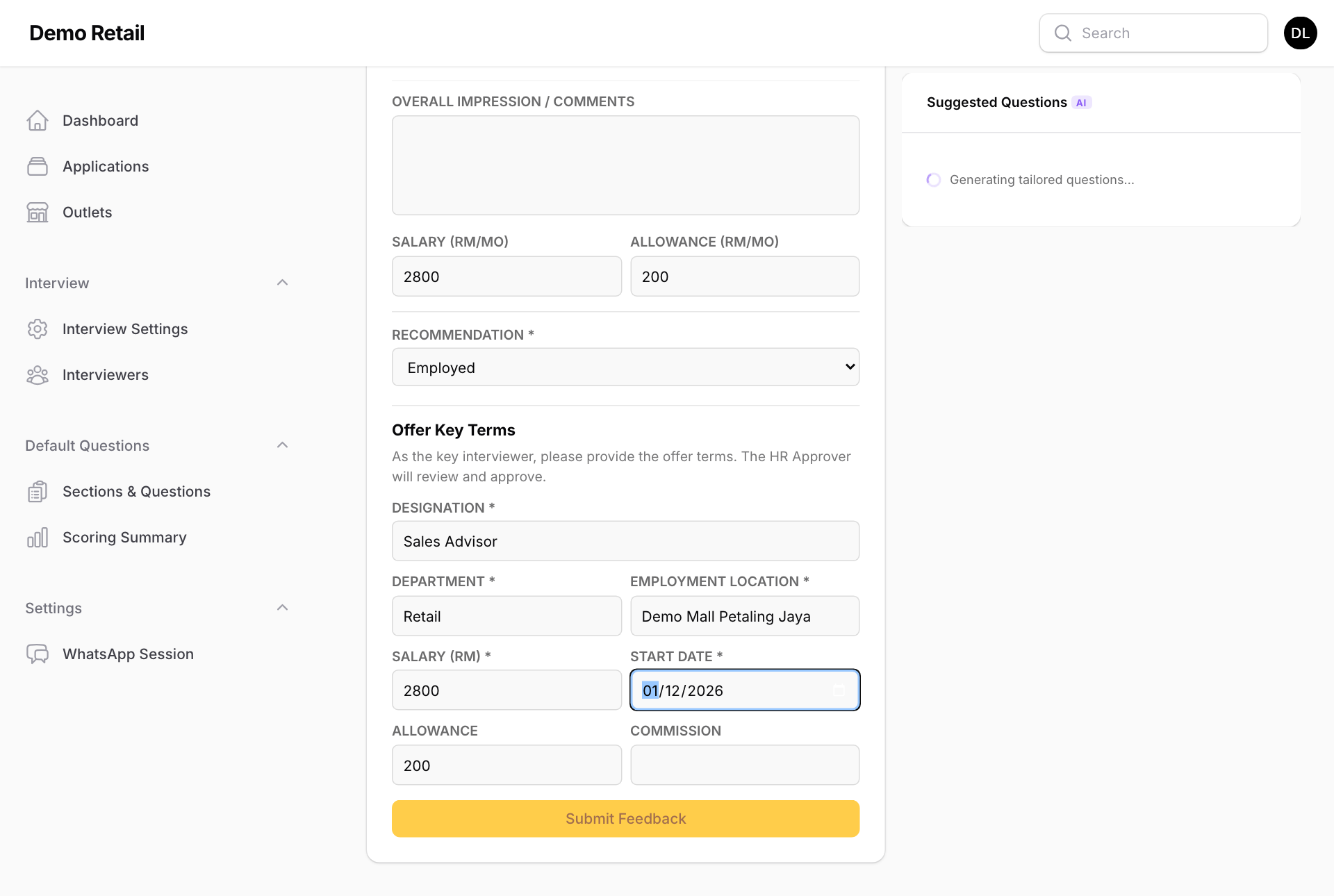
Fill in OVERALL IMPRESSION / COMMENTS, and the SALARY (RM/MO) and ALLOWANCE (RM/MO) you think are right.
-
If you are the key interviewer (the decision-maker for the outlet), you also choose a RECOMMENDATION: Employed, Keep in List of Review, Arrange 2nd Interview or Rejected.
- For Rejected, pick the reasons under REASON FOR REJECTION.
- For Employed, fill in Offer Key Terms: DESIGNATION, DEPARTMENT, EMPLOYMENT LOCATION, SALARY (RM), START DATE, and if needed ALLOWANCE and COMMISSION. These become the offer letter once an approver signs it.
-
Press Submit Feedback. A green message confirms the feedback was submitted. You cannot change it afterwards.
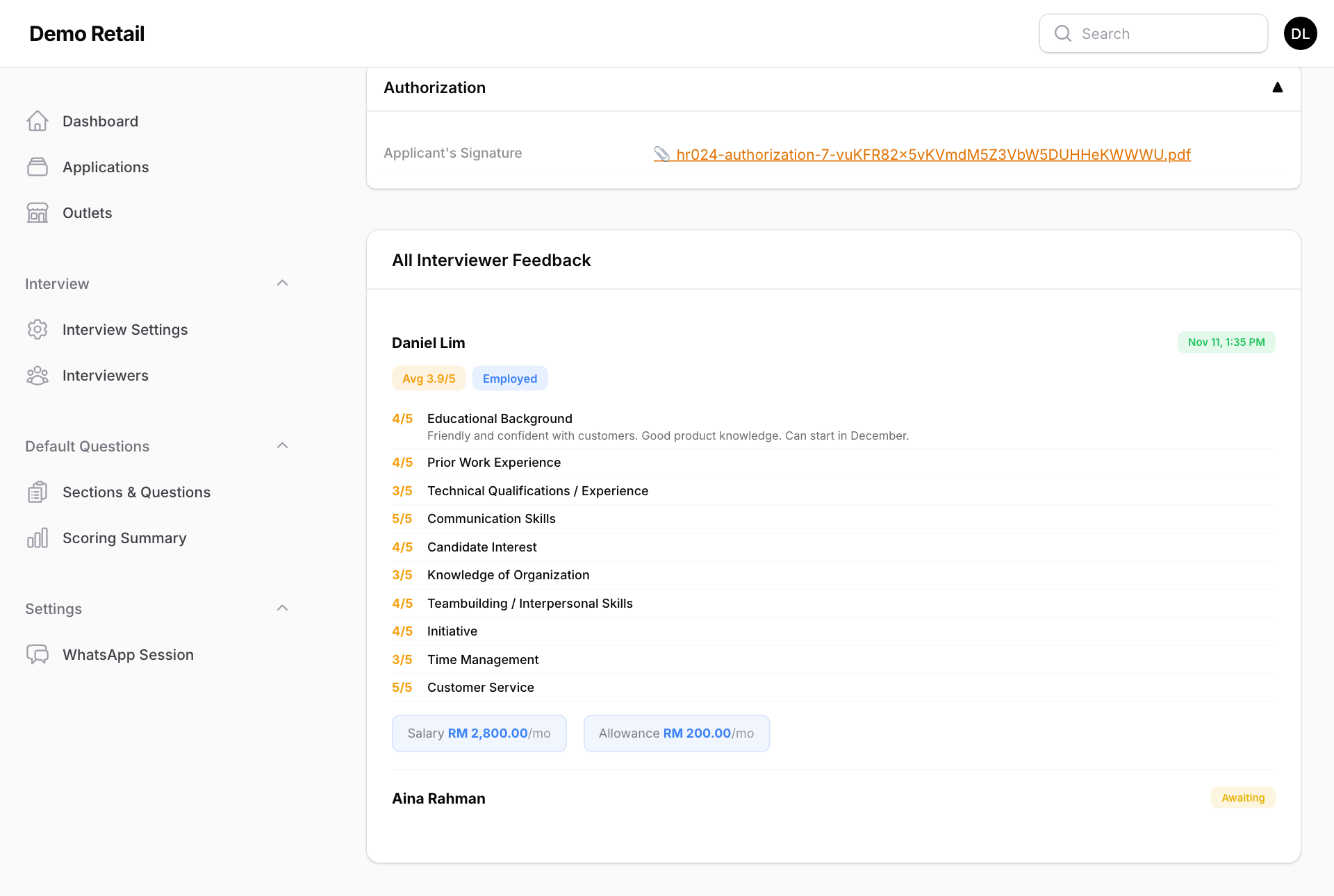
Back on the interview page, All Interviewer Feedback shows everyone's scores, the average, and who is still Awaiting.
What happens next
When the key interviewer submits, the approvers of the outlet get a WhatsApp link to make the hiring decision (see "Make the hiring decision and approve the offer"). Feedback from the other interviewers is shown to them too.
Suggested Questions on the right lists interview questions written by AI from the applicant's answers. It needs an AI service set up by your administrator. Without one it keeps showing "Generating tailored questions…".